Bonjour,
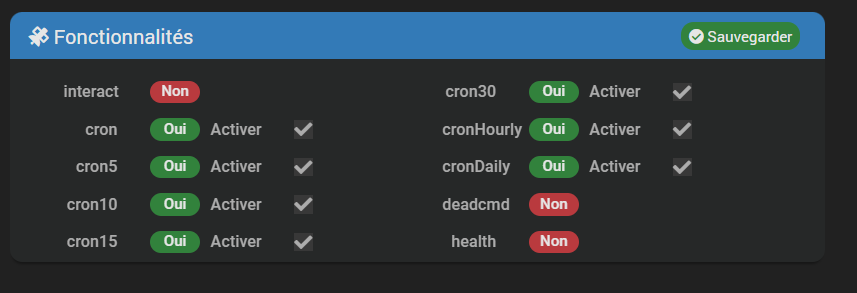
Merci pour ce plugin mais de mon coté cela ne fonctionne pas. impossible de remonter les info du ballon. voir l’image ci dessous

pouvez vous m’aider ?
Bonjour,
Merci pour ce plugin mais de mon coté cela ne fonctionne pas. impossible de remonter les info du ballon. voir l’image ci dessous
pouvez vous m’aider ?
Bonjour,
Aider ? Sans information ni log?
Quel est le modèle du ballon ?
Il est ok sur leur interface web ?
Le login password est ok?
Un log ?
Pour rappel le plugin se base sur un lib externe

Sur le site web ariston.net le ballon doit etre etre le premier equipement.
Tous les ballons ne sont pas compatibles.
Donc sans info vraiment je ne sais pas répondre si la situation est normale ou pas
Bonjour, Merci pour ce retour
j’ai 2 ballons thermodynamiques Nuos plus wifi, ils sont bien reconnu sur l’application ariston.
j’ai bien renseigné les champs login & password.
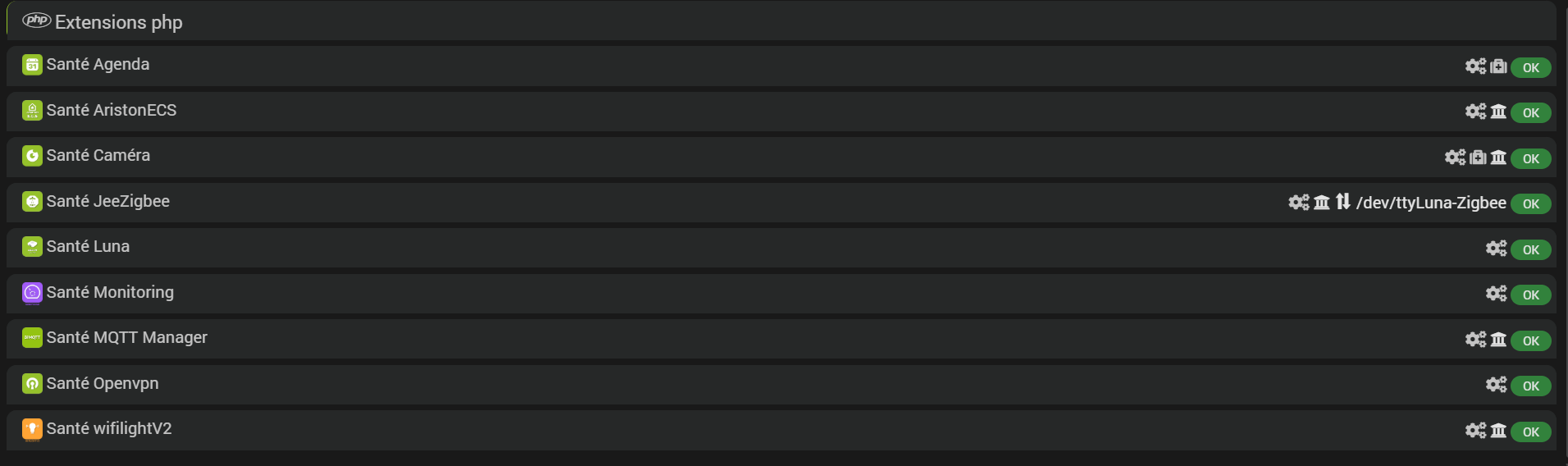
qq photos ci dessou
log:
sh: 1: 26: not found
[2025-08-31 12:34:32] ERROR : Impossible de lancer le démon, vérifiez le log
[2025-08-31 12:35:07] ERROR : socket_connect() failed
[2025-08-31 12:35:12] ERROR : Attention : l’installation des dépendances a dépassé le temps maximum autorisé : 0min
sh: 1: 26: not found
jeedom core : 4.4.19
jeedom Luna
merci pour votre retour
Log de quoi ?
on a pas la page santé jeedom, ni le log des dépendances, bref on a toujours rien…
Allez je passe mon tour j’ai pas de temps a perdre
voici les infos ci dessous, si tu veux bien
logs aristonBoiler
logs du plugin aristonBoiler packages
+ echo '*******************Begin of package installation******************'
*******************Begin of package installation******************
+ touch /tmp/jeedom_install_in_progress_aristonBoiler
+ echo 1
+ echo 2
+ sudo killall apt apt-get unattended-upgr
apt: no process found
apt-get: no process found
unattended-upgr: no process found
+ sudo rm /var/lib/apt/lists/lock
+ sudo rm /var/cache/apt/archives/lock
+ sudo rm /var/lib/dpkg/lock /var/lib/dpkg/lock-frontend
+ sudo sudo dpkg --configure -a --force-confdef
+ sudo apt update
WARNING: apt does not have a stable CLI interface. Use with caution in scripts.
Hit:1 https://deb.debian.org/debian bullseye InRelease
Hit:2 https://deb.debian.org/debian-security bullseye-security InRelease
Hit:3 https://deb.debian.org/debian bullseye-updates InRelease
Ign:4 https://deb.debian.org/debian bullseye-backports InRelease
Get:5 https://download.docker.com/linux/debian bullseye InRelease [43.3 kB]
Hit:6 https://deb.nodesource.com/node_20.x nodistro InRelease
Err:7 https://deb.debian.org/debian bullseye-backports Release
404  Not Found [IP: 2a04:4e42:54::644 443]
Reading package lists...
E: The repository 'https://deb.debian.org/debian bullseye-backports Release' no longer has a Release file.
+ echo 3
+ sudo apt install -o Dpkg::Options::=--force-confdef -y python3
WARNING: apt does not have a stable CLI interface. Use with caution in scripts.
Reading package lists...
Building dependency tree...
Reading state information...
python3 is already the newest version (3.9.2-3).
0 upgraded, 0 newly installed, 0 to remove and 7 not upgraded.
+ echo 4
+ sudo apt install -o Dpkg::Options::=--force-confdef -y python3-pip
WARNING: apt does not have a stable CLI interface. Use with caution in scripts.
Reading package lists...
Building dependency tree...
Reading state information...
python3-pip is already the newest version (20.3.4-4+deb11u1).
0 upgraded, 0 newly installed, 0 to remove and 7 not upgraded.
+ echo 5
+ sudo apt install -o Dpkg::Options::=--force-confdef -y python3-pyudev
WARNING: apt does not have a stable CLI interface. Use with caution in scripts.
Reading package lists...
Building dependency tree...
Reading state information...
python3-pyudev is already the newest version (0.22.0-2).
0 upgraded, 0 newly installed, 0 to remove and 7 not upgraded.
+ echo 6
+ sudo apt install -o Dpkg::Options::=--force-confdef -y python3-dev
WARNING: apt does not have a stable CLI interface. Use with caution in scripts.
Reading package lists...
Building dependency tree...
Reading state information...
python3-dev is already the newest version (3.9.2-3).
0 upgraded, 0 newly installed, 0 to remove and 7 not upgraded.
+ echo 7
+ sudo apt install -o Dpkg::Options::=--force-confdef -y python3-requests
WARNING: apt does not have a stable CLI interface. Use with caution in scripts.
Reading package lists...
Building dependency tree...
Reading state information...
python3-requests is already the newest version (2.25.1+dfsg-2).
0 upgraded, 0 newly installed, 0 to remove and 7 not upgraded.
+ echo 8
+ sudo apt install -o Dpkg::Options::=--force-confdef -y python3-setuptools
WARNING: apt does not have a stable CLI interface. Use with caution in scripts.
Reading package lists...
Building dependency tree...
Reading state information...
python3-setuptools is already the newest version (52.0.0-4+deb11u2).
0 upgraded, 0 newly installed, 0 to remove and 7 not upgraded.
+ echo 9
++ awk '$1 <= 4'
++ find /usr/local/lib/python3.9/dist-packages/ -mindepth 1 -maxdepth 1 -type d -exec du -ks '{}' +
++ cut -f 2-
+ RESULTTODELETE=
++ echo ''
++ sed 's, ,\ ,g'
+ RESULTTODELETE2=
+ echo ''
+ xargs rm -rf
+ echo 10
+ sudo pip3 cache purge
Files removed: 62 (2.6 MB)
+ echo 11
+ sudo pip3 install --upgrade pip
Requirement already satisfied: pip in /usr/local/lib/python3.9/dist-packages (25.2)
WARNING: Error parsing dependencies of gpg: Invalid version: '1.14.0-unknown'
WARNING: Running pip as the 'root' user can result in broken permissions and conflicting behaviour with the system package manager, possibly rendering your system unusable. It is recommended to use a virtual environment instead: https://pip.pypa.io/warnings/venv. Use the --root-user-action option if you know what you are doing and want to suppress this warning.
+ echo 12
+ sudo python3 -m pip install --force-reinstall --upgrade pyudev
Collecting pyudev
Downloading pyudev-0.24.3-py3-none-any.whl.metadata (4.6 kB)
Downloading pyudev-0.24.3-py3-none-any.whl (62 kB)
WARNING: Error parsing dependencies of gpg: Invalid version: '1.14.0-unknown'
Installing collected packages: pyudev
Attempting uninstall: pyudev
Found existing installation: pyudev 0.24.3
Uninstalling pyudev-0.24.3:
Successfully uninstalled pyudev-0.24.3
Successfully installed pyudev-0.24.3
WARNING: Running pip as the 'root' user can result in broken permissions and conflicting behaviour with the system package manager, possibly rendering your system unusable. It is recommended to use a virtual environment instead: https://pip.pypa.io/warnings/venv. Use the --root-user-action option if you know what you are doing and want to suppress this warning.
+ echo 13
+ sudo python3 -m pip install --force-reinstall --upgrade requests
Collecting requests
Downloading requests-2.32.5-py3-none-any.whl.metadata (4.9 kB)
Collecting charset_normalizer<4,>=2 (from requests)
Downloading charset_normalizer-3.4.3-cp39-cp39-manylinux2014_aarch64.manylinux_2_17_aarch64.manylinux_2_28_aarch64.whl.metadata (36 kB)
Collecting idna<4,>=2.5 (from requests)
Downloading idna-3.10-py3-none-any.whl.metadata (10 kB)
Collecting urllib3<3,>=1.21.1 (from requests)
Downloading urllib3-2.5.0-py3-none-any.whl.metadata (6.5 kB)
Collecting certifi>=2017.4.17 (from requests)
Downloading certifi-2025.8.3-py3-none-any.whl.metadata (2.4 kB)
Downloading requests-2.32.5-py3-none-any.whl (64 kB)
Downloading charset_normalizer-3.4.3-cp39-cp39-manylinux2014_aarch64.manylinux_2_17_aarch64.manylinux_2_28_aarch64.whl (147 kB)
Downloading idna-3.10-py3-none-any.whl (70 kB)
Downloading urllib3-2.5.0-py3-none-any.whl (129 kB)
Downloading certifi-2025.8.3-py3-none-any.whl (161 kB)
WARNING: Error parsing dependencies of gpg: Invalid version: '1.14.0-unknown'
Installing collected packages: urllib3, idna, charset_normalizer, certifi, requests
Attempting uninstall: urllib3
Found existing installation: urllib3 2.5.0
Uninstalling urllib3-2.5.0:
Successfully uninstalled urllib3-2.5.0
Attempting uninstall: idna
Found existing installation: idna 3.10
Uninstalling idna-3.10:
Successfully uninstalled idna-3.10
Attempting uninstall: charset_normalizer
Found existing installation: charset-normalizer 3.4.3
Uninstalling charset-normalizer-3.4.3:
Successfully uninstalled charset-normalizer-3.4.3
Attempting uninstall: certifi
Found existing installation: certifi 2025.8.3
Uninstalling certifi-2025.8.3:
Successfully uninstalled certifi-2025.8.3
Attempting uninstall: requests
Found existing installation: requests 2.32.5
Uninstalling requests-2.32.5:
Successfully uninstalled requests-2.32.5
Successfully installed certifi-2025.8.3 charset_normalizer-3.4.3 idna-3.10 requests-2.32.5 urllib3-2.5.0
WARNING: Running pip as the 'root' user can result in broken permissions and conflicting behaviour with the system package manager, possibly rendering your system unusable. It is recommended to use a virtual environment instead: https://pip.pypa.io/warnings/venv. Use the --root-user-action option if you know what you are doing and want to suppress this warning.
+ echo 14
+ sudo python3 -m pip install --force-reinstall --upgrade setuptools
Collecting setuptools
Downloading setuptools-80.9.0-py3-none-any.whl.metadata (6.6 kB)
Downloading setuptools-80.9.0-py3-none-any.whl (1.2 MB)
━━━━━━━━━━━━━━━━━━━━━━━━━━━━━━━━━━━━━━━━ 1.2/1.2 MB 2.3 MB/s  0:00:00
WARNING: Error parsing dependencies of gpg: Invalid version: '1.14.0-unknown'
Installing collected packages: setuptools
Attempting uninstall: setuptools
Found existing installation: setuptools 80.9.0
Uninstalling setuptools-80.9.0:
Successfully uninstalled setuptools-80.9.0
Successfully installed setuptools-80.9.0
WARNING: Running pip as the 'root' user can result in broken permissions and conflicting behaviour with the system package manager, possibly rendering your system unusable. It is recommended to use a virtual environment instead: https://pip.pypa.io/warnings/venv. Use the --root-user-action option if you know what you are doing and want to suppress this warning.
+ echo 15
+ sudo python3 -m pip install --force-reinstall --upgrade wheel
Collecting wheel
Downloading wheel-0.45.1-py3-none-any.whl.metadata (2.3 kB)
Downloading wheel-0.45.1-py3-none-any.whl (72 kB)
WARNING: Error parsing dependencies of gpg: Invalid version: '1.14.0-unknown'
Installing collected packages: wheel
Attempting uninstall: wheel
Found existing installation: wheel 0.45.1
Uninstalling wheel-0.45.1:
Successfully uninstalled wheel-0.45.1
Successfully installed wheel-0.45.1
WARNING: Running pip as the 'root' user can result in broken permissions and conflicting behaviour with the system package manager, possibly rendering your system unusable. It is recommended to use a virtual environment instead: https://pip.pypa.io/warnings/venv. Use the --root-user-action option if you know what you are doing and want to suppress this warning.
+ echo 16
+ sudo python3 -m pip install --force-reinstall --upgrade pyserial
Collecting pyserial
Downloading pyserial-3.5-py2.py3-none-any.whl.metadata (1.6 kB)
Downloading pyserial-3.5-py2.py3-none-any.whl (90 kB)
WARNING: Error parsing dependencies of gpg: Invalid version: '1.14.0-unknown'
Installing collected packages: pyserial
Attempting uninstall: pyserial
Found existing installation: pyserial 3.5
Uninstalling pyserial-3.5:
Successfully uninstalled pyserial-3.5
Successfully installed pyserial-3.5
WARNING: Running pip as the 'root' user can result in broken permissions and conflicting behaviour with the system package manager, possibly rendering your system unusable. It is recommended to use a virtual environment instead: https://pip.pypa.io/warnings/venv. Use the --root-user-action option if you know what you are doing and want to suppress this warning.
+ echo 17
+ sudo python3 -m pip install --force-reinstall --upgrade ariston_boiler_control
Collecting ariston_boiler_control
Downloading ariston_boiler_control-0.0.5-py3-none-any.whl.metadata (2.0 kB)
Collecting requests (from ariston_boiler_control)
Using cached requests-2.32.5-py3-none-any.whl.metadata (4.9 kB)
Collecting charset_normalizer<4,>=2 (from requests->ariston_boiler_control)
Using cached charset_normalizer-3.4.3-cp39-cp39-manylinux2014_aarch64.manylinux_2_17_aarch64.manylinux_2_28_aarch64.whl.metadata (36 kB)
Collecting idna<4,>=2.5 (from requests->ariston_boiler_control)
Using cached idna-3.10-py3-none-any.whl.metadata (10 kB)
Collecting urllib3<3,>=1.21.1 (from requests->ariston_boiler_control)
Using cached urllib3-2.5.0-py3-none-any.whl.metadata (6.5 kB)
Collecting certifi>=2017.4.17 (from requests->ariston_boiler_control)
Using cached certifi-2025.8.3-py3-none-any.whl.metadata (2.4 kB)
Downloading ariston_boiler_control-0.0.5-py3-none-any.whl (9.6 kB)
Using cached requests-2.32.5-py3-none-any.whl (64 kB)
Using cached charset_normalizer-3.4.3-cp39-cp39-manylinux2014_aarch64.manylinux_2_17_aarch64.manylinux_2_28_aarch64.whl (147 kB)
Using cached idna-3.10-py3-none-any.whl (70 kB)
Using cached urllib3-2.5.0-py3-none-any.whl (129 kB)
Using cached certifi-2025.8.3-py3-none-any.whl (161 kB)
WARNING: Error parsing dependencies of gpg: Invalid version: '1.14.0-unknown'
Installing collected packages: urllib3, idna, charset_normalizer, certifi, requests, ariston_boiler_control
Attempting uninstall: urllib3
Found existing installation: urllib3 2.5.0
Uninstalling urllib3-2.5.0:
Successfully uninstalled urllib3-2.5.0
Attempting uninstall: idna
Found existing installation: idna 3.10
Uninstalling idna-3.10:
Successfully uninstalled idna-3.10
Attempting uninstall: charset_normalizer
Found existing installation: charset-normalizer 3.4.3
Uninstalling charset-normalizer-3.4.3:
Successfully uninstalled charset-normalizer-3.4.3
Attempting uninstall: certifi
Found existing installation: certifi 2025.8.3
Uninstalling certifi-2025.8.3:
Successfully uninstalled certifi-2025.8.3
Attempting uninstall: requests
Found existing installation: requests 2.32.5
Uninstalling requests-2.32.5:
Successfully uninstalled requests-2.32.5
Attempting uninstall: ariston_boiler_control
Found existing installation: ariston_boiler_control 0.0.5
Uninstalling ariston_boiler_control-0.0.5:
Successfully uninstalled ariston_boiler_control-0.0.5
Successfully installed ariston_boiler_control-0.0.5 certifi-2025.8.3 charset_normalizer-3.4.3 idna-3.10 requests-2.32.5 urllib3-2.5.0
WARNING: Running pip as the 'root' user can result in broken permissions and conflicting behaviour with the system package manager, possibly rendering your system unusable. It is recommended to use a virtual environment instead: https://pip.pypa.io/warnings/venv. Use the --root-user-action option if you know what you are doing and want to suppress this warning.
+ echo 18
+ php /var/www/html/core/class/../php/jeecli.php plugin dependancy_end aristonBoiler
+ echo 19
+ rm /tmp/jeedom_install_in_progress_aristonBoiler
+ echo '*******************End of package installation******************'
*******************End of package installation******************
Pour une bonne lisibilité merci de formater les logs en utilisant:
saisissez ou collez du code ici
C’est le bouton </> des options d’éditions des messages.
logs aristonBoiler
sh: 1: 26: not found
[2025-08-31 12:34:32] ERROR  : Impossible de lancer le démon, vérifiez le log
[2025-08-31 12:35:07] ERROR  : socket_connect() failed
[2025-08-31 12:35:12] ERROR  : Attention : l'installation des dépendances a dépassé le temps maximum autorisé : 0min
sh: 1: 26: not found
[2025-08-31 12:40:56] ERROR  : Impossible de lancer le démon, vérifiez le log
[2025-08-31 12:45:07] ERROR  : socket_connect() failed
sh: 1: 26: not found
sh: 1: 26: not found
[2025-08-31 14:14:34] ERROR  : Impossible de lancer le démon, vérifiez le log
sh: 1: 26: not found
sh: 1: 26: not found
logs du plugin aristonBoiler packages
+ echo '*******************Begin of package installation******************'
*******************Begin of package installation******************
+ touch /tmp/jeedom_install_in_progress_aristonBoiler
+ echo 1
+ echo 2
+ sudo killall apt apt-get unattended-upgr
apt: no process found
apt-get: no process found
unattended-upgr: no process found
+ sudo rm /var/lib/apt/lists/lock
+ sudo rm /var/cache/apt/archives/lock
+ sudo rm /var/lib/dpkg/lock /var/lib/dpkg/lock-frontend
+ sudo sudo dpkg --configure -a --force-confdef
+ sudo apt update
WARNING: apt does not have a stable CLI interface. Use with caution in scripts.
Hit:1 https://deb.debian.org/debian bullseye InRelease
Hit:2 https://deb.debian.org/debian-security bullseye-security InRelease
Hit:3 https://deb.debian.org/debian bullseye-updates InRelease
Ign:4 https://deb.debian.org/debian bullseye-backports InRelease
Get:5 https://download.docker.com/linux/debian bullseye InRelease [43.3 kB]
Hit:6 https://deb.nodesource.com/node_20.x nodistro InRelease
Err:7 https://deb.debian.org/debian bullseye-backports Release
404  Not Found [IP: 2a04:4e42:54::644 443]
Reading package lists...
E: The repository 'https://deb.debian.org/debian bullseye-backports Release' no longer has a Release file.
+ echo 3
+ sudo apt install -o Dpkg::Options::=--force-confdef -y python3
WARNING: apt does not have a stable CLI interface. Use with caution in scripts.
Reading package lists...
Building dependency tree...
Reading state information...
python3 is already the newest version (3.9.2-3).
0 upgraded, 0 newly installed, 0 to remove and 7 not upgraded.
+ echo 4
+ sudo apt install -o Dpkg::Options::=--force-confdef -y python3-pip
WARNING: apt does not have a stable CLI interface. Use with caution in scripts.
Reading package lists...
Building dependency tree...
Reading state information...
python3-pip is already the newest version (20.3.4-4+deb11u1).
0 upgraded, 0 newly installed, 0 to remove and 7 not upgraded.
+ echo 5
+ sudo apt install -o Dpkg::Options::=--force-confdef -y python3-pyudev
WARNING: apt does not have a stable CLI interface. Use with caution in scripts.
Reading package lists...
Building dependency tree...
Reading state information...
python3-pyudev is already the newest version (0.22.0-2).
0 upgraded, 0 newly installed, 0 to remove and 7 not upgraded.
+ echo 6
+ sudo apt install -o Dpkg::Options::=--force-confdef -y python3-dev
WARNING: apt does not have a stable CLI interface. Use with caution in scripts.
Reading package lists...
Building dependency tree...
Reading state information...
python3-dev is already the newest version (3.9.2-3).
0 upgraded, 0 newly installed, 0 to remove and 7 not upgraded.
+ echo 7
+ sudo apt install -o Dpkg::Options::=--force-confdef -y python3-requests
WARNING: apt does not have a stable CLI interface. Use with caution in scripts.
Reading package lists...
Building dependency tree...
Reading state information...
python3-requests is already the newest version (2.25.1+dfsg-2).
0 upgraded, 0 newly installed, 0 to remove and 7 not upgraded.
+ echo 8
+ sudo apt install -o Dpkg::Options::=--force-confdef -y python3-setuptools
WARNING: apt does not have a stable CLI interface. Use with caution in scripts.
Reading package lists...
Building dependency tree...
Reading state information...
python3-setuptools is already the newest version (52.0.0-4+deb11u2).
0 upgraded, 0 newly installed, 0 to remove and 7 not upgraded.
+ echo 9
++ awk '$1 <= 4'
++ find /usr/local/lib/python3.9/dist-packages/ -mindepth 1 -maxdepth 1 -type d -exec du -ks '{}' +
++ cut -f 2-
+ RESULTTODELETE=
++ echo ''
++ sed 's, ,\ ,g'
+ RESULTTODELETE2=
+ echo ''
+ xargs rm -rf
+ echo 10
+ sudo pip3 cache purge
Files removed: 62 (2.6 MB)
+ echo 11
+ sudo pip3 install --upgrade pip
Requirement already satisfied: pip in /usr/local/lib/python3.9/dist-packages (25.2)
WARNING: Error parsing dependencies of gpg: Invalid version: '1.14.0-unknown'
WARNING: Running pip as the 'root' user can result in broken permissions and conflicting behaviour with the system package manager, possibly rendering your system unusable. It is recommended to use a virtual environment instead: https://pip.pypa.io/warnings/venv. Use the --root-user-action option if you know what you are doing and want to suppress this warning.
+ echo 12
+ sudo python3 -m pip install --force-reinstall --upgrade pyudev
Collecting pyudev
Downloading pyudev-0.24.3-py3-none-any.whl.metadata (4.6 kB)
Downloading pyudev-0.24.3-py3-none-any.whl (62 kB)
WARNING: Error parsing dependencies of gpg: Invalid version: '1.14.0-unknown'
Installing collected packages: pyudev
Attempting uninstall: pyudev
Found existing installation: pyudev 0.24.3
Uninstalling pyudev-0.24.3:
Successfully uninstalled pyudev-0.24.3
Successfully installed pyudev-0.24.3
WARNING: Running pip as the 'root' user can result in broken permissions and conflicting behaviour with the system package manager, possibly rendering your system unusable. It is recommended to use a virtual environment instead: https://pip.pypa.io/warnings/venv. Use the --root-user-action option if you know what you are doing and want to suppress this warning.
+ echo 13
+ sudo python3 -m pip install --force-reinstall --upgrade requests
Collecting requests
Downloading requests-2.32.5-py3-none-any.whl.metadata (4.9 kB)
Collecting charset_normalizer<4,>=2 (from requests)
Downloading charset_normalizer-3.4.3-cp39-cp39-manylinux2014_aarch64.manylinux_2_17_aarch64.manylinux_2_28_aarch64.whl.metadata (36 kB)
Collecting idna<4,>=2.5 (from requests)
Downloading idna-3.10-py3-none-any.whl.metadata (10 kB)
Collecting urllib3<3,>=1.21.1 (from requests)
Downloading urllib3-2.5.0-py3-none-any.whl.metadata (6.5 kB)
Collecting certifi>=2017.4.17 (from requests)
Downloading certifi-2025.8.3-py3-none-any.whl.metadata (2.4 kB)
Downloading requests-2.32.5-py3-none-any.whl (64 kB)
Downloading charset_normalizer-3.4.3-cp39-cp39-manylinux2014_aarch64.manylinux_2_17_aarch64.manylinux_2_28_aarch64.whl (147 kB)
Downloading idna-3.10-py3-none-any.whl (70 kB)
Downloading urllib3-2.5.0-py3-none-any.whl (129 kB)
Downloading certifi-2025.8.3-py3-none-any.whl (161 kB)
WARNING: Error parsing dependencies of gpg: Invalid version: '1.14.0-unknown'
Installing collected packages: urllib3, idna, charset_normalizer, certifi, requests
Attempting uninstall: urllib3
Found existing installation: urllib3 2.5.0
Uninstalling urllib3-2.5.0:
Successfully uninstalled urllib3-2.5.0
Attempting uninstall: idna
Found existing installation: idna 3.10
Uninstalling idna-3.10:
Successfully uninstalled idna-3.10
Attempting uninstall: charset_normalizer
Found existing installation: charset-normalizer 3.4.3
Uninstalling charset-normalizer-3.4.3:
Successfully uninstalled charset-normalizer-3.4.3
Attempting uninstall: certifi
Found existing installation: certifi 2025.8.3
Uninstalling certifi-2025.8.3:
Successfully uninstalled certifi-2025.8.3
Attempting uninstall: requests
Found existing installation: requests 2.32.5
Uninstalling requests-2.32.5:
Successfully uninstalled requests-2.32.5
Successfully installed certifi-2025.8.3 charset_normalizer-3.4.3 idna-3.10 requests-2.32.5 urllib3-2.5.0
WARNING: Running pip as the 'root' user can result in broken permissions and conflicting behaviour with the system package manager, possibly rendering your system unusable. It is recommended to use a virtual environment instead: https://pip.pypa.io/warnings/venv. Use the --root-user-action option if you know what you are doing and want to suppress this warning.
+ echo 14
+ sudo python3 -m pip install --force-reinstall --upgrade setuptools
Collecting setuptools
Downloading setuptools-80.9.0-py3-none-any.whl.metadata (6.6 kB)
Downloading setuptools-80.9.0-py3-none-any.whl (1.2 MB)
━━━━━━━━━━━━━━━━━━━━━━━━━━━━━━━━━━━━━━━━ 1.2/1.2 MB 2.3 MB/s  0:00:00
WARNING: Error parsing dependencies of gpg: Invalid version: '1.14.0-unknown'
Installing collected packages: setuptools
Attempting uninstall: setuptools
Found existing installation: setuptools 80.9.0
Uninstalling setuptools-80.9.0:
Successfully uninstalled setuptools-80.9.0
Successfully installed setuptools-80.9.0
WARNING: Running pip as the 'root' user can result in broken permissions and conflicting behaviour with the system package manager, possibly rendering your system unusable. It is recommended to use a virtual environment instead: https://pip.pypa.io/warnings/venv. Use the --root-user-action option if you know what you are doing and want to suppress this warning.
+ echo 15
+ sudo python3 -m pip install --force-reinstall --upgrade wheel
Collecting wheel
Downloading wheel-0.45.1-py3-none-any.whl.metadata (2.3 kB)
Downloading wheel-0.45.1-py3-none-any.whl (72 kB)
WARNING: Error parsing dependencies of gpg: Invalid version: '1.14.0-unknown'
Installing collected packages: wheel
Attempting uninstall: wheel
Found existing installation: wheel 0.45.1
Uninstalling wheel-0.45.1:
Successfully uninstalled wheel-0.45.1
Successfully installed wheel-0.45.1
WARNING: Running pip as the 'root' user can result in broken permissions and conflicting behaviour with the system package manager, possibly rendering your system unusable. It is recommended to use a virtual environment instead: https://pip.pypa.io/warnings/venv. Use the --root-user-action option if you know what you are doing and want to suppress this warning.
+ echo 16
+ sudo python3 -m pip install --force-reinstall --upgrade pyserial
Collecting pyserial
Downloading pyserial-3.5-py2.py3-none-any.whl.metadata (1.6 kB)
Downloading pyserial-3.5-py2.py3-none-any.whl (90 kB)
WARNING: Error parsing dependencies of gpg: Invalid version: '1.14.0-unknown'
Installing collected packages: pyserial
Attempting uninstall: pyserial
Found existing installation: pyserial 3.5
Uninstalling pyserial-3.5:
Successfully uninstalled pyserial-3.5
Successfully installed pyserial-3.5
WARNING: Running pip as the 'root' user can result in broken permissions and conflicting behaviour with the system package manager, possibly rendering your system unusable. It is recommended to use a virtual environment instead: https://pip.pypa.io/warnings/venv. Use the --root-user-action option if you know what you are doing and want to suppress this warning.
+ echo 17
+ sudo python3 -m pip install --force-reinstall --upgrade ariston_boiler_control
Collecting ariston_boiler_control
Downloading ariston_boiler_control-0.0.5-py3-none-any.whl.metadata (2.0 kB)
Collecting requests (from ariston_boiler_control)
Using cached requests-2.32.5-py3-none-any.whl.metadata (4.9 kB)
Collecting charset_normalizer<4,>=2 (from requests->ariston_boiler_control)
Using cached charset_normalizer-3.4.3-cp39-cp39-manylinux2014_aarch64.manylinux_2_17_aarch64.manylinux_2_28_aarch64.whl.metadata (36 kB)
Collecting idna<4,>=2.5 (from requests->ariston_boiler_control)
Using cached idna-3.10-py3-none-any.whl.metadata (10 kB)
Collecting urllib3<3,>=1.21.1 (from requests->ariston_boiler_control)
Using cached urllib3-2.5.0-py3-none-any.whl.metadata (6.5 kB)
Collecting certifi>=2017.4.17 (from requests->ariston_boiler_control)
Using cached certifi-2025.8.3-py3-none-any.whl.metadata (2.4 kB)
Downloading ariston_boiler_control-0.0.5-py3-none-any.whl (9.6 kB)
Using cached requests-2.32.5-py3-none-any.whl (64 kB)
Using cached charset_normalizer-3.4.3-cp39-cp39-manylinux2014_aarch64.manylinux_2_17_aarch64.manylinux_2_28_aarch64.whl (147 kB)
Using cached idna-3.10-py3-none-any.whl (70 kB)
Using cached urllib3-2.5.0-py3-none-any.whl (129 kB)
Using cached certifi-2025.8.3-py3-none-any.whl (161 kB)
WARNING: Error parsing dependencies of gpg: Invalid version: '1.14.0-unknown'
Installing collected packages: urllib3, idna, charset_normalizer, certifi, requests, ariston_boiler_control
Attempting uninstall: urllib3
Found existing installation: urllib3 2.5.0
Uninstalling urllib3-2.5.0:
Successfully uninstalled urllib3-2.5.0
Attempting uninstall: idna
Found existing installation: idna 3.10
Uninstalling idna-3.10:
Successfully uninstalled idna-3.10
Attempting uninstall: charset_normalizer
Found existing installation: charset-normalizer 3.4.3
Uninstalling charset-normalizer-3.4.3:
Successfully uninstalled charset-normalizer-3.4.3
Attempting uninstall: certifi
Found existing installation: certifi 2025.8.3
Uninstalling certifi-2025.8.3:
Successfully uninstalled certifi-2025.8.3
Attempting uninstall: requests
Found existing installation: requests 2.32.5
Uninstalling requests-2.32.5:
Successfully uninstalled requests-2.32.5
Attempting uninstall: ariston_boiler_control
Found existing installation: ariston_boiler_control 0.0.5
Uninstalling ariston_boiler_control-0.0.5:
Successfully uninstalled ariston_boiler_control-0.0.5
Successfully installed ariston_boiler_control-0.0.5 certifi-2025.8.3 charset_normalizer-3.4.3 idna-3.10 requests-2.32.5 urllib3-2.5.0
WARNING: Running pip as the 'root' user can result in broken permissions and conflicting behaviour with the system package manager, possibly rendering your system unusable. It is recommended to use a virtual environment instead: https://pip.pypa.io/warnings/venv. Use the --root-user-action option if you know what you are doing and want to suppress this warning.
+ echo 18
+ php /var/www/html/core/class/../php/jeecli.php plugin dependancy_end aristonBoiler
+ echo 19
+ rm /tmp/jeedom_install_in_progress_aristonBoiler
+ echo '*******************End of package installation******************'
*******************End of package installation******************
Merci @Tonio16 pour ces informations
La box accède au réseau internet de quelle manière ?
Antoine
le jeedom luna est relié par câble Ethernet sur une box bouygue telecom en fibre optique
Bonjour, je suis en debian 11.11 et core jeedom 4.4.19
Pensez vous que c’est un problème de compatibilité ?
Merci pour votre reponse
Non c’est peu vraisemblable. Le plugin est récent et votre configuration est celle attendue actuellement jeedom 4.4.19 et debian 11.
Pour l’erreur gpg (mais cela ne devrait plus êtres un souci normalement):
Bonjour,
Pour chaque nouvelle demande, veuillez ouvrir un nouveau sujet avec l’étiquette du plugin concerné
votre question n’a pas vraiment de rapport avec le tuto par script => sujet déplacé
Par contre je ne connais pas l’étiquette donc veuillez l’ajouter
Bonjour !
Le plugin se plaint de ne pas pouvoir « se connecter ». Techniquement, c’est un message popup « socket_connect failed » et dans les logs (niveau débug):
ERROR : Erreur récupération infos chaudière : Connexion Ariston non initialisée
DEBUG ┌─:arrow_forward:︎ CallBack from AristonBoiler: {« error »:"Connexion Ariston non initialis\u00e9e" ︎──
︎──
Pourtant, j’ai bien rempli mot de passe et adresse mail. Et le ballon est bien connecté : J’arrive à me connecter sur le site je peux voir son état sur https://www.ariston-net.remotethermo.com/
Concernant l’installation :
J’ai fouillé les logs et je ne vois rien d’interessant concernant la connexion souhaitée par Ariston
J’ai regardé la communauté, et seul le tuto suivant est interessant : [Tuto] Controler un ballon ECS Ariston qui remonte dans https://www.ariston-net.remotethermo.com
J’ai changé mon mot de passe pour 8 caracteres exactement, avec maj, min chiffre et caractère spécial.
PS : penser à sauvegarder et redémarrer le plugin
Maintenant ca fonctionne.
Merci pour ces informations.
Le problème venait du mot de passe : il contenait le caractère « & », qui ne semble pas être pris en charge. Après modification, tout fonctionne correctement, même avec un mot de passe de 9 caractères.
En revanche, j’ai deux ballons d’eau chaude, mais un seul remonte les bonnes informations. Le second apparaît comme un doublon du premier.
Comment puis-je faire pour visualiser correctement le deuxième ballon ?
La lib python utilisée par le plugin précise que seul le premier remonte, donc si plusieurs faut plusieurs comptes
Le plug-in permet de configurer qu’un seul compte
Demander au developpeur si il peut prévoir un 2eme compte mais bon vu ce que je dis sur la lib ici
ou alors faire un 2eme jeedom (une vm) et utiliser mqtt en jeelink pour centraliser en attendant…
ou reprendre les scripts que j’avais fait pour avoir un ballon avec le plugin l’autre avec mon script
Des idées de quelqu’un ne connaissant rien aux plugins:
Et deux fois le plugin en modifiant le nom d’un dossier ou un fichier ? Un docker ?
Antoine