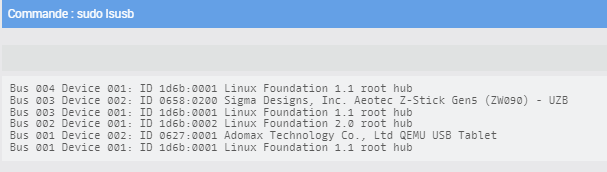
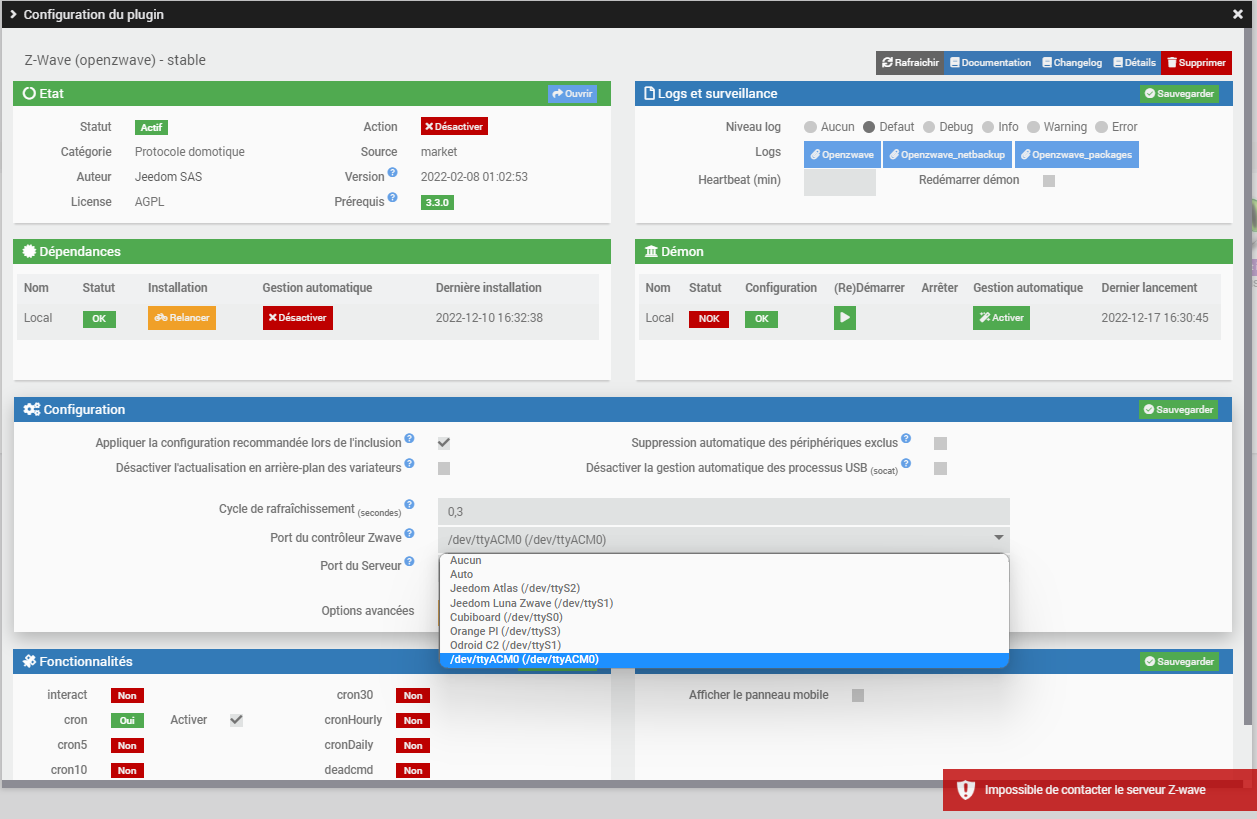
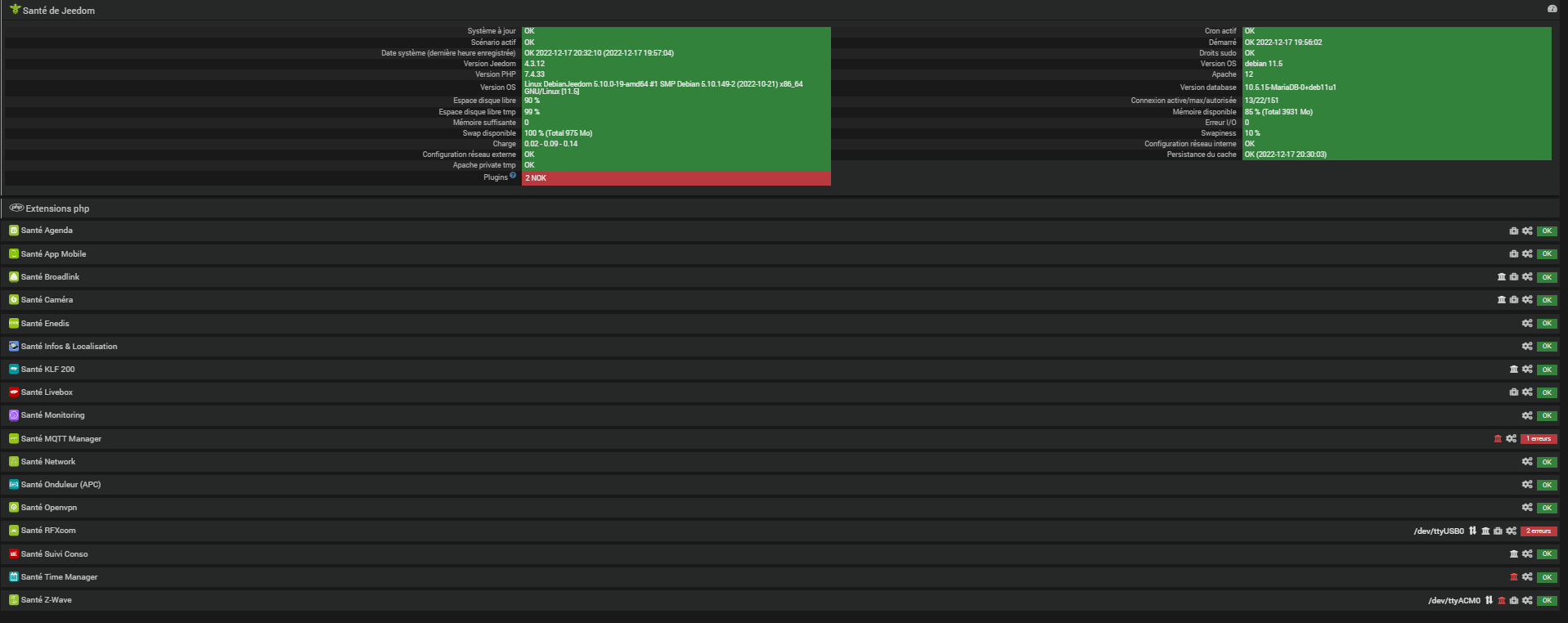
Je viens de migrer mon boitier JEEDOM SMART sur une machine Virtuel sur mon SYNO 920+, j’ai effectué une copie de mon ancien contrôleur ZWAVE (intégré à la Smart) sur une nouvelle CLE EVERSPRING, j’ai bien monté cette clé sur ma machine virtuel. Lorsque je vérifie celle si elle est bien visible par JEEDOM :
Mais impossible de la faire détecter par le plugin ZWAVE ? Avez vous une idée ?
Débranche ton rfxcom.
Débranche ta clé zwave.
Éteint le Syno.
Attend 10 min.
Rebranche uniquement ta clé zwave.
Redémarre le Syno.
Relance la commande ls -l /dev/serial/by-id
Essaye avec ACM0 ou auto.
PS : répond à mon message sinon je ne reçois pas les notifications.
Bonjour, voici le retour après avoir relancé les dépendances et le DEAMON :
[2022-12-17 20:16:57][ERROR] : Attention je pense qu’il y a un soucis avec le démon que j’ai relancé plus de 3 fois consécutivement
[2022-12-17 20:16:58][INFO] : Lancement démon openzwave : /usr/bin/python /var/www/html/plugins/openzwave/core/class/…/…/resources/openzwaved/openzwaved.py --device /dev/ttyACM0 --loglevel debug --port 8083 --config_folder /var/www/html/plugins/openzwave/core/class/…/…/resources/openzwaved/config --data_folder /var/www/html/plugins/openzwave/core/class/…/…/data --callback http://127.0.0.1:80/plugins/openzwave/core/php/jeeZwave.php --apikey hLZNE3UvLTeavWF9Mr94f64Yu79hfD3e --suppressRefresh 0 --cycle 0.3 --pid /tmp/jeedom/openzwave/deamon.pid
sh: 1: /usr/bin/python: not found
[2022-12-17 20:17:28][ERROR] : Impossible de lancer le démon openzwave, relancer le démon en debug et vérifiez la log
+ echo '*******************Begin of package installation******************'
*******************Begin of package installation******************
+ touch /tmp/jeedom_install_in_progress_openzwave
+ echo 1
+ echo 2
+ sudo chmod +x /var/www/html/core/class/../../plugins/openzwave/resources/post_install.sh
+ sudo /var/www/html/core/class/../../plugins/openzwave/resources/post_install.sh
Lancement de l'installation/mise à jour des dépendances openzwave
mkdir: cannot create directory '/opt': File exists
Désinstallation de la version précédente
Installation de Python-OpenZwave
WARNING: Skipping Cython as it is not installed.
WARNING: Running pip as the 'root' user can result in broken permissions and conflicting behaviour with the system package manager. It is recommended to use a virtual environment instead: https://pip.pypa.io/warnings/venv
/bin/sh: 1: python: not found
make: python: No such file or directory
make: Nothing to be done for 'cython-deps'.
/bin/sh: 1: python: not found
make: python: No such file or directory
Installing dependencies for python :
apt-get install --force-yes -y build-essential libudev-dev g++
Reading package lists...
Building dependency tree...
Reading state information...
build-essential is already the newest version (12.9).
g++ is already the newest version (4:10.2.1-1).
libudev-dev is already the newest version (247.3-7+deb11u1).
0 upgraded, 0 newly installed, 0 to remove and 26 not upgraded.
W: --force-yes is deprecated, use one of the options starting with --allow instead.
pip install nose-html
Requirement already satisfied: nose-html in /usr/local/lib/python3.9/dist-packages (1.1)
Requirement already satisfied: nose>=0.11.1 in /usr/local/lib/python3.9/dist-packages (from nose-html) (1.3.7)
WARNING: Running pip as the 'root' user can result in broken permissions and conflicting behaviour with the system package manager. It is recommended to use a virtual environment instead: https://pip.pypa.io/warnings/venv
pip install nose-progressive
Collecting nose-progressive
  Using cached nose-progressive-1.5.2.tar.gz (32 kB)
  Preparing metadata (setup.py): started
  Preparing metadata (setup.py): finished with status 'error'
  error: subprocess-exited-with-error

  × python setup.py egg_info did not run successfully.
  │ exit code: 1
  ╰─> [1 lines of output]
      error in nose-progressive setup command: use_2to3 is invalid.
      [end of output]

  note: This error originates from a subprocess, and is likely not a problem with pip.
error: metadata-generation-failed

× Encountered error while generating package metadata.
╰─> See above for output.

note: This is an issue with the package mentioned above, not pip.
hint: See above for details.
make: *** [Makefile:160: tests-deps] Error 1
/bin/sh: 1: python: not found
make: python: No such file or directory
sed -i -e '253s/.*//' openzwave/cpp/src/value_classes/ValueID.h
cd openzwave && make
make[1]: Entering directory '/opt/python-openzwave/openzwave'
CPPFLAGS= make -C /opt/python-openzwave/openzwave/cpp/build/ -w
make[2]: Entering directory '/opt/python-openzwave/openzwave/cpp/build'
Building OpenZWave Version 1.4.-1
Building tinystr.o
Building tinyxml.o
Building tinyxmlerror.o
Building tinyxmlparser.o
Building hid.o
Building aes_modes.o
Building aescrypt.o
Building aeskey.o
Building aestab.o
Building Alarm.o
Building ApplicationStatus.o
Building Association.o
Building AssociationCommandConfiguration.o
Building BarrierOperator.o
Building Basic.o
Building BasicWindowCovering.o
Building Battery.o
Building CRC16Encap.o
Building CentralScene.o
Building ClimateControlSchedule.o
Building Clock.o
Building Color.o
Building CommandClass.o
Building CommandClasses.o
Building Configuration.o
Building ControllerReplication.o
Building DeviceResetLocally.o
Building DoorLock.o
Building DoorLockLogging.o
/opt/python-openzwave/openzwave/cpp/src/command_classes/DoorLockLogging.cpp: In member function 'virtual bool OpenZWave::DoorLockLogging::HandleMsg(const uint8*, uint32, uint32)':
/opt/python-openzwave/openzwave/cpp/src/command_classes/DoorLockLogging.cpp:312:14: warning: 'snprintf' argument 4 overlaps destination object 'usercode' [-Wrestrict]
  312 |      snprintf(usercode, sizeof(usercode), "%s %d", usercode, (int)_data[12+i]);
      |      ~~~~~~~~^~~~~~~~~~~~~~~~~~~~~~~~~~~~~~~~~~~~~~~~~~~~~~~~~~~~~~~~~~~~~~~~~
/opt/python-openzwave/openzwave/cpp/src/command_classes/DoorLockLogging.cpp:307:9: note: destination object referenced by 'restrict'-qualified argument 1 was declared here
  307 |    char usercode[254];
      |         ^~~~~~~~
Building EnergyProduction.o
Building Hail.o
Building Indicator.o
Building Language.o
Building Lock.o
Building ManufacturerProprietary.o
Building ManufacturerSpecific.o
Building Meter.o
Building MeterPulse.o
Building MultiChannelAssociation.o
Building MultiCmd.o
Building MultiInstance.o
Building NoOperation.o
Building NodeNaming.o
Building Powerlevel.o
Building Proprietary.o
Building Protection.o
Building SceneActivation.o
Building Security.o
Building SensorAlarm.o
Building SensorBinary.o
Building SensorMultilevel.o
Building SoundSwitch.o
Building SwitchAll.o
Building SwitchBinary.o
Building SwitchMultilevel.o
Building SwitchToggleBinary.o
Building SwitchToggleMultilevel.o
Building ThermostatFanMode.o
Building ThermostatFanState.o
Building ThermostatMode.o
Building ThermostatOperatingState.o
Building ThermostatSetpoint.o
Building TimeParameters.o
Building UserCode.o
Building Version.o
Building WakeUp.o
Building ZWavePlusInfo.o
Building Value.o
Building ValueBool.o
Building ValueButton.o
Building ValueByte.o
Building ValueDecimal.o
Building ValueInt.o
Building ValueList.o
Building ValueRaw.o
Building ValueSchedule.o
Building ValueShort.o
Building ValueStore.o
Building ValueString.o
Building Controller.o
Building Event.o
Building FileOps.o
Building HidController.o
Building Log.o
Building Mutex.o
Building SerialController.o
Building Stream.o
Building Thread.o
Building TimeStamp.o
Building Wait.o
Building EventImpl.o
Building FileOpsImpl.o
Building LogImpl.o
Building MutexImpl.o
Building SerialControllerImpl.o
Building ThreadImpl.o
Building TimeStampImpl.o
Building WaitImpl.o
Building Driver.o
Building Group.o
Building Manager.o
Building Msg.o
Building Node.o
Building Notification.o
Building Options.o
Building Scene.o
Building Utils.o
Building ZWSecurity.o
Creating vers.cpp
Building vers.o
Linking Static Library
Linking Shared Library
Making ozw_config file
make[2]: Leaving directory '/opt/python-openzwave/openzwave/cpp/build'
CPPFLAGS= make -C /opt/python-openzwave/openzwave/cpp/examples/MinOZW/ -w
make[2]: Entering directory '/opt/python-openzwave/openzwave/cpp/examples/MinOZW'
Building Main.o
Linking /opt/python-openzwave/openzwave/.lib/MinOZW
g++   -o /opt/python-openzwave/openzwave/.lib/MinOZW /opt/python-openzwave/openzwave/.lib/Main.o /opt/python-openzwave/openzwave/libopenzwave.so -pthread
Creating Temporary Shell Launch Script
make[2]: Leaving directory '/opt/python-openzwave/openzwave/cpp/examples/MinOZW'
make[1]: Leaving directory '/opt/python-openzwave/openzwave'
python setup-lib.py build
make: python: No such file or directory
make: *** [Makefile:266: build] Error 127
Everything is successfully installed!
+ echo 3
+ php /var/www/html/core/class/../php/jeecli.php plugin dependancy_end openzwave
+ rm /tmp/jeedom_install_in_progress_openzwave
+ echo '*******************End of package installation******************'
*******************End of package installation******************
Debian 11. Le problème est là.
La version de python n’est pas la bonne. Jeedom est fait pour le moment pour travailler en debian 10.
Sinon une autre solution peut être de passer sous le nouveau zwavejs ui qui lui me semble doit fonctionner avec cette version de debian ( a confirmer)