Bonjour, ayant acquis récemment quelques modules chez Lidl pour tester, j’ai voulu suivre ce tuto Linux | Zigbee2MQTT
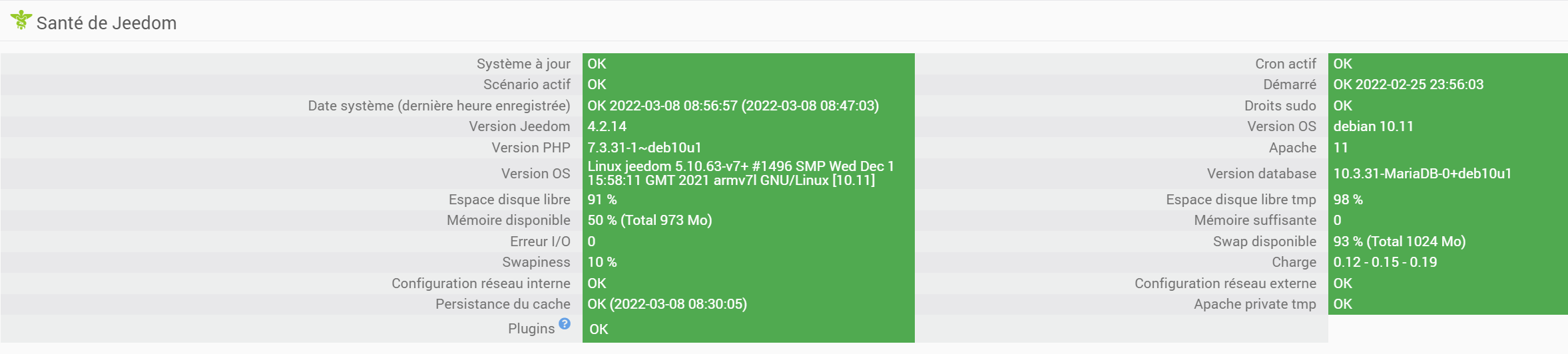
Materiel RPI 3B+ avec jeedom 4.2 installé fraichement de zero suivant la procedure officielle, sur lequel j’ai restauré un backup.
J’ai une clé USB CC2531 bien détectée
ls -l /dev/serial/by-id
total 0
lrwxrwxrwx 1 root root 13 Mar  5 14:22 usb-Texas_Instruments_TI_CC2531_USB_CDC___0X00124B000FFB8279-if00 -> ../../ttyACM0
en suivant le tuto npm ci me renvoie un beau warning, mais j’ai essayé de continuer quand meme, puisque le tuto dit d’ignorer les warnings (je doute qu’ils mentionnaient ceux la ceci dit)
pi@jeedom:/opt/zigbee2mqtt $ npm ci
npm WARN npm npm does not support Node.js v10.24.0
npm WARN npm You should probably upgrade to a newer version of node as we
npm WARN npm can't make any promises that npm will work with this version.
npm WARN npm Supported releases of Node.js are the latest release of 4, 6, 7, 8, 9.
npm WARN npm You can find the latest version at https://nodejs.org/
(...)
> core-js@3.21.1 postinstall /opt/zigbee2mqtt/node_modules/core-js
> node -e "try{require('./postinstall')}catch(e){}"

Thank you for using core-js ( https://github.com/zloirock/core-js ) for polyfilling JavaScript standard library!

The project needs your help! Please consider supporting of core-js:
> https://opencollective.com/core-js
> https://patreon.com/zloirock
> https://paypal.me/zloirock
> bitcoin: bc1qlea7544qtsmj2rayg0lthvza9fau63ux0fstcz

Also, the author of core-js ( https://github.com/zloirock ) is looking for a good job -)

added 978 packages in 129.783sTree: info lifecycle core-js@3.21.1~postinstall: core-js@3.21.1
Mon fichier de config contenait
# MQTT settings
mqtt:
  # MQTT base topic for Zigbee2MQTT MQTT messages
  base_topic: zigbee2mqtt
  # MQTT server URL
  server: 'mqtt://localhost'
  # MQTT server authentication, uncomment if required:
  # user: my_user
  # password: my_password

# Serial settings
serial:
  # Location of the adapter (see first step of this guide)
  port: /dev/ttyACM0
advanced:
    network_key: GENERATE
qui s’est tranformé en
homeassistant: false
permit_join: true
mqtt:
  base_topic: zigbee2mqtt
  server: mqtt://localhost
serial:
  port: /dev/ttyACM0
advanced:
  network_key:
    - 137
    - 25
    - 54
    - 61
    - 63
    - 86
    - 18
    - 247
    - 238
    - 219
    - 100
    - 239
    - 162
    - 82
    - 225
    - 241
et la npm start
npm start
npm WARN npm npm does not support Node.js v10.24.0
npm WARN npm You should probably upgrade to a newer version of node as we
npm WARN npm can't make any promises that npm will work with this version.
npm WARN npm Supported releases of Node.js are the latest release of 4, 6, 7, 8, 9.
npm WARN npm You can find the latest version at https://nodejs.org/

> zigbee2mqtt@1.24.0 start /opt/zigbee2mqtt
> node index.js

Building Zigbee2MQTT... (initial build), finished
Zigbee2MQTT:info  2022-03-07 23:02:09: Logging to console and directory: '/opt/zigbee2mqtt/data/log/2022-03-07.23-02-03' filename: log.txt
Zigbee2MQTT:info  2022-03-07 23:02:09: Starting Zigbee2MQTT version 1.24.0 (commit #7a2ddf24)
Zigbee2MQTT:info  2022-03-07 23:02:09: Starting zigbee-herdsman (0.14.20)
Zigbee2MQTT:info  2022-03-07 23:02:20: zigbee-herdsman started (restored)
Zigbee2MQTT:info  2022-03-07 23:02:20: Coordinator firmware version: '{"meta":{"maintrel":3,"majorrel":2,"minorrel":6,"product":0,"revision":20201127,"transportrev":2},"type":"zStack12"}'
Zigbee2MQTT:info  2022-03-07 23:02:20: Currently 0 devices are joined:
Zigbee2MQTT:warn  2022-03-07 23:02:20: `permit_join` set to  `true` in configuration.yaml.
Zigbee2MQTT:warn  2022-03-07 23:02:20: Allowing new devices to join.
Zigbee2MQTT:warn  2022-03-07 23:02:20: Set `permit_join` to `false` once you joined all devices.
Zigbee2MQTT:info  2022-03-07 23:02:20: Zigbee: allowing new devices to join.
Zigbee2MQTT:info  2022-03-07 23:02:20: Connecting to MQTT server at mqtt://localhost
Zigbee2MQTT:error 2022-03-07 23:02:20: MQTT failed to connect: connect ECONNREFUSED 127.0.0.1:1883
Zigbee2MQTT:error 2022-03-07 23:02:20: Exiting...
Zigbee2MQTT:info  2022-03-07 23:02:20: Stopping zigbee-herdsman...
Zigbee2MQTT:info  2022-03-07 23:02:21: Stopped zigbee-herdsman
npm ERR! code ELIFECYCLE
npm ERR! errno 1
npm ERR! zigbee2mqtt@1.24.0 start: `node index.js`
npm ERR! Exit status 1
npm ERR!
npm ERR! Failed at the zigbee2mqtt@1.24.0 start script.
npm ERR! This is probably not a problem with npm. There is likely additional logging output above.

npm ERR! A complete log of this run can be found in:
npm ERR!     /home/pi/.npm/_logs/2022-03-07T22_02_21_420Z-debug.log
Dois je mettre a jour nodejs et si oui comment? Merci