Bonjour,
Je suis preneur d’un peu d’aide car cela fait maintenant un bon moment que je sèche et que je n’arrive pas à faire fonctionner ce plugin.
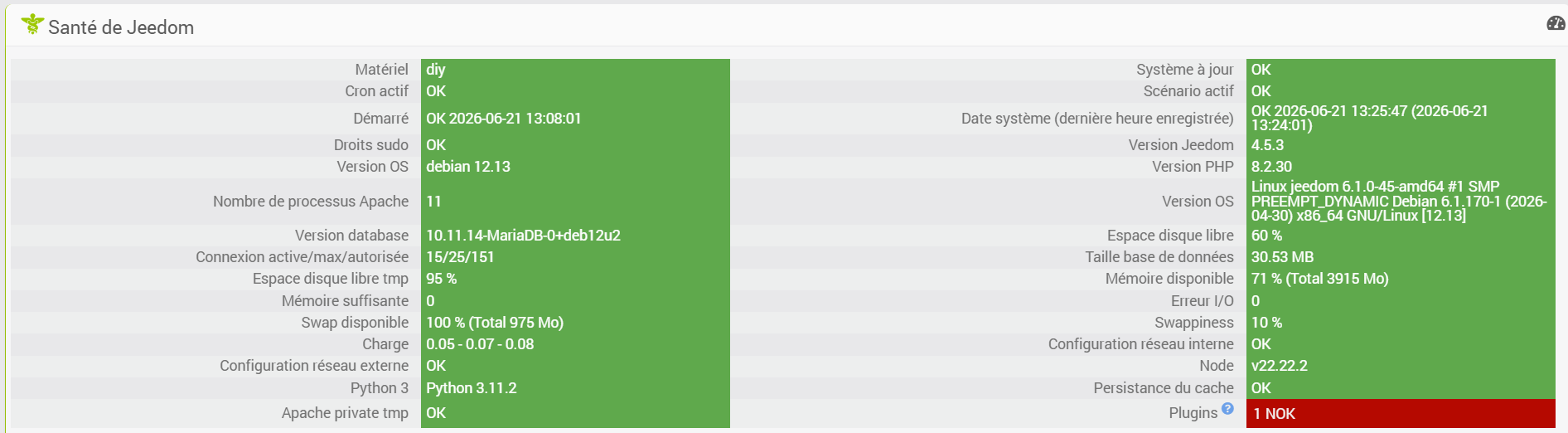
Mon Jeedom tourne sur une VM proxmox (capture de la page santé plus bas, le plugin NOK est SmartThings).
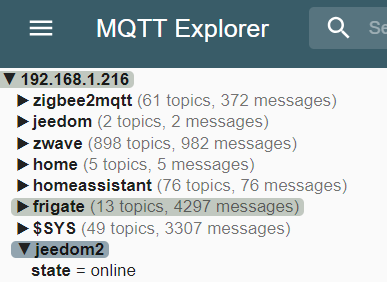
Mon serveur MQTT est sur une VM dédiée.
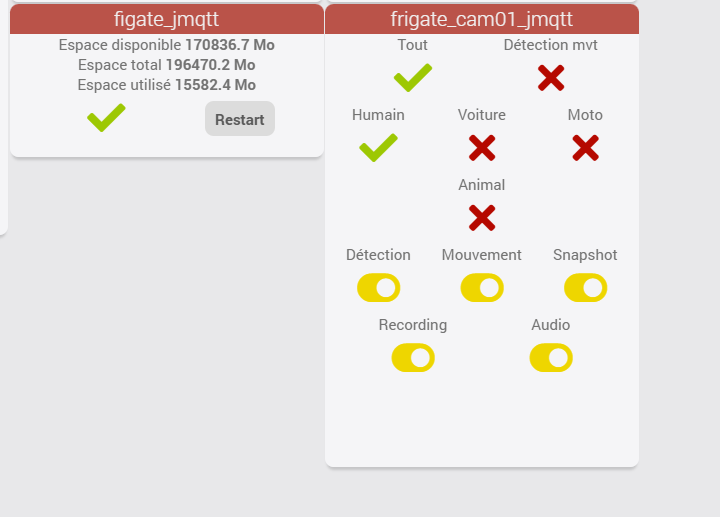
J’utilise habituellement le plugin jMQTT qui fonctionne à merveille depuis des années.
J’ai voulu installer le plugin Frigate et le plugin MQTT Manager est un requis pour avoir un fonctionnement optimal.
Je n’ai eu aucune difficulté lors de l’installation (log d’installation plus bas).
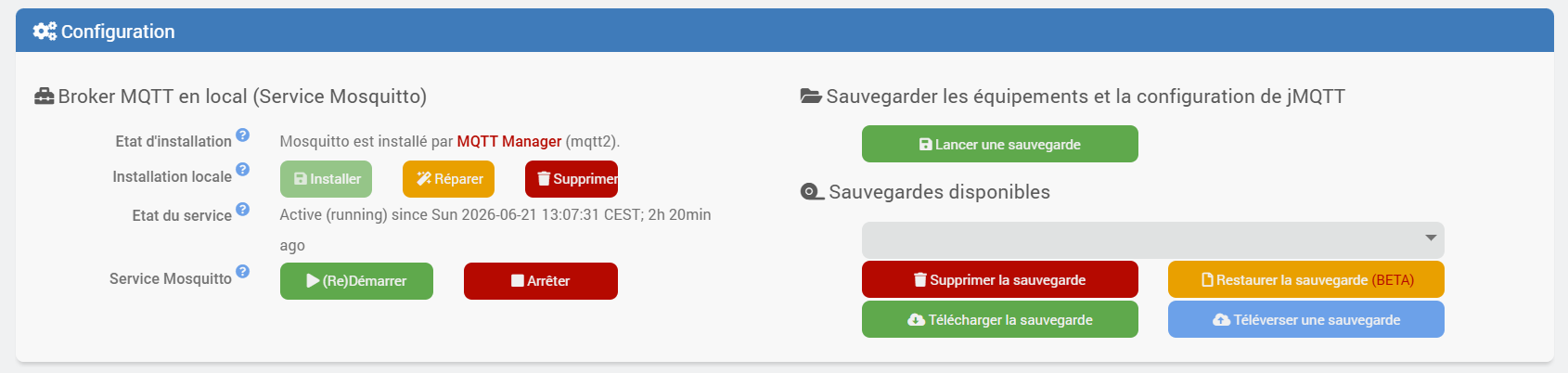
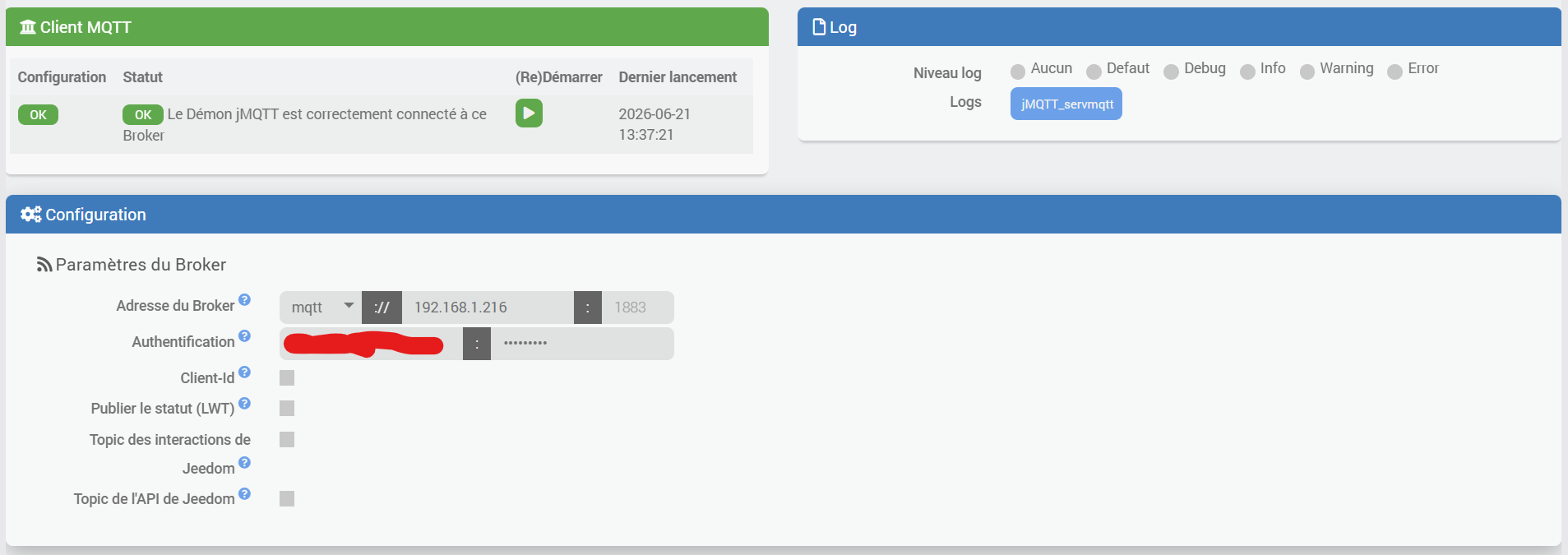
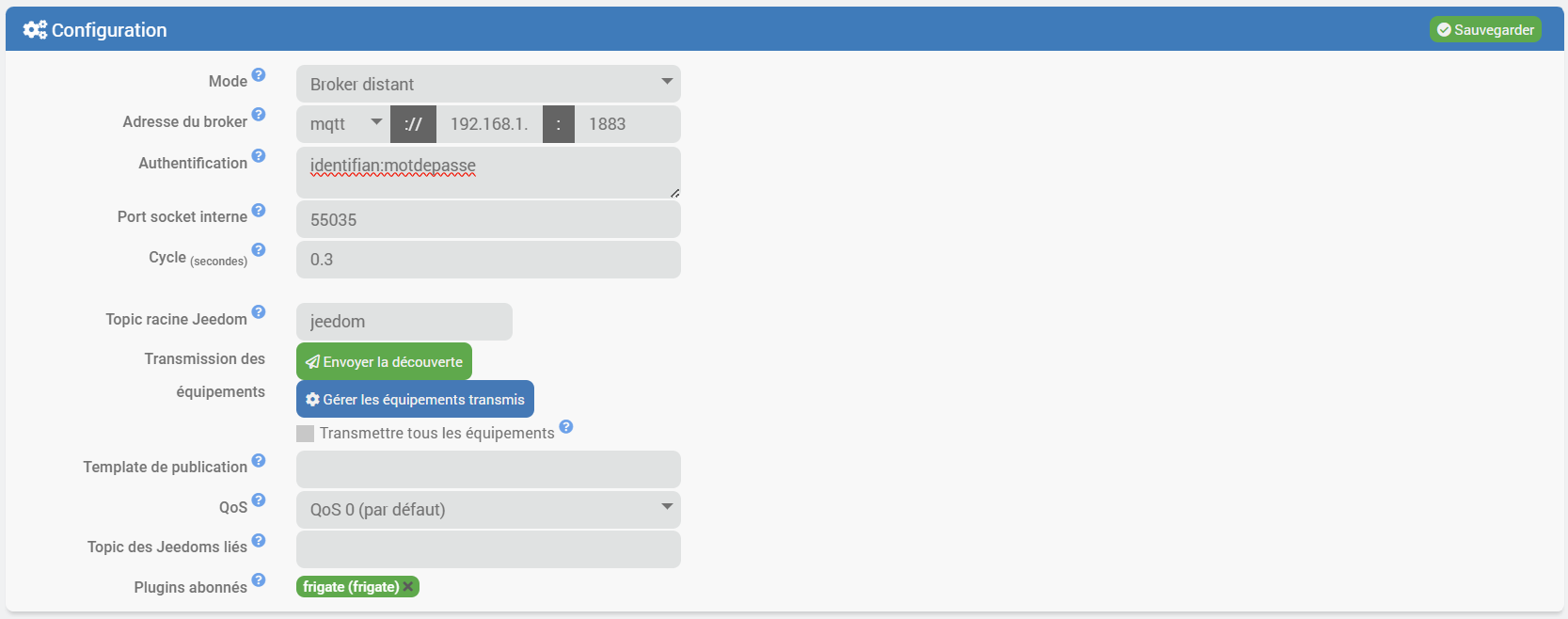
Je pense ne pas avoir fait d’erreur lors de la configuration (l’IP est bonne, l’identifiant et le mot de passe ont été modifiés pour le screenshot mais ils sont bons.
Le log mqtt2d est vierge.
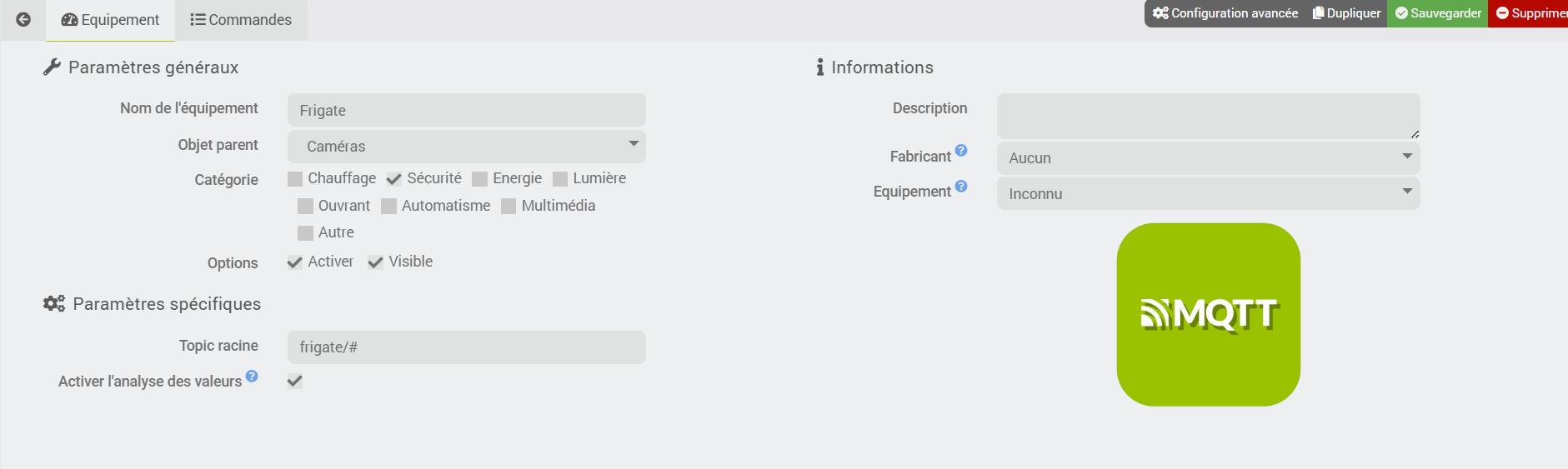
J’ai tenté de créer différents équipements mais rien… pas de message d’erreur, pas de commande, rien ne se passe.
J’ai également essayé en désactivant ponctuellement le plugin jMQTT mais ça ne fonctionne pas mieux à ce moment là.
Je vous remercie.
+ echo '*******************Begin of package installation******************'
*******************Begin of package installation******************
+ touch /tmp/jeedom_install_in_progress_mqtt2
+ echo 1
+ echo 2
+ sudo killall apt apt-get unattended-upgr
apt: no process found
apt-get: no process found
unattended-upgr: no process found
+ sudo rm /var/lib/apt/lists/lock
+ sudo rm /var/cache/apt/archives/lock
+ sudo rm /var/lib/dpkg/lock /var/lib/dpkg/lock-frontend
+ sudo sudo dpkg --configure -a --force-confdef
+ sudo apt update

WARNING: apt does not have a stable CLI interface. Use with caution in scripts.

Hit:1 http://security.debian.org/debian-security bookworm-security InRelease
Hit:2 http://deb.debian.org/debian bookworm InRelease
Hit:3 http://deb.debian.org/debian bookworm-updates InRelease
Hit:4 https://deb.nodesource.com/node_22.x nodistro InRelease
Reading package lists...
Building dependency tree...
Reading state information...
127 packages can be upgraded. Run 'apt list --upgradable' to see them.
+ echo 3
+ sudo chmod +x /var/www/html/core/class/../../resources/install_nodejs.sh
+ sudo /var/www/html/core/class/../../resources/install_nodejs.sh
Hit:1 http://security.debian.org/debian-security bookworm-security InRelease
Hit:2 http://deb.debian.org/debian bookworm InRelease
Hit:3 http://deb.debian.org/debian bookworm-updates InRelease
Hit:4 https://deb.nodesource.com/node_22.x nodistro InRelease
Reading package lists...
Reading package lists...
Building dependency tree...
Reading state information...
lsb-release is already the newest version (12.0-1).
build-essential is already the newest version (12.9).
apt-utils is already the newest version (2.6.1).
git is already the newest version (1:2.39.5-0+deb12u3).
The following packages were automatically installed and are no longer required:
  linux-image-6.1.0-37-amd64 linux-image-6.1.0-41-amd64
  linux-image-6.1.0-42-amd64 linux-image-6.1.0-43-amd64
Use 'sudo apt autoremove' to remove them.
0 upgraded, 0 newly installed, 0 to remove and 127 not upgraded.
[Check Version NodeJS actuelle : v22.22.2 : [  OK  ]
[Check Prefix : /usr and sudo prefix : /usr and www-data prefix : /usr : [  OK  ]
Clean npm cache
npm warn using --force Recommended protections disabled.
+ echo 4
+ sudo chmod +x /var/www/html/core/class/../../resources/install_nodejs.sh
+ sudo /var/www/html/core/class/../../resources/install_nodejs.sh
Hit:1 http://deb.debian.org/debian bookworm InRelease
Hit:2 http://security.debian.org/debian-security bookworm-security InRelease
Hit:3 http://deb.debian.org/debian bookworm-updates InRelease
Hit:4 https://deb.nodesource.com/node_22.x nodistro InRelease
Reading package lists...
Reading package lists...
Building dependency tree...
Reading state information...
lsb-release is already the newest version (12.0-1).
build-essential is already the newest version (12.9).
apt-utils is already the newest version (2.6.1).
git is already the newest version (1:2.39.5-0+deb12u3).
The following packages were automatically installed and are no longer required:
  linux-image-6.1.0-37-amd64 linux-image-6.1.0-41-amd64
  linux-image-6.1.0-42-amd64 linux-image-6.1.0-43-amd64
Use 'sudo apt autoremove' to remove them.
0 upgraded, 0 newly installed, 0 to remove and 127 not upgraded.
[Check Version NodeJS actuelle : v22.22.2 : [  OK  ]
[Check Prefix : /usr and sudo prefix : /usr and www-data prefix : /usr : [  OK  ]
Clean npm cache
npm warn using --force Recommended protections disabled.
+ echo 5
+ sudo chmod +x /var/www/html/core/class/../../resources/install_nodejs.sh
+ sudo /var/www/html/core/class/../../resources/install_nodejs.sh
Hit:1 http://security.debian.org/debian-security bookworm-security InRelease
Hit:2 http://deb.debian.org/debian bookworm InRelease
Hit:3 http://deb.debian.org/debian bookworm-updates InRelease
Hit:4 https://deb.nodesource.com/node_22.x nodistro InRelease
Reading package lists...
Reading package lists...
Building dependency tree...
Reading state information...
lsb-release is already the newest version (12.0-1).
build-essential is already the newest version (12.9).
apt-utils is already the newest version (2.6.1).
git is already the newest version (1:2.39.5-0+deb12u3).
The following packages were automatically installed and are no longer required:
  linux-image-6.1.0-37-amd64 linux-image-6.1.0-41-amd64
  linux-image-6.1.0-42-amd64 linux-image-6.1.0-43-amd64
Use 'sudo apt autoremove' to remove them.
0 upgraded, 0 newly installed, 0 to remove and 127 not upgraded.
[Check Version NodeJS actuelle : v22.22.2 : [  OK  ]
[Check Prefix : /usr and sudo prefix : /usr and www-data prefix : /usr : [  OK  ]
Clean npm cache
npm warn using --force Recommended protections disabled.
+ echo 6
+ sudo chmod +x /var/www/html/core/class/../../resources/install_composer.sh
+ sudo /var/www/html/core/class/../../resources/install_composer.sh
Begin installation of composer
--2026-06-21 00:29:03--  https://getcomposer.org/installer
Resolving getcomposer.org (getcomposer.org)... 2001:41d0:304:300::18ef, 57.128.19.244
Connecting to getcomposer.org (getcomposer.org)|2001:41d0:304:300::18ef|:443... connected.
HTTP request sent, awaiting response... 200 OK
Length: 59524 (58K) [application/octet-stream]
Saving to: 'composer-setup.php'

     0K .......... .......... .......... .......... .......... 86% 3.02M 0s
    50K ........                                              100% 94.0M=0.02s

2026-06-21 00:29:03 (3.49 MB/s) - 'composer-setup.php' saved [59524/59524]

All settings correct for using Composer
Downloading...

Composer (version 2.10.1) successfully installed to: /var/www/html/core/ajax/composer.phar
Use it: php composer.phar

End installation of composer
+ echo 7
+ cd /var/www/html/core/class/../../plugins/mqtt2/resources/mqtt2d
+ rm -rf node_modules
+ sudo NODE_OPTIONS=--dns-result-order=ipv4first npm install
npm warn deprecated inflight@1.0.6: This module is not supported, and leaks memory. Do not use it. Check out lru-cache if you want a good and tested way to coalesce async requests by a key value, which is much more comprehensive and powerful.
npm warn deprecated glob@7.2.3: Old versions of glob are not supported, and contain widely publicized security vulnerabilities, which have been fixed in the current version. Please update. Support for old versions may be purchased (at exorbitant rates) by contacting i@izs.me

added 129 packages, and audited 130 packages in 1s

23 packages are looking for funding
  run `npm fund` for details

found 0 vulnerabilities
+ sudo chown -R www-data:www-data jeedom mqtt2d.js node_modules package-lock.json package.json
+ echo 8
+ php /var/www/html/core/class/../php/jeecli.php plugin dependancy_end mqtt2
+ echo 9
+ rm /tmp/jeedom_install_in_progress_mqtt2
+ echo '*******************End of package installation******************'
*******************End of package installation******************