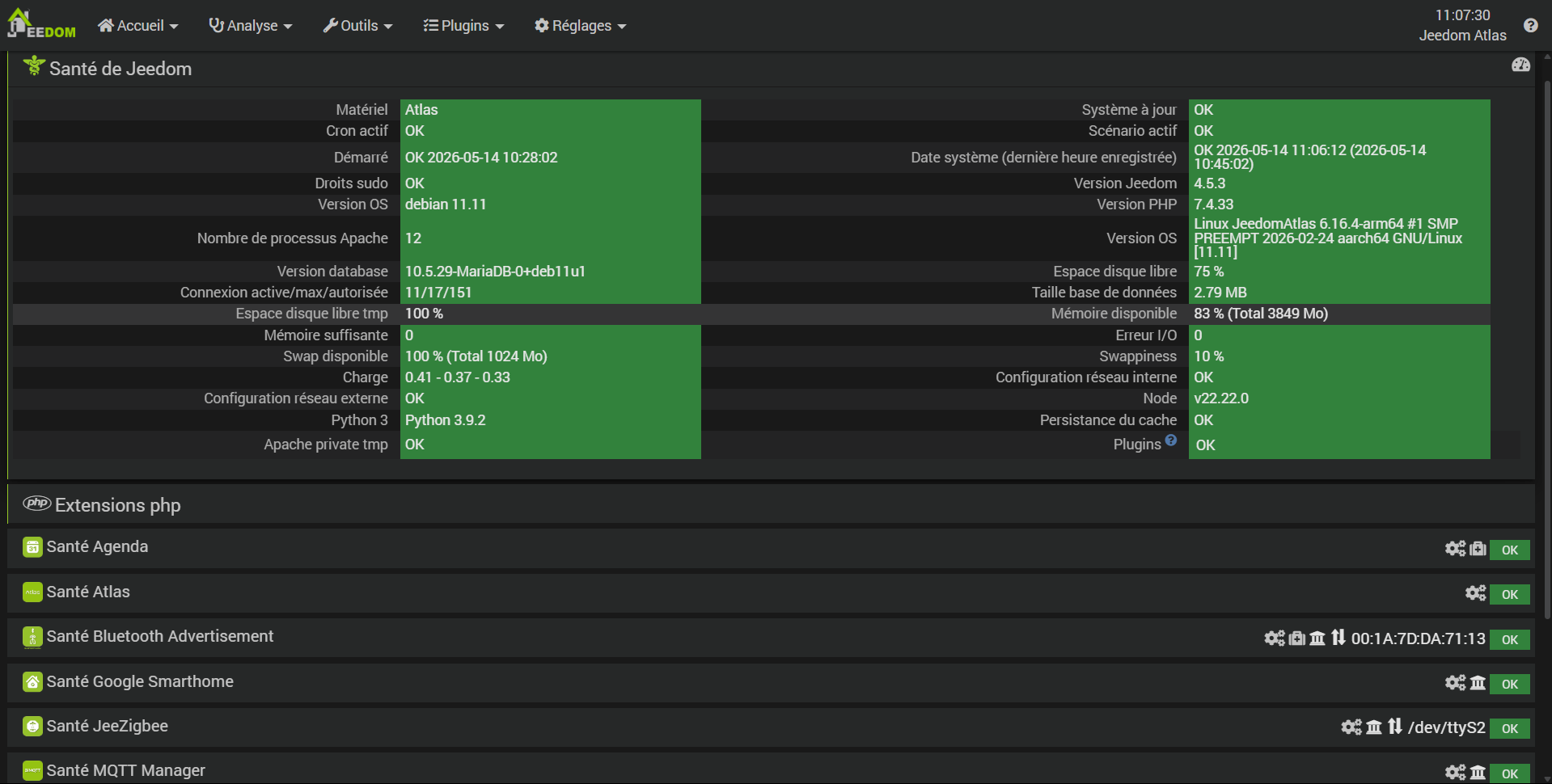
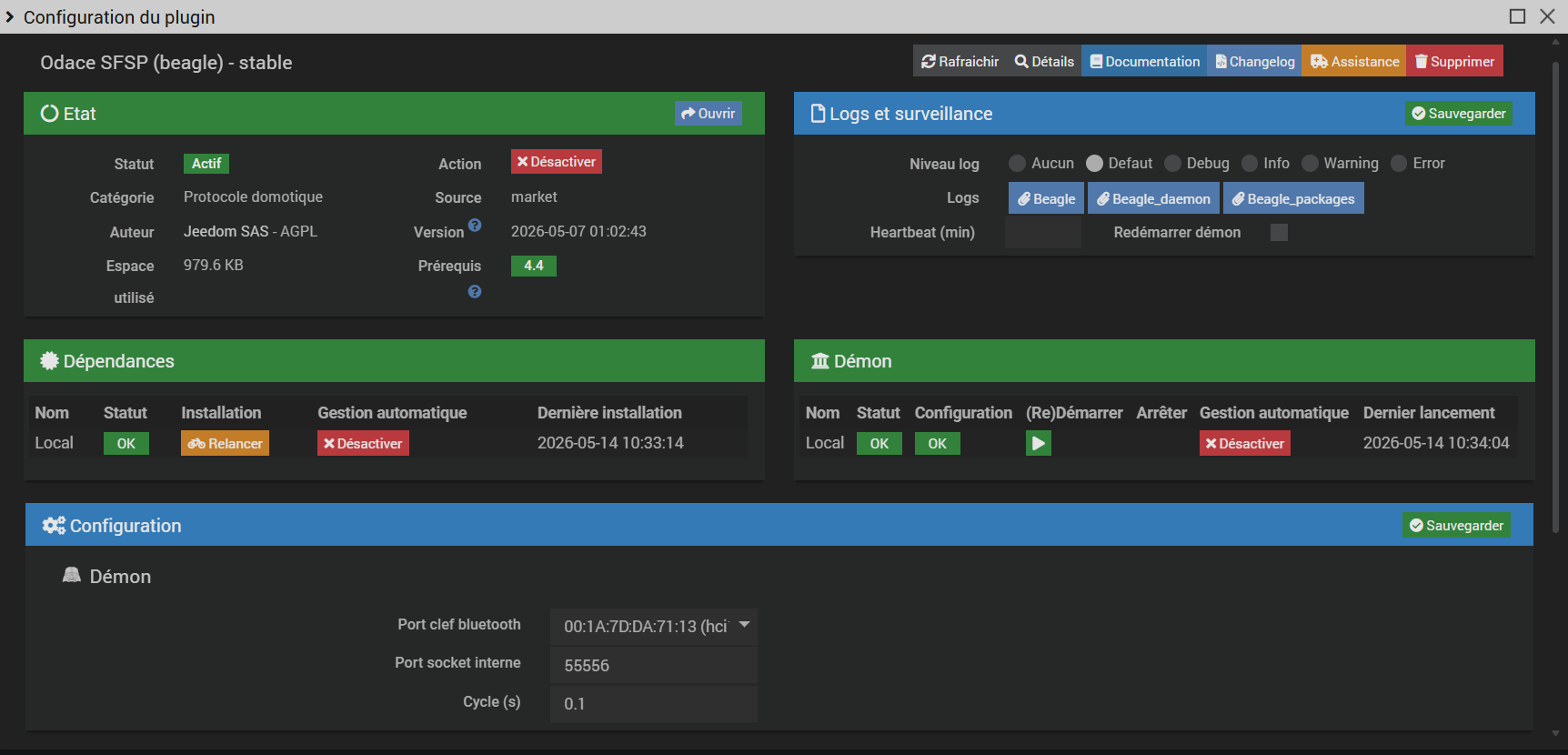
Suite au passage sous Debian 11 et la réinstallation des plugins j’ai un soucis avec celui d’Odace. Le Demon et les dépendances restent en statut NOK malgré les relances.
J’ai bien configuré le port clé bluetooth sur mon dongle CSR 4.0, mais ca ne fonctionne pas.
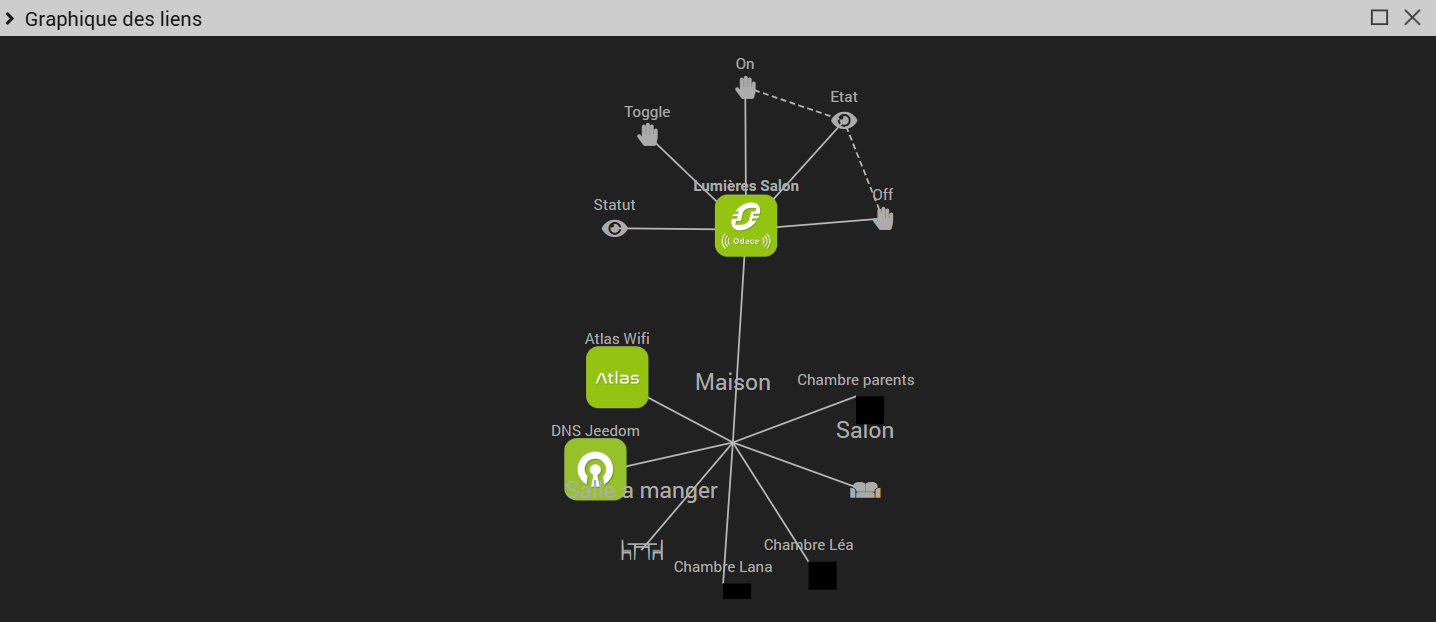
Je n’avais jamais testé ce plugin mais j’ai installé chez mois pas mal d’interrupteurs Odace SPSF reliés a leurs micromodules pour pouvoir gérer mon éclairage via Jeedom et Nest Home.
Résultat rien ne fonctionne, pourriez vous m’aider
Salut a tous, j’ai finalement réussi a installer les dépendances et le démon grâce a quelques lignes de commandes trouvées sur le forum et proposée par @Mips.
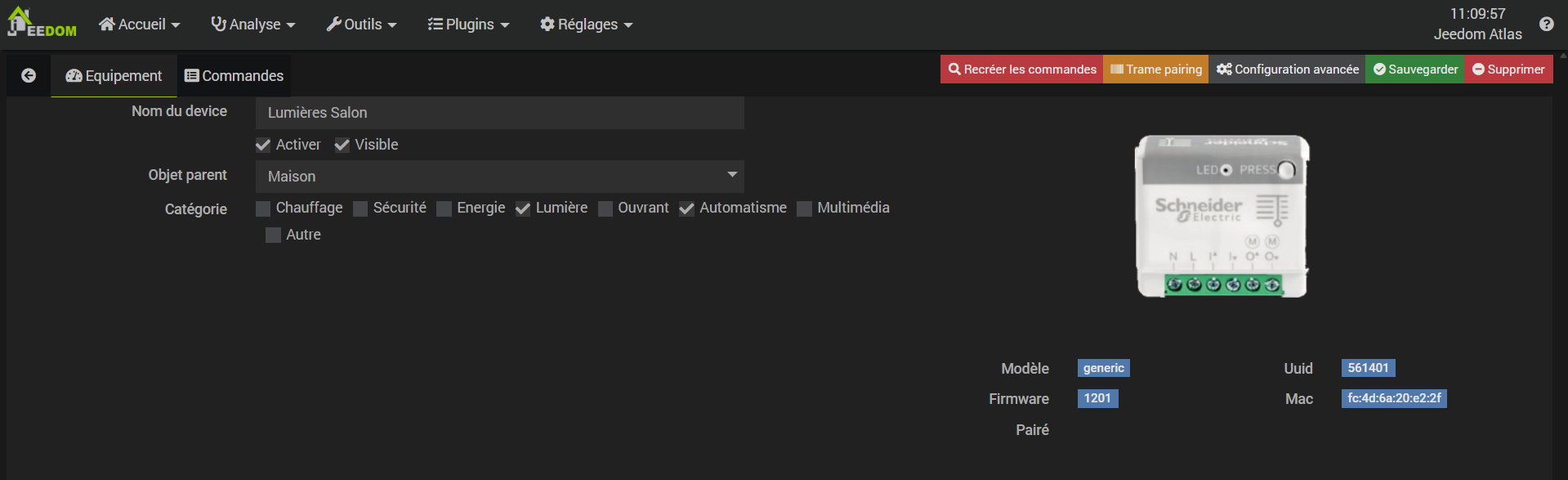
J’arrive difficilement a installer un micromodule Odace SPSF le plus proche de ma box (moins de 2 m), mais les actionneurs ne fonctionnent pas et les infos (statut / etat) ne remontent pas.
Je ne sais plus quoi faire et j’avoue ne pas être très a l’aise avec la programmation… J’ai vu sur certains posts la possibilité de remplacer Blea par MQTT Discovery, mais je ne sais pas si ca pourrait régler mon problème, d’autant que Blea a l’air de fonctionner.
J’ai commandé un Dongle Feasycom Bluetooth USB FSC-BP119 pour remplacer mon CSR 4.0 car j’ai des micromodules Odace dans tous l’appartement et même la fonction répéteur de ces modules pourrait ne pas suffir.
Je n’ai pas de problème détecté dans les Logs.
Auriez vous un conseil a me donner pour régler mon problème ?
Bonjour,
J’y connais rien à ce plugin, ca fonctionne avec un dongle biens spécifique ou c’est juste bluetooth?
si bluetooth, vous avez bien un dongle différent que pour blea?
je doute que les 2 puissent fonctionner sur la même clé
sinon il faudra des logs pour que quelqu’un puisse p-e vous aider
J’ai désactivé blea, supprimé et ajouté mon micromodule sur le plugin Odase SFSP.
Le module remonte très rapidement (ce qui n’était pas le cas avant). Je récupère maintenant les informations (etat / statut), mais les actionneurs (Alumer, éteindre, Toggle) ne fonctionnent toujours pas…
Voici les logs :
[2026-05-14 11:10:16][INFO] Evènement sur la commande [Maison][DNS Jeedom][IP] valeur : Interface inconnue
[2026-05-14 11:36:29][INFO] Exécution de la commande [Maison][Lumières Salon][Toggle] avec les paramètres {"user_login":"admin","user_id":"1"}
[2026-05-14 11:39:08][INFO] Exécution de la commande [Salon][Lumières Salon][Toggle] avec les paramètres {"user_login":"admin","user_id":"1"}
[2026-05-14 11:39:25][INFO] Exécution de la commande [Salon][Lumières Salon][On] avec les paramètres {"user_login":"admin","user_id":"1"}
[2026-05-14 11:39:28][INFO] Exécution de la commande [Salon][Lumières Salon][Off] avec les paramètres {"user_login":"admin","user_id":"1"}
[2026-05-14 11:39:29][INFO] Exécution de la commande [Salon][Lumières Salon][On] avec les paramètres {"user_login":"admin","user_id":"1"}
[2026-05-14 11:39:37][INFO] Evènement sur la commande [Salon][Lumières Salon][Etat] valeur : 0
[2026-05-14 11:39:37][INFO] Evènement sur la commande [Salon][Lumières Salon][Statut] valeur : Eteint
[2026-05-14 11:40:00][INFO] Evènement sur la commande [Salon][Lumières Salon][Etat] valeur : 1
[2026-05-14 11:40:00][INFO] Evènement sur la commande [Salon][Lumières Salon][Statut] valeur : Allumé
[2026-05-14 11:40:05][INFO] Evènement sur la commande [Salon][Lumières Salon][Etat] valeur : 0
[2026-05-14 11:40:05][INFO] Evènement sur la commande [Salon][Lumières Salon][Statut] valeur : Eteint
[2026-05-14 11:40:08][INFO] Exécution de la commande [Salon][Lumières Salon][On] avec les paramètres {"user_login":"admin","user_id":"1"}
[2026-05-14 11:40:30][INFO] Evènement sur la commande [Salon][Lumières Salon][Etat] valeur : 1
[2026-05-14 11:40:30][INFO] Evènement sur la commande [Salon][Lumières Salon][Statut] valeur : Allumé
[2026-05-14 11:40:35][INFO] Evènement sur la commande [Salon][Lumières Salon][Etat] valeur : 0
[2026-05-14 11:40:35][INFO] Evènement sur la commande [Salon][Lumières Salon][Statut] valeur : Eteint
[2026-05-14 11:40:42][INFO] Evènement sur la commande [Salon][Lumières Salon][Etat] valeur : 1
[2026-05-14 11:40:42][INFO] Evènement sur la commande [Salon][Lumières Salon][Statut] valeur : Allumé
[2026-05-14 11:40:48][INFO] Evènement sur la commande [Salon][Lumières Salon][Etat] valeur : 0
[2026-05-14 11:40:48][INFO] Evènement sur la commande [Salon][Lumières Salon][Statut] valeur : Eteint
[2026-05-14 11:40:51][INFO] Exécution de la commande [Salon][Lumières Salon][Toggle] avec les paramètres {"user_login":"admin","user_id":"1"}
[2026-05-14 11:40:59][INFO] Evènement sur la commande [Salon][Lumières Salon][Etat] valeur : 1
[2026-05-14 11:40:59][INFO] Evènement sur la commande [Salon][Lumières Salon][Statut] valeur : Allumé
[2026-05-14 11:41:06][INFO] Evènement sur la commande [Salon][Lumières Salon][Etat] valeur : 0
[2026-05-14 11:41:06][INFO] Evènement sur la commande [Salon][Lumières Salon][Statut] valeur : Eteint
[2026-05-14 11:42:05][INFO] Evènement sur la commande [Salon][Lumières Salon][Etat] valeur : 1
[2026-05-14 11:42:05][INFO] Evènement sur la commande [Salon][Lumières Salon][Statut] valeur : Allumé
[2026-05-14 11:42:10][INFO] Evènement sur la commande [Salon][Lumières Salon][Etat] valeur : 0
[2026-05-14 11:42:10][INFO] Evènement sur la commande [Salon][Lumières Salon][Statut] valeur : Eteint
[2026-05-14 11:42:13][INFO] Exécution de la commande [Salon][Lumières Salon][Toggle] avec les paramètres {"user_login":"admin","user_id":"1"}
[2026-05-14 11:42:46][INFO] Exécution de la commande [Salon][Lumières Salon][On] avec les paramètres {"user_login":"admin","user_id":"1"}
[2026-05-14 11:43:00][INFO] Evènement sur la commande [Salon][Lumières Salon][Etat] valeur : 1
[2026-05-14 11:43:00][INFO] Evènement sur la commande [Salon][Lumières Salon][Statut] valeur : Allumé
[2026-05-14 11:43:12][INFO] Evènement sur la commande [Salon][Lumières Salon][Etat] valeur : 0
[2026-05-14 11:43:12][INFO] Evènement sur la commande [Salon][Lumières Salon][Statut] valeur : Eteint
[2026-05-14 11:45:00][INFO] Evènement sur la commande [Aucun][Lumières salon][Etat] valeur : 0
[2026-05-14 11:45:00][INFO] Evènement sur la commande [Aucun][Lumières salon][Statut] valeur : Eteint
[2026-05-14 11:45:17][INFO] Evènement sur la commande [Aucun][Lumières salon][Etat] valeur : 1
[2026-05-14 11:45:17][INFO] Evènement sur la commande [Aucun][Lumières salon][Statut] valeur : Allumé
[2026-05-14 11:45:19][INFO] Evènement sur la commande [Aucun][Lumières salon][Etat] valeur : 0
[2026-05-14 11:45:19][INFO] Evènement sur la commande [Aucun][Lumières salon][Statut] valeur : Eteint
[2026-05-14 11:47:12][INFO] Evènement sur la commande [Maison][Lumières salon][Etat] valeur : 1
[2026-05-14 11:47:12][INFO] Evènement sur la commande [Maison][Lumières salon][Statut] valeur : Allumé
[2026-05-14 11:47:14][INFO] Evènement sur la commande [Maison][Lumières salon][Etat] valeur : 0
[2026-05-14 11:47:14][INFO] Evènement sur la commande [Maison][Lumières salon][Statut] valeur : Eteint
[2026-05-14 11:48:10][INFO] Evènement sur la commande [Maison][Lumières salon][Etat] valeur : 1
[2026-05-14 11:48:10][INFO] Evènement sur la commande [Maison][Lumières salon][Statut] valeur : Allumé
[2026-05-14 11:48:14][INFO] Evènement sur la commande [Maison][Lumières salon][Etat] valeur : 0
[2026-05-14 11:48:14][INFO] Evènement sur la commande [Maison][Lumières salon][Statut] valeur : Eteint
[2026-05-14 11:48:16][INFO] Exécution de la commande [Maison][Lumières salon][Toggle] avec les paramètres {"user_login":"admin","user_id":"1"}
Oui désolé j’avoue ne pas trop savoir comment rechercher les logs dont vous avez besoins et comment les intégrer de façon lisible, je débute et c’est un peu nébuleux pour pour l’instant.
0000|+ echo '*******************Begin of package installation******************'
0001|*******************Begin of package installation******************
0002|+ touch /tmp/jeedom_install_in_progress_beagle
0003|+ echo 1
0004|+ echo 2
0005|+ sudo killall apt apt-get unattended-upgr
0006|apt: no process found
0007|apt-get: no process found
0008|unattended-upgr: no process found
0009|+ sudo rm /var/lib/apt/lists/lock
0010|+ sudo rm /var/cache/apt/archives/lock
0011|rm: cannot remove '/var/cache/apt/archives/lock': No such file or directory
0012|+ sudo rm /var/lib/dpkg/lock /var/lib/dpkg/lock-frontend
0013|+ sudo sudo dpkg --configure -a --force-confdef
0014|+ sudo apt update
0015|WARNING: apt does not have a stable CLI interface. Use with caution in scripts.
0016|Hit:1 http://deb.debian.org/debian bullseye InRelease
0017|Hit:2 http://deb.debian.org/debian bullseye-updates InRelease
0018|Hit:3 http://security.debian.org/debian-security bullseye-security InRelease
0019|Hit:4 https://deb.nodesource.com/node_22.x nodistro InRelease
0020|Reading package lists...
0021|Building dependency tree...
0022|Reading state information...
0023|1 package can be upgraded. Run 'apt list --upgradable' to see it.
0024|+ echo 3
0025|+ sudo apt install -o Dpkg::Options::=--force-confdef -y python3-setuptools
0026|WARNING: apt does not have a stable CLI interface. Use with caution in scripts.
0027|Reading package lists...
0028|Building dependency tree...
0029|Reading state information...
0030|python3-setuptools is already the newest version (52.0.0-4+deb11u2).
0031|The following packages were automatically installed and are no longer required:
0032|libevent-core-2.1-7 libevent-pthreads-2.1-7 libopts25 sntp
0033|Use 'sudo apt autoremove' to remove them.
0034|0 upgraded, 0 newly installed, 0 to remove and 1 not upgraded.
0035|+ echo 4
0036|+ sudo apt install -o Dpkg::Options::=--force-confdef -y rfkill
0037|WARNING: apt does not have a stable CLI interface. Use with caution in scripts.
0038|Reading package lists...
0039|Building dependency tree...
0040|Reading state information...
0041|rfkill is already the newest version (2.36.1-8+deb11u2).
0042|The following packages were automatically installed and are no longer required:
0043|libevent-core-2.1-7 libevent-pthreads-2.1-7 libopts25 sntp
0044|Use 'sudo apt autoremove' to remove them.
0045|0 upgraded, 0 newly installed, 0 to remove and 1 not upgraded.
0046|+ echo 5
0047|+ sudo apt install -o Dpkg::Options::=--force-confdef -y python3-dev
0048|WARNING: apt does not have a stable CLI interface. Use with caution in scripts.
0049|Reading package lists...
0050|Building dependency tree...
0051|Reading state information...
0052|python3-dev is already the newest version (3.9.2-3).
0053|The following packages were automatically installed and are no longer required:
0054|libevent-core-2.1-7 libevent-pthreads-2.1-7 libopts25 sntp
0055|Use 'sudo apt autoremove' to remove them.
0056|0 upgraded, 0 newly installed, 0 to remove and 1 not upgraded.
0057|+ echo 6
0058|+ sudo apt install -o Dpkg::Options::=--force-confdef -y libffi-dev
0059|WARNING: apt does not have a stable CLI interface. Use with caution in scripts.
0060|Reading package lists...
0061|Building dependency tree...
0062|Reading state information...
0063|libffi-dev is already the newest version (3.3-6).
0064|The following packages were automatically installed and are no longer required:
0065|libevent-core-2.1-7 libevent-pthreads-2.1-7 libopts25 sntp
0066|Use 'sudo apt autoremove' to remove them.
0067|0 upgraded, 0 newly installed, 0 to remove and 1 not upgraded.
0068|+ echo 7
0069|+ sudo apt install -o Dpkg::Options::=--force-confdef -y libssl-dev
0070|WARNING: apt does not have a stable CLI interface. Use with caution in scripts.
0071|Reading package lists...
0072|Building dependency tree...
0073|Reading state information...
0074|libssl-dev is already the newest version (1.1.1w-0+deb11u5).
0075|The following packages were automatically installed and are no longer required:
0076|libevent-core-2.1-7 libevent-pthreads-2.1-7 libopts25 sntp
0077|Use 'sudo apt autoremove' to remove them.
0078|0 upgraded, 0 newly installed, 0 to remove and 1 not upgraded.
0079|+ echo 8
0080|+ sudo apt install -o Dpkg::Options::=--force-confdef -y libbluetooth-dev
0081|WARNING: apt does not have a stable CLI interface. Use with caution in scripts.
0082|Reading package lists...
0083|Building dependency tree...
0084|Reading state information...
0085|libbluetooth-dev is already the newest version (5.55-3.1+deb11u2).
0086|The following packages were automatically installed and are no longer required:
0087|libevent-core-2.1-7 libevent-pthreads-2.1-7 libopts25 sntp
0088|Use 'sudo apt autoremove' to remove them.
0089|0 upgraded, 0 newly installed, 0 to remove and 1 not upgraded.
0090|+ echo 9
0091|+ sudo apt install -o Dpkg::Options::=--force-confdef -y bluetooth
0092|WARNING: apt does not have a stable CLI interface. Use with caution in scripts.
0093|Reading package lists...
0094|Building dependency tree...
0095|Reading state information...
0096|bluetooth is already the newest version (5.55-3.1+deb11u2).
0097|The following packages were automatically installed and are no longer required:
0098|libevent-core-2.1-7 libevent-pthreads-2.1-7 libopts25 sntp
0099|Use 'sudo apt autoremove' to remove them.
0100|0 upgraded, 0 newly installed, 0 to remove and 1 not upgraded.
0101|+ echo 10
0102|+ sudo apt install -o Dpkg::Options::=--force-confdef -y build-essential
0103|WARNING: apt does not have a stable CLI interface. Use with caution in scripts.
0104|Reading package lists...
0105|Building dependency tree...
0106|Reading state information...
0107|build-essential is already the newest version (12.9).
0108|The following packages were automatically installed and are no longer required:
0109|libevent-core-2.1-7 libevent-pthreads-2.1-7 libopts25 sntp
0110|Use 'sudo apt autoremove' to remove them.
0111|0 upgraded, 0 newly installed, 0 to remove and 1 not upgraded.
0112|+ echo 11
0113|++ find /usr/local/lib/python3.9/dist-packages/ -mindepth 1 -maxdepth 1 -type d -exec du -ks '{}' +
0114|++ awk '$1 <= 4'
0115|++ cut -f 2-
0116|+ RESULTTODELETE=
0117|++ echo ''
0118|++ sed 's, ,\ ,g'
0119|+ RESULTTODELETE2=
0120|+ echo ''
0121|+ xargs rm -rf
0122|+ echo 12
0123|+ sudo pip3 cache purge
0124|Files removed: 76 (8.3 MB)
0125|Directories removed: 0
0126|+ echo 13
0127|+ sudo pip3 install --upgrade pip
0128|Requirement already satisfied: pip in /usr/local/lib/python3.9/dist-packages (26.0.1)
0129|WARNING: Error parsing dependencies of gpg: Invalid version: '1.14.0-unknown'
0130|WARNING: Running pip as the 'root' user can result in broken permissions and conflicting behaviour with the system package manager, possibly rendering your system unusable. It is recommended to use a virtual environment instead: https://pip.pypa.io/warnings/venv. Use the --root-user-action option if you know what you are doing and want to suppress this warning.
0131|+ echo 14
0132|+ sudo python3 -m pip install --force-reinstall --upgrade wheel
0133|Collecting wheel
0134|Downloading wheel-0.47.0-py3-none-any.whl.metadata (2.3 kB)
0135|Collecting packaging>=24.0 (from wheel)
0136|Downloading packaging-26.2-py3-none-any.whl.metadata (3.5 kB)
0137|Downloading wheel-0.47.0-py3-none-any.whl (32 kB)
0138|Downloading packaging-26.2-py3-none-any.whl (100 kB)
0139|WARNING: Error parsing dependencies of gpg: Invalid version: '1.14.0-unknown'
0140|Installing collected packages: packaging, wheel
0141|Attempting uninstall: packaging
0142|Found existing installation: packaging 26.2
0143|Uninstalling packaging-26.2:
0144|Successfully uninstalled packaging-26.2
0145|Attempting uninstall: wheel
0146|Found existing installation: wheel 0.47.0
0147|Uninstalling wheel-0.47.0:
0148|Successfully uninstalled wheel-0.47.0
0149|Successfully installed packaging-26.2 wheel-0.47.0
0150|WARNING: Running pip as the 'root' user can result in broken permissions and conflicting behaviour with the system package manager, possibly rendering your system unusable. It is recommended to use a virtual environment instead: https://pip.pypa.io/warnings/venv. Use the --root-user-action option if you know what you are doing and want to suppress this warning.
0151|+ echo 15
0152|+ sudo python3 -m pip install --force-reinstall --upgrade requests
0153|Collecting requests
0154|Downloading requests-2.32.5-py3-none-any.whl.metadata (4.9 kB)
0155|Collecting charset_normalizer<4,>=2 (from requests)
0156|Downloading charset_normalizer-3.4.7-cp39-cp39-manylinux2014_aarch64.manylinux_2_17_aarch64.manylinux_2_28_aarch64.whl.metadata (40 kB)
0157|Collecting idna<4,>=2.5 (from requests)
0158|Downloading idna-3.15-py3-none-any.whl.metadata (7.7 kB)
0159|Collecting urllib3<3,>=1.21.1 (from requests)
0160|Downloading urllib3-2.6.3-py3-none-any.whl.metadata (6.9 kB)
0161|Collecting certifi>=2017.4.17 (from requests)
0162|Downloading certifi-2026.4.22-py3-none-any.whl.metadata (2.5 kB)
0163|Downloading requests-2.32.5-py3-none-any.whl (64 kB)
0164|Downloading charset_normalizer-3.4.7-cp39-cp39-manylinux2014_aarch64.manylinux_2_17_aarch64.manylinux_2_28_aarch64.whl (200 kB)
0165|Downloading idna-3.15-py3-none-any.whl (72 kB)
0166|Downloading urllib3-2.6.3-py3-none-any.whl (131 kB)
0167|Downloading certifi-2026.4.22-py3-none-any.whl (135 kB)
0168|WARNING: Error parsing dependencies of gpg: Invalid version: '1.14.0-unknown'
0169|Installing collected packages: urllib3, idna, charset_normalizer, certifi, requests
0170|Attempting uninstall: urllib3
0171|Found existing installation: urllib3 2.6.3
0172|Uninstalling urllib3-2.6.3:
0173|Successfully uninstalled urllib3-2.6.3
0174|Attempting uninstall: idna
0175|Found existing installation: idna 3.15
0176|Uninstalling idna-3.15:
0177|Successfully uninstalled idna-3.15
0178|Attempting uninstall: charset_normalizer
0179|Found existing installation: charset-normalizer 3.4.7
0180|Uninstalling charset-normalizer-3.4.7:
0181|Successfully uninstalled charset-normalizer-3.4.7
0182|Attempting uninstall: certifi
0183|Found existing installation: certifi 2026.4.22
0184|Uninstalling certifi-2026.4.22:
0185|Successfully uninstalled certifi-2026.4.22
0186|Attempting uninstall: requests
0187|Found existing installation: requests 2.32.5
0188|Uninstalling requests-2.32.5:
0189|Successfully uninstalled requests-2.32.5
0190|Successfully installed certifi-2026.4.22 charset_normalizer-3.4.7 idna-3.15 requests-2.32.5 urllib3-2.6.3
0191|WARNING: Running pip as the 'root' user can result in broken permissions and conflicting behaviour with the system package manager, possibly rendering your system unusable. It is recommended to use a virtual environment instead: https://pip.pypa.io/warnings/venv. Use the --root-user-action option if you know what you are doing and want to suppress this warning.
0192|+ echo 16
0193|+ sudo python3 -m pip install --force-reinstall --upgrade setuptools==58.0.0
0194|Collecting setuptools==58.0.0
0195|Downloading setuptools-58.0.0-py3-none-any.whl.metadata (4.9 kB)
0196|Downloading setuptools-58.0.0-py3-none-any.whl (816 kB)
0197|━━━━━━━━━━━━━━━━━━━━━━━━━━━━━━━━━━━━━━━━ 816.3/816.3 kB 5.9 MB/s  0:00:00
0198|WARNING: Error parsing dependencies of gpg: Invalid version: '1.14.0-unknown'
0199|Installing collected packages: setuptools
0200|Attempting uninstall: setuptools
0201|Found existing installation: setuptools 58.0.0
0202|Uninstalling setuptools-58.0.0:
0203|Successfully uninstalled setuptools-58.0.0
0204|Successfully installed setuptools-58.0.0
0205|WARNING: Running pip as the 'root' user can result in broken permissions and conflicting behaviour with the system package manager, possibly rendering your system unusable. It is recommended to use a virtual environment instead: https://pip.pypa.io/warnings/venv. Use the --root-user-action option if you know what you are doing and want to suppress this warning.
0206|+ echo 17
0207|+ sudo python3 -m pip install --force-reinstall --upgrade cryptography==38.0.0
0208|Collecting cryptography==38.0.0
0209|Downloading cryptography-38.0.0-cp36-abi3-manylinux_2_28_aarch64.whl.metadata (5.3 kB)
0210|Collecting cffi>=1.12 (from cryptography==38.0.0)
0211|Downloading cffi-2.0.0-cp39-cp39-manylinux2014_aarch64.manylinux_2_17_aarch64.whl.metadata (2.6 kB)
0212|Collecting pycparser (from cffi>=1.12->cryptography==38.0.0)
0213|Downloading pycparser-2.23-py3-none-any.whl.metadata (993 bytes)
0214|Downloading cryptography-38.0.0-cp36-abi3-manylinux_2_28_aarch64.whl (4.0 MB)
0215|━━━━━━━━━━━━━━━━━━━━━━━━━━━━━━━━━━━━━━━━ 4.0/4.0 MB 7.1 MB/s  0:00:00
0216|Downloading cffi-2.0.0-cp39-cp39-manylinux2014_aarch64.manylinux_2_17_aarch64.whl (216 kB)
0217|Downloading pycparser-2.23-py3-none-any.whl (118 kB)
0218|WARNING: Error parsing dependencies of gpg: Invalid version: '1.14.0-unknown'
0219|Installing collected packages: pycparser, cffi, cryptography
0220|Attempting uninstall: pycparser
0221|Found existing installation: pycparser 2.23
0222|Uninstalling pycparser-2.23:
0223|Successfully uninstalled pycparser-2.23
0224|Attempting uninstall: cffi
0225|Found existing installation: cffi 2.0.0
0226|Uninstalling cffi-2.0.0:
0227|Successfully uninstalled cffi-2.0.0
0228|Attempting uninstall: cryptography
0229|Found existing installation: cryptography 38.0.0
0230|Uninstalling cryptography-38.0.0:
0231|Successfully uninstalled cryptography-38.0.0
0232|Successfully installed cffi-2.0.0 cryptography-38.0.0 pycparser-2.23
0233|WARNING: Running pip as the 'root' user can result in broken permissions and conflicting behaviour with the system package manager, possibly rendering your system unusable. It is recommended to use a virtual environment instead: https://pip.pypa.io/warnings/venv. Use the --root-user-action option if you know what you are doing and want to suppress this warning.
0234|+ echo 18
0235|+ sudo python3 -m pip install --force-reinstall --upgrade pybluez
0236|Collecting pybluez
0237|Downloading PyBluez-0.23.tar.gz (97 kB)
0238|Installing build dependencies: started
0239|Installing build dependencies: finished with status 'done'
0240|Getting requirements to build wheel: started
0241|Getting requirements to build wheel: finished with status 'error'
0242|error: subprocess-exited-with-error
0243|× Getting requirements to build wheel did not run successfully.
0244|│ exit code: 1
0245|╰─> [3 lines of output]
0246|/tmp/pip-build-env-c9jyin2o/overlay/lib/python3.9/site-packages/setuptools/_vendor/wheel/bdist_wheel.py:4: FutureWarning: The 'wheel' package is no longer the canonical location of the 'bdist_wheel' command, and will be removed in a future release. Please update to setuptools v70.1 or later which contains an integrated version of this command.
0247|warn(
0248|error in PyBluez setup command: use_2to3 is invalid.
0249|[end of output]
0250|note: This error originates from a subprocess, and is likely not a problem with pip.
0251|ERROR: Failed to build 'pybluez' when getting requirements to build wheel
0252|+ echo 19
0253|+ sudo chmod +x /var/www/html/core/class/../../plugins/beagle/resources/post_install.sh
0254|+ sudo /var/www/html/core/class/../../plugins/beagle/resources/post_install.sh
0255|+ echo 20
0256|+ php /var/www/html/core/class/../php/jeecli.php plugin dependancy_end beagle
0257|+ echo 21
0258|+ rm /tmp/jeedom_install_in_progress_beagle
0259|+ echo '*******************End of package installation******************'
0260|*******************End of package installation******************