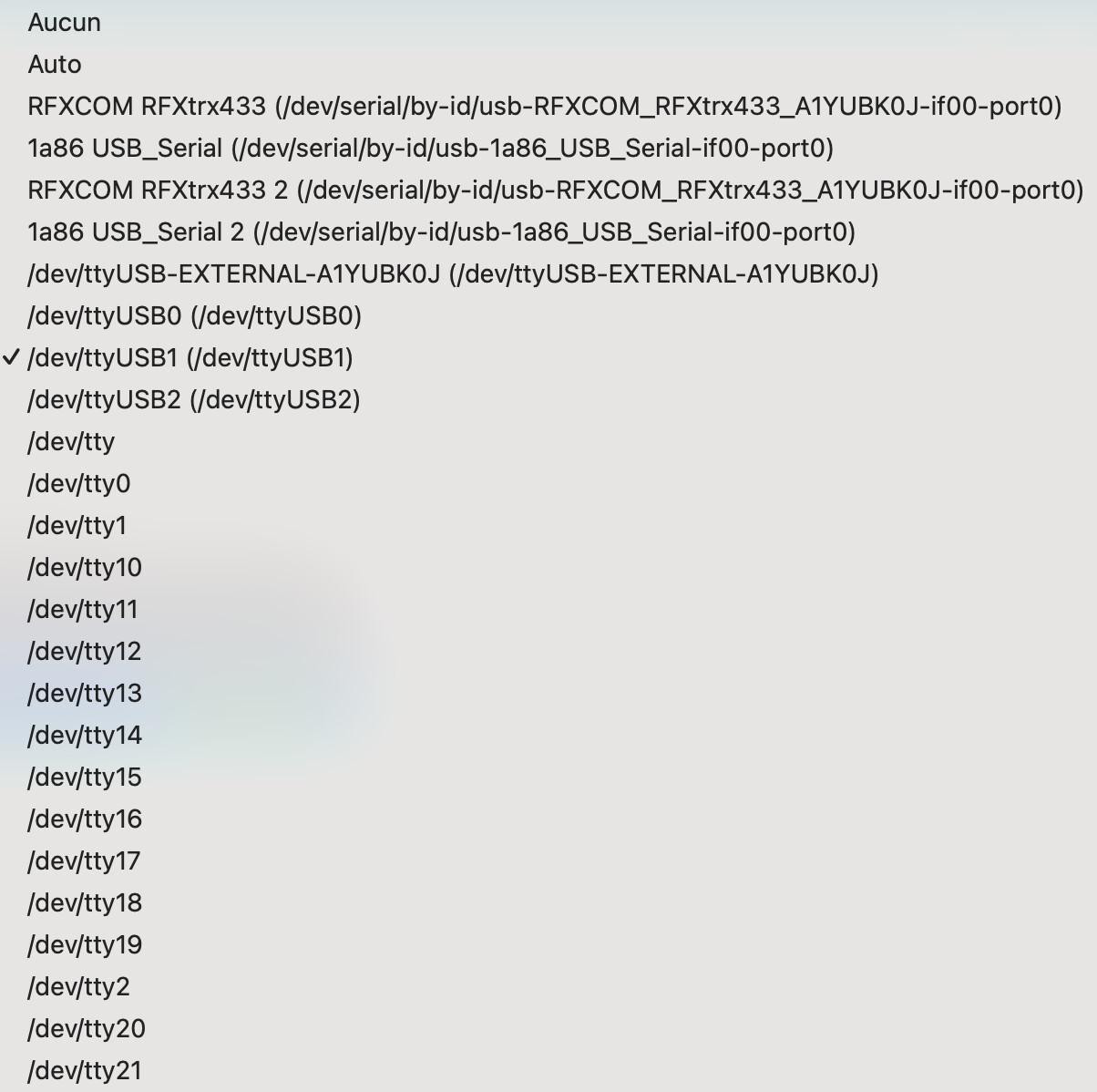
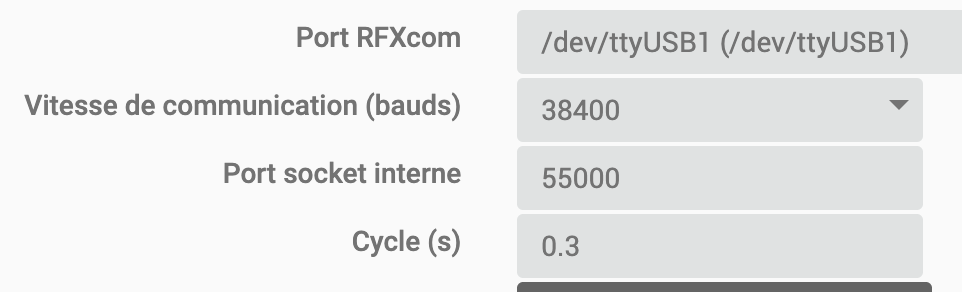
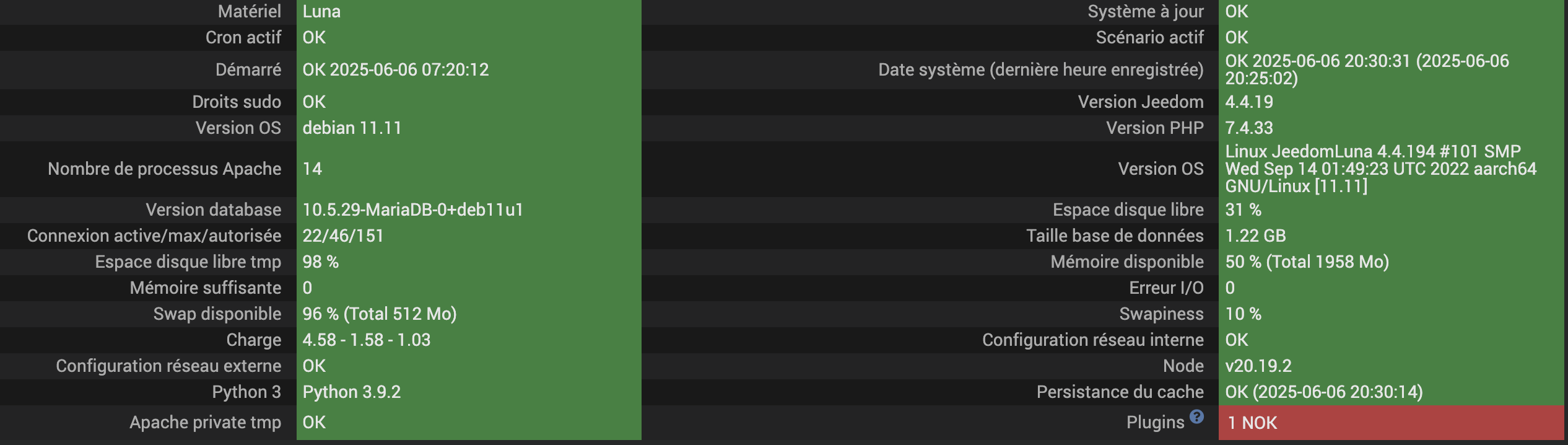
Traceback (most recent call last):
File "/var/www/html/plugins/rfxcom/resources/rfxcomd/rfxcomd.py", line 23, in <module>
from jeedomdaemon.base_config import BaseConfig
File "/usr/local/lib/python3.9/dist-packages/jeedomdaemon/__init__.py", line 1, in <module>
from .base_daemon import BaseDaemon
File "/usr/local/lib/python3.9/dist-packages/jeedomdaemon/base_daemon.py", line 15, in <module>
from .aio_connector import Publisher, Listener
File "/usr/local/lib/python3.9/dist-packages/jeedomdaemon/aio_connector.py", line 9, in <module>
import aiohttp
File "/usr/local/lib/python3.9/dist-packages/aiohttp/__init__.py", line 6, in <module>
from .client import (
File "/usr/local/lib/python3.9/dist-packages/aiohttp/client.py", line 40, in <module>
from . import hdrs, http, payload
File "/usr/local/lib/python3.9/dist-packages/aiohttp/http.py", line 6, in <module>
from .http_exceptions import HttpProcessingError as HttpProcessingError
File "/usr/local/lib/python3.9/dist-packages/aiohttp/http_exceptions.py", line 6, in <module>
from .typedefs import _CIMultiDict
File "/usr/local/lib/python3.9/dist-packages/aiohttp/typedefs.py", line 16, in <module>
from yarl import URL, Query as _Query
ImportError: cannot import name 'Query' from 'yarl' (/usr/local/lib/pyt
Log brut
Rechercher


+ echo '*******************Begin of package installation******************'
*******************Begin of package installation******************
+ touch /tmp/jeedom_install_in_progress_rfxcom
+ echo 1
+ echo 2
+ sudo chmod +x /var/www/html/core/class/../../plugins/rfxcom/resources/pre-install.sh
+ sudo /var/www/html/core/class/../../plugins/rfxcom/resources/pre-install.sh
Launch pre-install of rfxcom dependancy
WARNING: Skipping serial as it is not installed.
WARNING: apt does not have a stable CLI interface. Use with caution in scripts.
Reading package lists...
Building dependency tree...
Reading state information...
Package 'python3-serial' is not installed, so not removed
0 upgraded, 0 newly installed, 0 to remove and 284 not upgraded.
+ echo 3
++ cut -f 2-
++ awk '$1 <= 4'
++ find /usr/local/lib/python3.9/dist-packages/ -mindepth 1 -maxdepth 1 -type d -exec du -ks '{}' +
+ RESULTTODELETE=
++ sed 's, ,\ ,g'
++ echo ''
+ RESULTTODELETE2=
+ xargs rm -rf
+ echo ''
+ echo 4
+ sudo pip3 cache purge
ERROR: No matching packages
+ echo 5
+ sudo pip3 install --upgrade pip
Requirement already satisfied: pip in /usr/lib/python3/dist-packages (20.3.4)
Collecting pip
Downloading pip-25.1.1-py3-none-any.whl (1.8 MB)
Installing collected packages: pip
Attempting uninstall: pip
Found existing installation: pip 20.3.4
Not uninstalling pip at /usr/lib/python3/dist-packages, outside environment /usr
Can't uninstall 'pip'. No files were found to uninstall.
Successfully installed pip-25.1.1
+ echo 6
+ sudo python3 -m pip install --force-reinstall --upgrade six
Collecting six
Downloading six-1.17.0-py2.py3-none-any.whl.metadata (1.7 kB)
Downloading six-1.17.0-py2.py3-none-any.whl (11 kB)
WARNING: Error parsing dependencies of gpg: Invalid version: '1.14.0-unknown'
Installing collected packages: six
Attempting uninstall: six
Found existing installation: six 1.16.0
Uninstalling six-1.16.0:
Successfully uninstalled six-1.16.0
Successfully installed six-1.17.0
WARNING: Running pip as the 'root' user can result in broken permissions and conflicting behaviour with the system package manager, possibly rendering your system unusable. It is recommended to use a virtual environment instead: https://pip.pypa.io/warnings/venv. Use the --root-user-action option if you know what you are doing and want to suppress this warning.
+ echo 7
+ sudo python3 -m pip install --force-reinstall --upgrade requests
Collecting requests
Downloading requests-2.32.3-py3-none-any.whl.metadata (4.6 kB)
Collecting charset-normalizer<4,>=2 (from requests)
Downloading charset_normalizer-3.4.2-cp39-cp39-manylinux_2_17_aarch64.manylinux2014_aarch64.whl.metadata (35 kB)
Collecting idna<4,>=2.5 (from requests)
Downloading idna-3.10-py3-none-any.whl.metadata (10 kB)
Collecting urllib3<3,>=1.21.1 (from requests)
Downloading urllib3-2.4.0-py3-none-any.whl.metadata (6.5 kB)
Collecting certifi>=2017.4.17 (from requests)
Downloading certifi-2025.4.26-py3-none-any.whl.metadata (2.5 kB)
Downloading requests-2.32.3-py3-none-any.whl (64 kB)
Downloading charset_normalizer-3.4.2-cp39-cp39-manylinux_2_17_aarch64.manylinux2014_aarch64.whl (144 kB)
Downloading idna-3.10-py3-none-any.whl (70 kB)
Downloading urllib3-2.4.0-py3-none-any.whl (128 kB)
Downloading certifi-2025.4.26-py3-none-any.whl (159 kB)
WARNING: Error parsing dependencies of gpg: Invalid version: '1.14.0-unknown'
Installing collected packages: urllib3, idna, charset-normalizer, certifi, requests
Attempting uninstall: urllib3
Found existing installation: urllib3 1.26.5
Uninstalling urllib3-1.26.5:
Successfully uninstalled urllib3-1.26.5
Attempting uninstall: idna
Found existing installation: idna 2.10
Uninstalling idna-2.10:
Successfully uninstalled idna-2.10
Attempting uninstall: certifi
Found existing installation: certifi 2020.6.20
Uninstalling certifi-2020.6.20:
Successfully uninstalled certifi-2020.6.20
Attempting uninstall: requests
Found existing installation: requests 2.25.1
Uninstalling requests-2.25.1:
Successfully uninstalled requests-2.25.1
Successfully installed certifi-2025.4.26 charset-normalizer-3.4.2 idna-3.10 requests-2.32.3 urllib3-2.4.0
WARNING: Running pip as the 'root' user can result in broken permissions and conflicting behaviour with the system package manager, possibly rendering your system unusable. It is recommended to use a virtual environment instead: https://pip.pypa.io/warnings/venv. Use the --root-user-action option if you know what you are doing and want to suppress this warning.
+ echo 8
+ sudo python3 -m pip install --force-reinstall --upgrade setuptools
Collecting setuptools
Downloading setuptools-80.9.0-py3-none-any.whl.metadata (6.6 kB)
Downloading setuptools-80.9.0-py3-none-any.whl (1.2 MB)
━━━━━━━━━━━━━━━━━━━━━━━━━━━━━━━━━━━━━━━━ 1.2/1.2 MB 4.2 MB/s eta 0:00:00
WARNING: Error parsing dependencies of gpg: Invalid version: '1.14.0-unknown'
Installing collected packages: setuptools
Attempting uninstall: setuptools
Found existing installation: setuptools 52.0.0
Uninstalling setuptools-52.0.0:
Successfully uninstalled setuptools-52.0.0
Successfully installed setuptools-80.9.0
WARNING: Running pip as the 'root' user can result in broken permissions and conflicting behaviour with the system package manager, possibly rendering your system unusable. It is recommended to use a virtual environment instead: https://pip.pypa.io/warnings/venv. Use the --root-user-action option if you know what you are doing and want to suppress this warning.
+ echo 9
+ sudo python3 -m pip install --force-reinstall --upgrade pyudev
Collecting pyudev
Downloading pyudev-0.24.3-py3-none-any.whl.metadata (4.6 kB)
Downloading pyudev-0.24.3-py3-none-any.whl (62 kB)
WARNING: Error parsing dependencies of gpg: Invalid version: '1.14.0-unknown'
Installing collected packages: pyudev
Attempting uninstall: pyudev
Found existing installation: pyudev 0.22.0
Uninstalling pyudev-0.22.0:
Successfully uninstalled pyudev-0.22.0
Successfully installed pyudev-0.24.3
WARNING: Running pip as the 'root' user can result in broken permissions and conflicting behaviour with the system package manager, possibly rendering your system unusable. It is recommended to use a virtual environment instead: https://pip.pypa.io/warnings/venv. Use the --root-user-action option if you know what you are doing and want to suppress this warning.
+ echo 10
+ sudo python3 -m pip install --force-reinstall --upgrade pyserial
Collecting pyserial
Downloading pyserial-3.5-py2.py3-none-any.whl.metadata (1.6 kB)
Downloading pyserial-3.5-py2.py3-none-any.whl (90 kB)
WARNING: Error parsing dependencies of gpg: Invalid version: '1.14.0-unknown'
Installing collected packages: pyserial
Successfully installed pyserial-3.5
WARNING: Running pip as the 'root' user can result in broken permissions and conflicting behaviour with the system package manager, possibly rendering your system unusable. It is recommended to use a virtual environment instead: https://pip.pypa.io/warnings/venv. Use the --root-user-action option if you know what you are doing and want to suppress this warning.
+ echo 11
+ sudo python3 -m pip install --force-reinstall --upgrade jeedomdaemon
Collecting jeedomdaemon
Downloading jeedomdaemon-1.2.9-py3-none-any.whl.metadata (5.2 kB)
Collecting aiohttp (from jeedomdaemon)
Downloading aiohttp-3.12.7-cp39-cp39-manylinux_2_17_aarch64.manylinux2014_aarch64.whl.metadata (7.6 kB)
Collecting aiohappyeyeballs>=2.5.0 (from aiohttp->jeedomdaemon)
Downloading aiohappyeyeballs-2.6.1-py3-none-any.whl.metadata (5.9 kB)
Collecting aiosignal>=1.1.2 (from aiohttp->jeedomdaemon)
Downloading aiosignal-1.3.2-py2.py3-none-any.whl.metadata (3.8 kB)
Collecting async-timeout<6.0,>=4.0 (from aiohttp->jeedomdaemon)
Downloading async_timeout-5.0.1-py3-none-any.whl.metadata (5.1 kB)
Collecting attrs>=17.3.0 (from aiohttp->jeedomdaemon)
Downloading attrs-25.3.0-py3-none-any.whl.metadata (10 kB)
Collecting frozenlist>=1.1.1 (from aiohttp->jeedomdaemon)
Downloading frozenlist-1.6.0-cp39-cp39-manylinux_2_17_aarch64.manylinux2014_aarch64.whl.metadata (16 kB)
Collecting multidict<7.0,>=4.5 (from aiohttp->jeedomdaemon)
Downloading multidict-6.4.4-cp39-cp39-manylinux_2_17_aarch64.manylinux2014_aarch64.whl.metadata (5.3 kB)
Collecting propcache>=0.2.0 (from aiohttp->jeedomdaemon)
Downloading propcache-0.3.1-cp39-cp39-manylinux_2_17_aarch64.manylinux2014_aarch64.whl.metadata (10 kB)
Collecting yarl<2.0,>=1.17.0 (from aiohttp->jeedomdaemon)
Downloading yarl-1.20.0-cp39-cp39-manylinux_2_17_aarch64.manylinux2014_aarch64.whl.metadata (72 kB)
Collecting typing-extensions>=4.1.0 (from multidict<7.0,>=4.5->aiohttp->jeedomdaemon)
Downloading typing_extensions-4.14.0-py3-none-any.whl.metadata (3.0 kB)
Collecting idna>=2.0 (from yarl<2.0,>=1.17.0->aiohttp->jeedomdaemon)
Using cached idna-3.10-py3-none-any.whl.metadata (10 kB)
Downloading jeedomdaemon-1.2.9-py3-none-any.whl (10 kB)
Downloading aiohttp-3.12.7-cp39-cp39-manylinux_2_17_aarch64.manylinux2014_aarch64.whl (1.6 MB)
━━━━━━━━━━━━━━━━━━━━━━━━━━━━━━━━━━━━━━━━ 1.6/1.6 MB 4.3 MB/s eta 0:00:00
Downloading async_timeout-5.0.1-py3-none-any.whl (6.2 kB)
Downloading multidict-6.4.4-cp39-cp39-manylinux_2_17_aarch64.manylinux2014_aarch64.whl (218 kB)
Downloading yarl-1.20.0-cp39-cp39-manylinux_2_17_aarch64.manylinux2014_aarch64.whl (332 kB)
Downloading aiohappyeyeballs-2.6.1-py3-none-any.whl (15 kB)
Downloading aiosignal-1.3.2-py2.py3-none-any.whl (7.6 kB)
Downloading attrs-25.3.0-py3-none-any.whl (63 kB)
Downloading frozenlist-1.6.0-cp39-cp39-manylinux_2_17_aarch64.manylinux2014_aarch64.whl (288 kB)
Using cached idna-3.10-py3-none-any.whl (70 kB)
Downloading propcache-0.3.1-cp39-cp39-manylinux_2_17_aarch64.manylinux2014_aarch64.whl (209 kB)
Downloading typing_extensions-4.14.0-py3-none-any.whl (43 kB)
WARNING: Error parsing dependencies of gpg: Invalid version: '1.14.0-unknown'
Installing collected packages: typing-extensions, propcache, idna, frozenlist, attrs, async-timeout, aiohappyeyeballs, multidict, aiosignal, yarl, aiohttp, jeedomdaemon
Attempting uninstall: idna
Found existing installation: idna 3.10
Uninstalling idna-3.10:
Successfully uninstalled idna-3.10
Successfully installed aiohappyeyeballs-2.6.1 aiohttp-3.12.7 aiosignal-1.3.2 async-timeout-5.0.1 attrs-25.3.0 frozenlist-1.6.0 idna-3.10 jeedomdaemon-1.2.9 multidict-6.4.4 propcache-0.3.1 typing-extensions-4.14.0 yarl-1.20.0
WARNING: Running pip as the 'root' user can result in broken permissions and conflicting behaviour with the system package manager, possibly rendering your system unusable. It is recommended to use a virtual environment instead: https://pip.pypa.io/warnings/venv. Use the --root-user-action option if you know what you are doing and want to suppress this warning.
+ echo 12
+ php /var/www/html/core/class/../php/jeecli.php plugin dependancy_end rfxcom
+ echo 13
+ rm /tmp/jeedom_install_in_progress_rfxcom
+ echo '*******************End of package installation******************'
*******************End of package installation******************
[2025-06-07 07:41:16] ERROR  : Attention je pense qu'il y a un soucis avec le démon que j'ai relancé plus de 3 fois consécutivement
[2025-06-07 07:41:17] INFO  : Lancement démon rfxcomd : python3 /var/www/html/plugins/rfxcom/resources/rfxcomd/rfxcomd.py --device /dev/serial/by-id/usb-RFXCOM_RFXtrx433_A1YUBK0J-if00-port0 --loglevel debug --socketport 55000 --serialrate 38400 --protocol 4,7,13,14,18,20,21,22,23 --callback http://127.0.0.1:80/plugins/rfxcom/core/php/jeeRfxcom.php --apikey dTJYDDJRjLXSmFHbZZmTHXlHShWrPTBU --cycle 0.3 --pid /tmp/jeedom/rfxcom/deamon.pid
[2025-06-07 07:41:49] ERROR  : Impossible de lancer le démon RFXcom, vérifiez le log rfxcmd
Traceback (most recent call last):
File "/var/www/html/plugins/rfxcom/resources/rfxcomd/rfxcomd.py", line 23, in <module>
from jeedomdaemon.base_config import BaseConfig
File "/usr/local/lib/python3.9/dist-packages/jeedomdaemon/__init__.py", line 1, in <module>
from .base_daemon import BaseDaemon
File "/usr/local/lib/python3.9/dist-packages/jeedomdaemon/base_daemon.py", line 15, in <module>
from .aio_connector import Publisher, Listener
File "/usr/local/lib/python3.9/dist-packages/jeedomdaemon/aio_connector.py", line 9, in <module>
import aiohttp
File "/usr/local/lib/python3.9/dist-packages/aiohttp/__init__.py", line 6, in <module>
from .client import (
File "/usr/local/lib/python3.9/dist-packages/aiohttp/client.py", line 40, in <module>
from . import hdrs, http, payload
File "/usr/local/lib/python3.9/dist-packages/aiohttp/http.py", line 6, in <module>
from .http_exceptions import HttpProcessingError as HttpProcessingError
File "/usr/local/lib/python3.9/dist-packages/aiohttp/http_exceptions.py", line 6, in <module>
from .typedefs import _CIMultiDict
File "/usr/local/lib/python3.9/dist-packages/aiohttp/typedefs.py", line 16, in <module>
from yarl import URL, Query as _Query
ImportError: cannot import name 'Query' from 'yarl' (/usr/local/lib/python3.9/dist-packages/yarl/__init__.py)
edit:
J’ai relancé l’installation des dépendances, et cette fois ci, le démon est OK.