I have the Ajax plugin and it detects the light switches but there are no commands available.
Is there a way to create commands to turn light switches on and off and to detect the current state of the switches?
I have the Ajax plugin and it detects the light switches but there are no commands available.
Is there a way to create commands to turn light switches on and off and to detect the current state of the switches?
Hello (greetings are welcomed here)
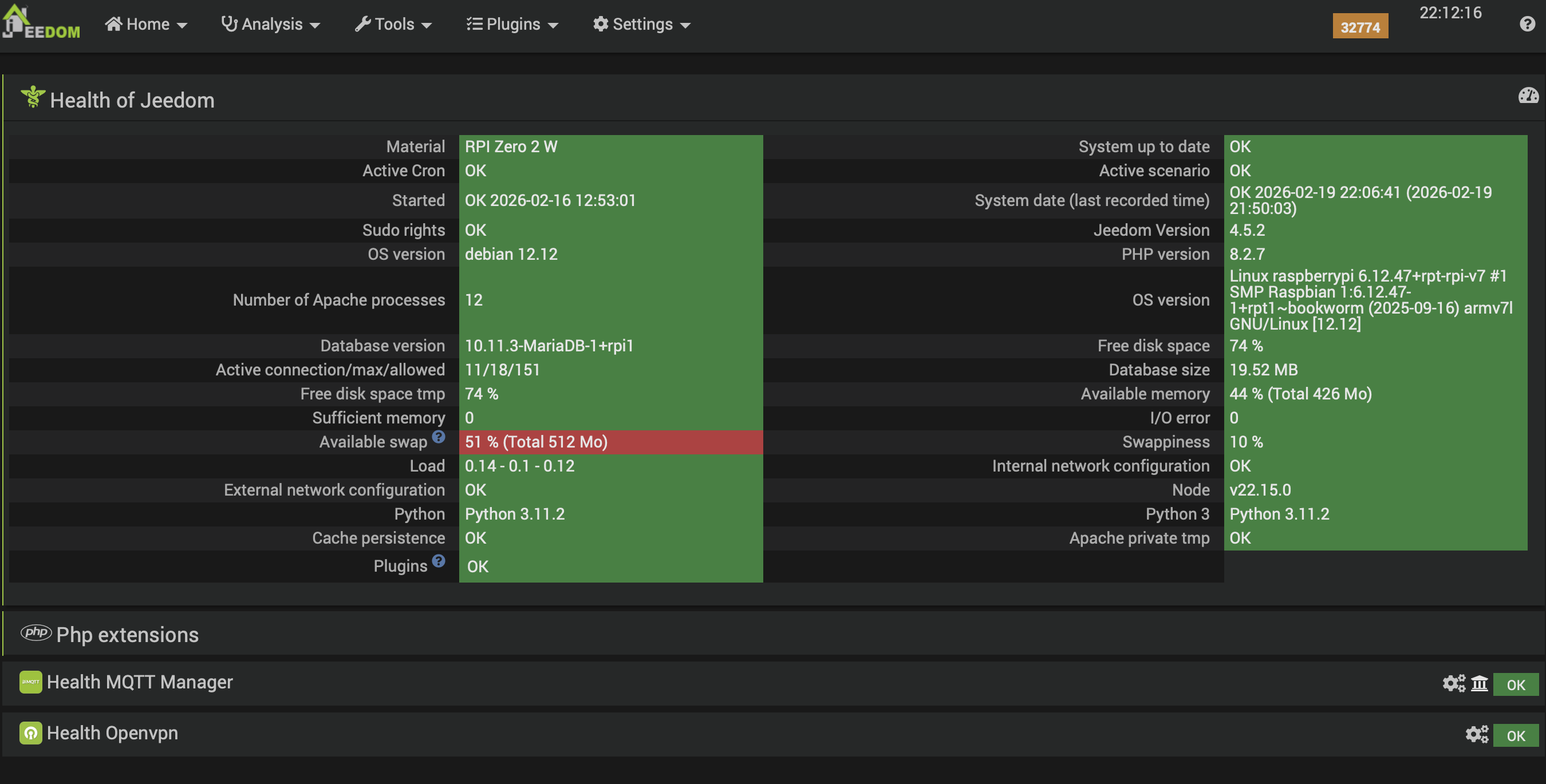
Could you share the healt information of your jeedom and the log of the plugin ?
Tx
Thanks.
It is a new install running on a Raspberry Pi Zero 2W.
No commands are shown for the light switch in the Ajax plugin.
I tried to create a command using action and default but got the following:
[2025-10-30 16:33:10] ERROR : Command execution error [Office][LightOffice][LightOfficeOnOff] : Error when requesting Ajax System:{"state":"nok","error":"Can no post Ajax server : Deserialization error"}
The plugin sees that I have a light switch. I have selected the option ‹ light › - originally it simply said ‹ security › but I don’t think this made any difference. Under options, ‹ kind › and ‹ colour › drop-down menus cannot be accessed. Nothing is in the ‹ kind › box (whereas the hub model is listed if I look at that).
In equipment configuration it has the following, so it does seem to know that it is a light switch:
{"hub_id":"003185EB","type":"device","color":"WHITE","device":"LightSwitchOneGang","firmware":"5.58.1.31","createtime":"2025-10-30 16:08:18","applyDevice":"LightSwitchOneGang","updatetime":"2025-10-30 17:20:55","device_number":""}
It gets more interesting.
I fitted some more light switches.
1-gang 2-way switches are discovered but 2-gang 2-way switches are not discovered by Jeedom’s Ajax app.
The 1-gang 2-way switch (two switches both controlling one light) shows commands and I can use Jeedom to turn that light on and off.
The 1-gang 1-way switch (one switch controlling one light) does not show any commands.
The 2-gang 2-way switches (two switches in one space) are not discovered at all by Jeedom.
So:
Further update.
I noted the commands shown for the 1-gang 2-way switches and created on and off commands for the 1-gang switches and they now work (when I tried earlier they were not working).
The 2-gang 2-way switches are still not discovered by Jeedom.
Is there much community activity here?
Progress so far is that I can now control everything except for 2-gang switches.
A single 2-gang switch (2 light switches in one socket) is detected but with no commands. I can get one of the switches to work but have not worked out the commands for the second switch.
2-gang 2-way switches (two switches in one socket but with two of these controlling one light) are not detected by the system at all.
I know the ID of the missing switches from the Ajax app. I wonder if there is a way to create a device using this information or if the Ajax plugin developer could update the app to detect 2-gang switches fully.
Is this app not supported? It was a paid-for app…
Nobody in this community has any comments regarding this?
The suppport is not managed by community.
You can ask questions but if nobody knows, feel free to create a ticket to get actual support.
I am not sure that it is adapted. And we asked for the « health page » of your jeedom and we are still expecting it.
Antoine
Perhaps you could let me know exactly what you need.
I have investigated this quite a bit. LightSwitchTwoChannelTwoWay is detected but I am unable to figure out the commands for the second channel or how to get the status of the second channel. Commands had to be entered manually and worked for the first channel with SWITCH_ON AND SWITCH OFF, along with channelStatus, although that last one seems to be on when both channels are on.
In logs I seemed to note a channelStatus: 3.
The Ajax app does not appear to be detecting the 2-gang 2-way switches correctly (2-gang single switches also only seem to recognise the first channel.
You have a doc for such question:
https://doc.jeedom.com/en_US/core/4.5/health
That doesn’t tell me what you need though. A screenshot of that page?
Everything is green except for Available swap: 51% (total 512 Mo).
The log file for the plugin shows that the 2-gang 2-way devices are detected but it seems that it is being detected as a single device and the second channel is not recognised and I do not know how to issue commands to the second channel.
Looks ok.
So and since the developper didn’t react here, the best is probably to make a ticket.
Antoine
I think I did that and I did not get anywhere.
I can try again…
Is this done by clicking configuration and then assistance? I’ve just done that so hopefully that’s what I should be doing but please let me know if something else is required.