Bonjour,
J’ai installé le plugin CAMERA, le Démon reste en statut NOK du fait que les dépendances ne parviennent pas à s’installer. Le message d’alerte suivant tourne en boucle : « Attention : installation des dépendances lancée ».
J’ai fait quelques recherches et à première vue je ne suis pas le premier à rencontrer le problème, mais je n’ai pas trouvé réponse à mes questions.
J’ai sorti le log du plugin que voici :
Launch install of camera dependancy
Hit:1 http://archive.raspberrypi.org/debian buster InRelease
Hit:2 http://raspbian.raspberrypi.org/raspbian buster InRelease
Reading package lists...
E: dpkg was interrupted, you must manually run 'sudo dpkg --configure -a' to correct the problem.
E: dpkg was interrupted, you must manually run 'sudo dpkg --configure -a' to correct the problem.
E: dpkg was interrupted, you must manually run 'sudo dpkg --configure -a' to correct the problem.
E: dpkg was interrupted, you must manually run 'sudo dpkg --configure -a' to correct the problem.
E: dpkg was interrupted, you must manually run 'sudo dpkg --configure -a' to correct the problem.
Everything is successfully installed!
Warning: The unit file, source configuration file or drop-ins of apache2.service changed on disk. Run 'systemctl daemon-reload' to reload units.
Dans la documentation il est écrit :
Les dépendances n’arrivent pas à s’installer ?

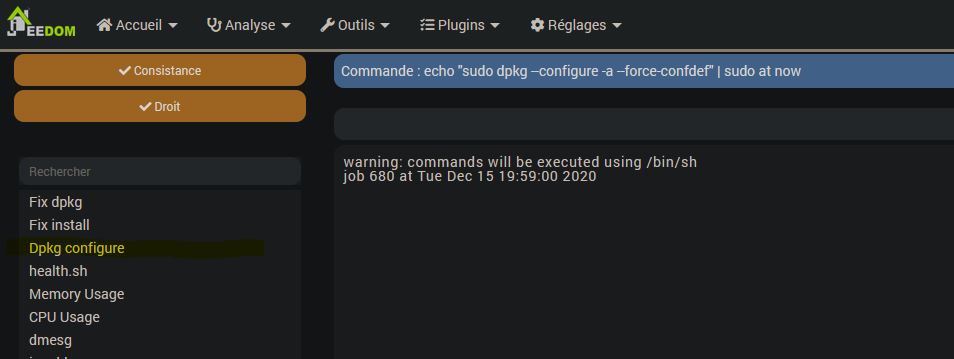
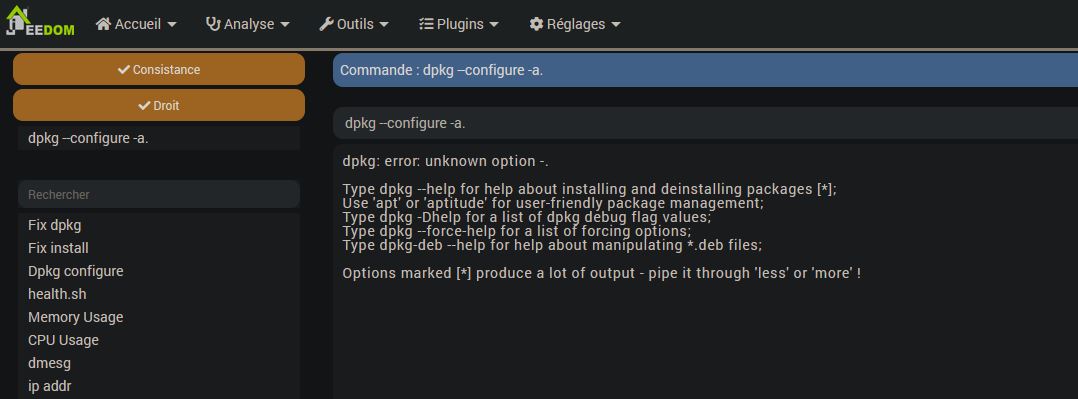
En ssh ou dans Administration -> OS/DB -> Système faire : dpkg --configure -a.
Je ne connais pas trop le fonctionnement SSH, j’ai donc voulu choisir la deuxième option mais je ne trouve pas de menu « Administration ». J’ai fouillé les menus de Jeedom (Accueil, Analyse, Outils, Plugins et Réglages) sans succès.
Je suis preneur de vos conseils et avis.