Bonjour,
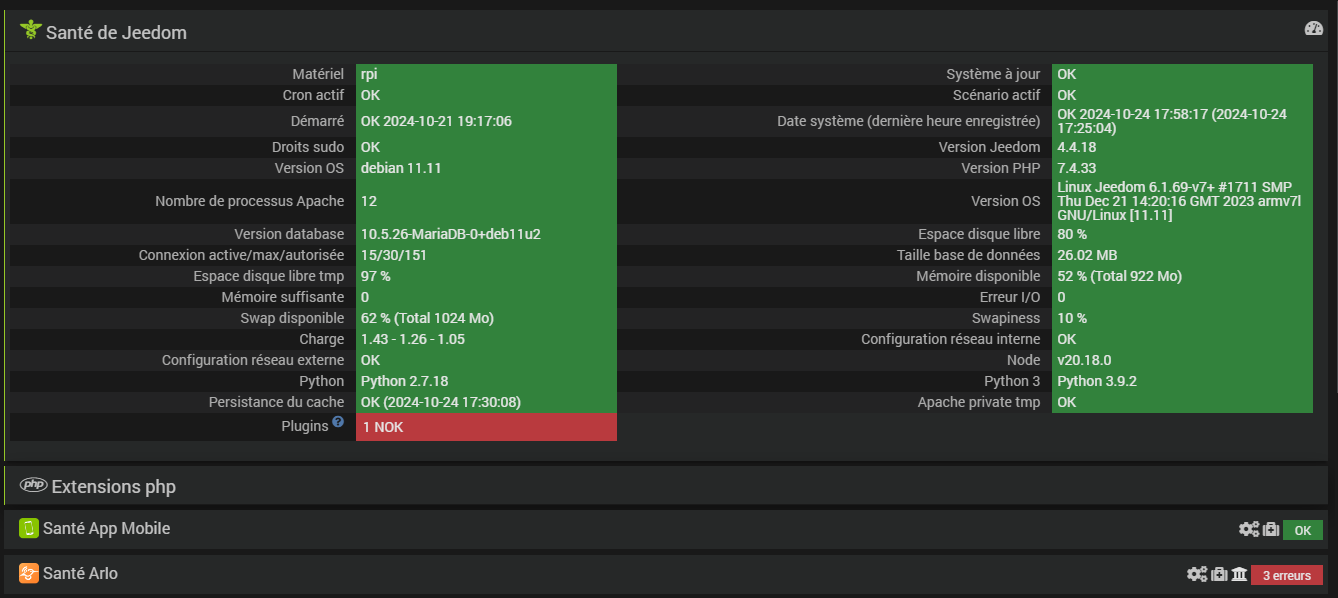
La dernière mise à jour d’Arlo nécessite Debian 11, j’ai donc réinstallé mon jeedom, Raspberry 3.
Tous les plugins fonctionnent correctemement, sauf celui pour qui j’ai tout réinstallé. La mise à jour a été acceptée, mais les dépendances sont en erreur.
======================================================================
==KO== Installation Error
======================================================================
== ANALYSING LOGS...
== NO KNOWN ERROR DETECTED
== Error in step : Install the required python packages
== Line 222
== The command `/var/www/html/plugins/arlo/resources/venv/bin/python3 -m pip install --upgrade -r /var/www/html/plugins/arlo/resources/requirements.txt' has an issue
== Return code is 1
== Error message :
Looking in indexes: https://pypi.org/simple, https://www.piwheels.org/simple
Collecting requests>=2.31 (from -r /var/www/html/plugins/arlo/resources/requirements.txt (line 1))
Using cached https://www.piwheels.org/simple/requests/requests-2.32.3-py3-none-any.whl (64 kB)
Collecting Unidecode>=1.3.7 (from -r /var/www/html/plugins/arlo/resources/requirements.txt (line 2))
Using cached https://www.piwheels.org/simple/unidecode/Unidecode-1.3.8-py3-none-any.whl (235 kB)
Collecting cloudscraper>=1.2.71 (from -r /var/www/html/plugins/arlo/resources/requirements.txt (line 3))
Using cached https://www.piwheels.org/simple/cloudscraper/cloudscraper-1.2.71-py3-none-any.whl (99 kB)
Collecting paho-mqtt>=1.6.1 (from -r /var/www/html/plugins/arlo/resources/requirements.txt (line 4))
Using cached https://www.piwheels.org/simple/paho-mqtt/paho_mqtt-2.1.0-py3-none-any.whl (67 kB)
Collecting cryptography>=41.0.7 (from -r /var/www/html/plugins/arlo/resources/requirements.txt (line 5))
Using cached cryptography-43.0.3.tar.gz (686 kB)
Installing build dependencies: started
Installing build dependencies: finished with status 'done'
Getting requirements to build wheel: started
Getting requirements to build wheel: finished with status 'done'
Preparing metadata (pyproject.toml): started
Preparing metadata (pyproject.toml): finished with status 'error'
error: subprocess-exited-with-error
× Preparing metadata (pyproject.toml) did not run successfully.
│ exit code: 1
╰─> [6 lines of output]
Cargo, the Rust package manager, is not installed or is not on PATH.
This package requires Rust and Cargo to compile extensions. Install it through
the system's package manager or via https://rustup.rs/
Checking for Rust toolchain....
[end of output]
note: This error originates from a subprocess, and is likely not a problem with pip.
error: metadata-generation-failed
× Encountered error while generating package metadata.
╰─> See above for output.
note: This is an issue with the package mentioned above, not pip.
hint: See above for details.
======================================================================
j’ai réinstallé Rust en suivant les instructions, mais cela n’a rien changé.
j’ai vérifié le PATH, le chemin apparait bien.
La cela dépasse mes compétences, donc si vous pouvez m’aider, je suis preneur.