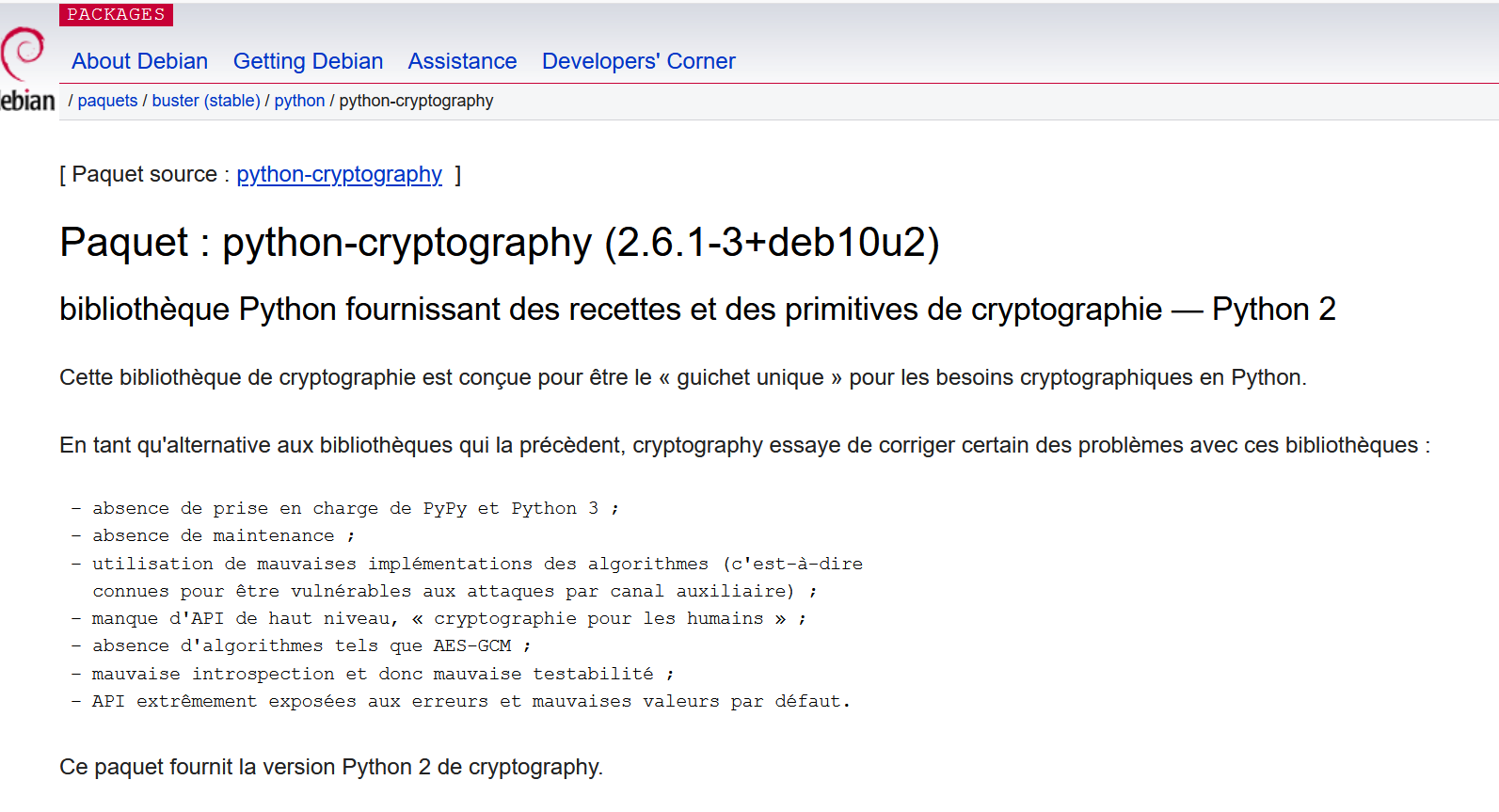
j’ai déjà essayé cette manip. Hélas, ça se termine toujours mal :
  Running setup.py clean for cryptography
Failed to build cryptography
Installing collected packages: cryptography
  Running setup.py install for cryptography ... error
    Complete output from command /usr/bin/python3 -u -c "import setuptools, tokenize;__file__='/tmp/pip-install-4arxt_wx/cryptography/setup.py';f=getattr(tokenize, 'open', open)(__file__);code=f.read().replace('\r\n', '\n');f.close();exec(compile(code, __file__, 'exec'))" install --record /tmp/pip-record-lnmi974z/install-record.txt --single-version-externally-managed --compile:
    running install
    running build
    running build_py
    creating build
    creating build/lib.linux-x86_64-3.7
    creating build/lib.linux-x86_64-3.7/cryptography
    copying src/cryptography/__init__.py -> build/lib.linux-x86_64-3.7/cryptography
    copying src/cryptography/fernet.py -> build/lib.linux-x86_64-3.7/cryptography
    copying src/cryptography/__about__.py -> build/lib.linux-x86_64-3.7/cryptography
    copying src/cryptography/exceptions.py -> build/lib.linux-x86_64-3.7/cryptography
    copying src/cryptography/utils.py -> build/lib.linux-x86_64-3.7/cryptography
    creating build/lib.linux-x86_64-3.7/cryptography/x509
    copying src/cryptography/x509/oid.py -> build/lib.linux-x86_64-3.7/cryptography/x509
    copying src/cryptography/x509/__init__.py -> build/lib.linux-x86_64-3.7/cryptography/x509
    copying src/cryptography/x509/ocsp.py -> build/lib.linux-x86_64-3.7/cryptography/x509
    copying src/cryptography/x509/certificate_transparency.py -> build/lib.linux-x86_64-3.7/cryptography/x509
    copying src/cryptography/x509/extensions.py -> build/lib.linux-x86_64-3.7/cryptography/x509
    copying src/cryptography/x509/general_name.py -> build/lib.linux-x86_64-3.7/cryptography/x509
    copying src/cryptography/x509/name.py -> build/lib.linux-x86_64-3.7/cryptography/x509
    copying src/cryptography/x509/base.py -> build/lib.linux-x86_64-3.7/cryptography/x509
    creating build/lib.linux-x86_64-3.7/cryptography/hazmat
    copying src/cryptography/hazmat/__init__.py -> build/lib.linux-x86_64-3.7/cryptography/hazmat
    copying src/cryptography/hazmat/_der.py -> build/lib.linux-x86_64-3.7/cryptography/hazmat
    copying src/cryptography/hazmat/_types.py -> build/lib.linux-x86_64-3.7/cryptography/hazmat
    copying src/cryptography/hazmat/_oid.py -> build/lib.linux-x86_64-3.7/cryptography/hazmat
    creating build/lib.linux-x86_64-3.7/cryptography/hazmat/primitives
    copying src/cryptography/hazmat/primitives/cmac.py -> build/lib.linux-x86_64-3.7/cryptography/hazmat/primitives
    copying src/cryptography/hazmat/primitives/__init__.py -> build/lib.linux-x86_64-3.7/cryptography/hazmat/primitives
    copying src/cryptography/hazmat/primitives/_cipheralgorithm.py -> build/lib.linux-x86_64-3.7/cryptography/hazmat/primitives
    copying src/cryptography/hazmat/primitives/keywrap.py -> build/lib.linux-x86_64-3.7/cryptography/hazmat/primitives
    copying src/cryptography/hazmat/primitives/hmac.py -> build/lib.linux-x86_64-3.7/cryptography/hazmat/primitives
    copying src/cryptography/hazmat/primitives/poly1305.py -> build/lib.linux-x86_64-3.7/cryptography/hazmat/primitives
    copying src/cryptography/hazmat/primitives/padding.py -> build/lib.linux-x86_64-3.7/cryptography/hazmat/primitives
    copying src/cryptography/hazmat/primitives/_asymmetric.py -> build/lib.linux-x86_64-3.7/cryptography/hazmat/primitives
    copying src/cryptography/hazmat/primitives/_serialization.py -> build/lib.linux-x86_64-3.7/cryptography/hazmat/primitives
    copying src/cryptography/hazmat/primitives/hashes.py -> build/lib.linux-x86_64-3.7/cryptography/hazmat/primitives
    copying src/cryptography/hazmat/primitives/constant_time.py -> build/lib.linux-x86_64-3.7/cryptography/hazmat/primitives
    creating build/lib.linux-x86_64-3.7/cryptography/hazmat/backends
    copying src/cryptography/hazmat/backends/__init__.py -> build/lib.linux-x86_64-3.7/cryptography/hazmat/backends
    copying src/cryptography/hazmat/backends/interfaces.py -> build/lib.linux-x86_64-3.7/cryptography/hazmat/backends
    creating build/lib.linux-x86_64-3.7/cryptography/hazmat/bindings
    copying src/cryptography/hazmat/bindings/__init__.py -> build/lib.linux-x86_64-3.7/cryptography/hazmat/bindings
    creating build/lib.linux-x86_64-3.7/cryptography/hazmat/primitives/asymmetric
    copying src/cryptography/hazmat/primitives/asymmetric/ec.py -> build/lib.linux-x86_64-3.7/cryptography/hazmat/primitives/asymmetric
    copying src/cryptography/hazmat/primitives/asymmetric/__init__.py -> build/lib.linux-x86_64-3.7/cryptography/hazmat/primitives/asymmetric
    copying src/cryptography/hazmat/primitives/asymmetric/x25519.py -> build/lib.linux-x86_64-3.7/cryptography/hazmat/primitives/asymmetric
    copying src/cryptography/hazmat/primitives/asymmetric/padding.py -> build/lib.linux-x86_64-3.7/cryptography/hazmat/primitives/asymmetric
    copying src/cryptography/hazmat/primitives/asymmetric/ed448.py -> build/lib.linux-x86_64-3.7/cryptography/hazmat/primitives/asymmetric
    copying src/cryptography/hazmat/primitives/asymmetric/dsa.py -> build/lib.linux-x86_64-3.7/cryptography/hazmat/primitives/asymmetric
    copying src/cryptography/hazmat/primitives/asymmetric/ed25519.py -> build/lib.linux-x86_64-3.7/cryptography/hazmat/primitives/asymmetric
    copying src/cryptography/hazmat/primitives/asymmetric/utils.py -> build/lib.linux-x86_64-3.7/cryptography/hazmat/primitives/asymmetric
    copying src/cryptography/hazmat/primitives/asymmetric/dh.py -> build/lib.linux-x86_64-3.7/cryptography/hazmat/primitives/asymmetric
    copying src/cryptography/hazmat/primitives/asymmetric/rsa.py -> build/lib.linux-x86_64-3.7/cryptography/hazmat/primitives/asymmetric
    copying src/cryptography/hazmat/primitives/asymmetric/x448.py -> build/lib.linux-x86_64-3.7/cryptography/hazmat/primitives/asymmetric
    creating build/lib.linux-x86_64-3.7/cryptography/hazmat/primitives/ciphers
    copying src/cryptography/hazmat/primitives/ciphers/__init__.py -> build/lib.linux-x86_64-3.7/cryptography/hazmat/primitives/ciphers
    copying src/cryptography/hazmat/primitives/ciphers/aead.py -> build/lib.linux-x86_64-3.7/cryptography/hazmat/primitives/ciphers
    copying src/cryptography/hazmat/primitives/ciphers/algorithms.py -> build/lib.linux-x86_64-3.7/cryptography/hazmat/primitives/ciphers
    copying src/cryptography/hazmat/primitives/ciphers/modes.py -> build/lib.linux-x86_64-3.7/cryptography/hazmat/primitives/ciphers
    copying src/cryptography/hazmat/primitives/ciphers/base.py -> build/lib.linux-x86_64-3.7/cryptography/hazmat/primitives/ciphers
    creating build/lib.linux-x86_64-3.7/cryptography/hazmat/primitives/serialization
    copying src/cryptography/hazmat/primitives/serialization/__init__.py -> build/lib.linux-x86_64-3.7/cryptography/hazmat/primitives/serialization
    copying src/cryptography/hazmat/primitives/serialization/pkcs12.py -> build/lib.linux-x86_64-3.7/cryptography/hazmat/primitives/serialization
    copying src/cryptography/hazmat/primitives/serialization/pkcs7.py -> build/lib.linux-x86_64-3.7/cryptography/hazmat/primitives/serialization
    copying src/cryptography/hazmat/primitives/serialization/ssh.py -> build/lib.linux-x86_64-3.7/cryptography/hazmat/primitives/serialization
    copying src/cryptography/hazmat/primitives/serialization/base.py -> build/lib.linux-x86_64-3.7/cryptography/hazmat/primitives/serialization
    creating build/lib.linux-x86_64-3.7/cryptography/hazmat/primitives/twofactor
    copying src/cryptography/hazmat/primitives/twofactor/__init__.py -> build/lib.linux-x86_64-3.7/cryptography/hazmat/primitives/twofactor
    copying src/cryptography/hazmat/primitives/twofactor/utils.py -> build/lib.linux-x86_64-3.7/cryptography/hazmat/primitives/twofactor
    copying src/cryptography/hazmat/primitives/twofactor/totp.py -> build/lib.linux-x86_64-3.7/cryptography/hazmat/primitives/twofactor
    copying src/cryptography/hazmat/primitives/twofactor/hotp.py -> build/lib.linux-x86_64-3.7/cryptography/hazmat/primitives/twofactor
    creating build/lib.linux-x86_64-3.7/cryptography/hazmat/primitives/kdf
    copying src/cryptography/hazmat/primitives/kdf/concatkdf.py -> build/lib.linux-x86_64-3.7/cryptography/hazmat/primitives/kdf
    copying src/cryptography/hazmat/primitives/kdf/scrypt.py -> build/lib.linux-x86_64-3.7/cryptography/hazmat/primitives/kdf
    copying src/cryptography/hazmat/primitives/kdf/__init__.py -> build/lib.linux-x86_64-3.7/cryptography/hazmat/primitives/kdf
    copying src/cryptography/hazmat/primitives/kdf/kbkdf.py -> build/lib.linux-x86_64-3.7/cryptography/hazmat/primitives/kdf
    copying src/cryptography/hazmat/primitives/kdf/pbkdf2.py -> build/lib.linux-x86_64-3.7/cryptography/hazmat/primitives/kdf
    copying src/cryptography/hazmat/primitives/kdf/x963kdf.py -> build/lib.linux-x86_64-3.7/cryptography/hazmat/primitives/kdf
    copying src/cryptography/hazmat/primitives/kdf/hkdf.py -> build/lib.linux-x86_64-3.7/cryptography/hazmat/primitives/kdf
    creating build/lib.linux-x86_64-3.7/cryptography/hazmat/backends/openssl
    copying src/cryptography/hazmat/backends/openssl/ec.py -> build/lib.linux-x86_64-3.7/cryptography/hazmat/backends/openssl
    copying src/cryptography/hazmat/backends/openssl/x509.py -> build/lib.linux-x86_64-3.7/cryptography/hazmat/backends/openssl
    copying src/cryptography/hazmat/backends/openssl/cmac.py -> build/lib.linux-x86_64-3.7/cryptography/hazmat/backends/openssl
    copying src/cryptography/hazmat/backends/openssl/backend.py -> build/lib.linux-x86_64-3.7/cryptography/hazmat/backends/openssl
    copying src/cryptography/hazmat/backends/openssl/__init__.py -> build/lib.linux-x86_64-3.7/cryptography/hazmat/backends/openssl
    copying src/cryptography/hazmat/backends/openssl/ocsp.py -> build/lib.linux-x86_64-3.7/cryptography/hazmat/backends/openssl
    copying src/cryptography/hazmat/backends/openssl/decode_asn1.py -> build/lib.linux-x86_64-3.7/cryptography/hazmat/backends/openssl
    copying src/cryptography/hazmat/backends/openssl/hmac.py -> build/lib.linux-x86_64-3.7/cryptography/hazmat/backends/openssl
    copying src/cryptography/hazmat/backends/openssl/aead.py -> build/lib.linux-x86_64-3.7/cryptography/hazmat/backends/openssl
    copying src/cryptography/hazmat/backends/openssl/ciphers.py -> build/lib.linux-x86_64-3.7/cryptography/hazmat/backends/openssl
    copying src/cryptography/hazmat/backends/openssl/x25519.py -> build/lib.linux-x86_64-3.7/cryptography/hazmat/backends/openssl
    copying src/cryptography/hazmat/backends/openssl/poly1305.py -> build/lib.linux-x86_64-3.7/cryptography/hazmat/backends/openssl
    copying src/cryptography/hazmat/backends/openssl/ed448.py -> build/lib.linux-x86_64-3.7/cryptography/hazmat/backends/openssl
    copying src/cryptography/hazmat/backends/openssl/dsa.py -> build/lib.linux-x86_64-3.7/cryptography/hazmat/backends/openssl
    copying src/cryptography/hazmat/backends/openssl/ed25519.py -> build/lib.linux-x86_64-3.7/cryptography/hazmat/backends/openssl
    copying src/cryptography/hazmat/backends/openssl/utils.py -> build/lib.linux-x86_64-3.7/cryptography/hazmat/backends/openssl
    copying src/cryptography/hazmat/backends/openssl/hashes.py -> build/lib.linux-x86_64-3.7/cryptography/hazmat/backends/openssl
    copying src/cryptography/hazmat/backends/openssl/dh.py -> build/lib.linux-x86_64-3.7/cryptography/hazmat/backends/openssl
    copying src/cryptography/hazmat/backends/openssl/rsa.py -> build/lib.linux-x86_64-3.7/cryptography/hazmat/backends/openssl
    copying src/cryptography/hazmat/backends/openssl/encode_asn1.py -> build/lib.linux-x86_64-3.7/cryptography/hazmat/backends/openssl
    copying src/cryptography/hazmat/backends/openssl/x448.py -> build/lib.linux-x86_64-3.7/cryptography/hazmat/backends/openssl
    creating build/lib.linux-x86_64-3.7/cryptography/hazmat/bindings/openssl
    copying src/cryptography/hazmat/bindings/openssl/__init__.py -> build/lib.linux-x86_64-3.7/cryptography/hazmat/bindings/openssl
    copying src/cryptography/hazmat/bindings/openssl/_conditional.py -> build/lib.linux-x86_64-3.7/cryptography/hazmat/bindings/openssl
    copying src/cryptography/hazmat/bindings/openssl/binding.py -> build/lib.linux-x86_64-3.7/cryptography/hazmat/bindings/openssl
    running egg_info
    writing src/cryptography.egg-info/PKG-INFO
    writing dependency_links to src/cryptography.egg-info/dependency_links.txt
    writing requirements to src/cryptography.egg-info/requires.txt
    writing top-level names to src/cryptography.egg-info/top_level.txt
    reading manifest file 'src/cryptography.egg-info/SOURCES.txt'
    reading manifest template 'MANIFEST.in'
    no previously-included directories found matching 'docs/_build'
    warning: no previously-included files found matching 'vectors'
    warning: no previously-included files matching '*' found under directory 'vectors'
    warning: no previously-included files matching '*' found under directory '.github'
    warning: no previously-included files found matching 'release.py'
    warning: no previously-included files found matching '.coveragerc'
    warning: no previously-included files found matching 'codecov.yml'
    warning: no previously-included files found matching '.readthedocs.yml'
    warning: no previously-included files found matching 'dev-requirements.txt'
    warning: no previously-included files found matching 'tox.ini'
    warning: no previously-included files found matching 'mypy.ini'
    warning: no previously-included files matching '*' found under directory '.zuul.d'
    warning: no previously-included files matching '*' found under directory '.zuul.playbooks'
    writing manifest file 'src/cryptography.egg-info/SOURCES.txt'
    copying src/cryptography/py.typed -> build/lib.linux-x86_64-3.7/cryptography
    running build_ext
    generating cffi module 'build/temp.linux-x86_64-3.7/_padding.c'
    creating build/temp.linux-x86_64-3.7
    generating cffi module 'build/temp.linux-x86_64-3.7/_openssl.c'
    running build_rust

        =============================DEBUG ASSISTANCE=============================
        If you are seeing a compilation error please try the following steps to
        successfully install cryptography:
        1) Upgrade to the latest pip and try again. This will fix errors for most
           users. See: https://pip.pypa.io/en/stable/installing/#upgrading-pip
        2) Read https://cryptography.io/en/latest/installation.html for specific
           instructions for your platform.
        3) Check our frequently asked questions for more information:
           https://cryptography.io/en/latest/faq.html
        4) Ensure you have a recent Rust toolchain installed:
           https://cryptography.io/en/latest/installation.html#rust
        5) If you are experiencing issues with Rust for *this release only* you may
           set the environment variable `CRYPTOGRAPHY_DONT_BUILD_RUST=1`.
        =============================DEBUG ASSISTANCE=============================

    error: Can not find Rust compiler

    ----------------------------------------
Command "/usr/bin/python3 -u -c "import setuptools, tokenize;__file__='/tmp/pip-install-4arxt_wx/cryptography/setup.py';f=getattr(tokenize, 'open', open)(__file__);code=f.read().replace('\r\n', '\n');f.close();exec(compile(code, __file__, 'exec'))" install --record /tmp/pip-record-lnmi974z/install-record.txt --single-version-externally-managed --compile" failed with error code 1 in /tmp/pip-install-4arxt_wx/cryptography/
Requirement already satisfied: pycrypto in /usr/lib/python3/dist-packages (2.6.1)
Requirement already satisfied: pyudev in /usr/lib/python3/dist-packages (0.21.0)
Requirement already satisfied: requests in /usr/lib/python3/dist-packages (2.21.0)
********************************************************
*             Installation terminée                    *
********************************************************
autant refaire une VM dans un premier temps avec l’image Debian + Jeedom puis restaurer une sauvegarde et réinstaller les dépendances des plugins dont broadlink
c’est ce que j’ai fait et c’est ce qui m’a con duit ici avec toutes ces erreurs
A priori non…
Le lien de l’image Debian + Jeedom :
https://images.jeedom.com/x86-64/
je vais donc recommencer … 
Ah finalement c’est peut-être plus grave que prévu 
je me disais bien que ça me faisait mal, là …
quand j’utilise l’image Debian -- Obtenir Debian sur une nouvelle VM, j’obtiens ça à l’instalation :

quand ça ne veut pas …
je rererere essaye avec une autre image …
vla ty pas que l’install de Jeedom démarre …
à suivre donc …
Nouvelle version installée sur VM à partir de
"Le lien de l’image Debian + Jeedom :
https://images.jeedom.com/x86-64/ "
mon device apparaît maintenant (après restauration de ma sauvegarde Jeedom), mais toujours ces messages dans le log de Broadlink :
rror: importing module from jeedom folder
[2021-02-12 16:40:40][ERROR] : Impossible de lancer le démon broadlink, vérifiez la log
[2021-02-12 16:41:22][INFO] : Lancement démon broadlink : sudo /usr/bin/python3 /var/www/html/plugins/broadlink/resources/broadlinkd/broadlinkd.py --loglevel info --socketport 55013 --sockethost 127.0.0.1 --callback http://127.0.0.1:80/plugins/broadlink/core/php/jeeBroadlink.php --apikey AMQW4xPRs18VhFBwJJYDTHQPSO30uNTU --cycle 0.3 --pid /tmp/jeedom/broadlink/deamon.pid
Error: importing module from jeedom folder
[2021-02-12 16:41:52][ERROR] : Impossible de lancer le démon broadlink, vérifiez la log
[2021-02-12 16:42:34][INFO] : Lancement démon broadlink : sudo /usr/bin/python3 /var/www/html/plugins/broadlink/resources/broadlinkd/broadlinkd.py --loglevel debug --socketport 55013 --sockethost 127.0.0.1 --callback http://127.0.0.1:80/plugins/broadlink/core/php/jeeBroadlink.php --apikey AMQW4xPRs18VhFBwJJYDTHQPSO30uNTU --cycle 0.3 --pid /tmp/jeedom/broadlink/deamon.pid
Error: importing module from jeedom folder
[2021-02-12 16:43:04][ERROR] : Impossible de lancer le démon broadlink, vérifiez la log
[2021-02-12 16:45:13][ERROR] : Erreur sur la fonction deamon_start du plugin : Vous devez attendre au moins 45 secondes entre deux lancements du démon. Dernier lancement : 2021-02-12 16:45:12
[2021-02-12 16:45:14][INFO] : Lancement démon broadlink : sudo /usr/bin/python3 /var/www/html/plugins/broadlink/resources/broadlinkd/broadlinkd.py --loglevel debug --socketport 55013 --sockethost 127.0.0.1 --callback http://127.0.0.1:80/plugins/broadlink/core/php/jeeBroadlink.php --apikey AMQW4xPRs18VhFBwJJYDTHQPSO30uNTU --cycle 0.3 --pid /tmp/jeedom/broadlink/deamon.pid
Traceback (most recent call last):
  File "/var/www/html/plugins/broadlink/resources/broadlinkd/broadlinkd.py", line 33, in <module>
    from broadlink import broadlink,rm2,a1,mp1,sp2,rm4
  File "/var/www/html/plugins/broadlink/resources/broadlinkd/broadlink/broadlink.py", line 12, in <module>
    from cryptography.hazmat.backends import default_backend
ModuleNotFoundError: No module named 'cryptography'
[2021-02-12 16:45:44][ERROR] : Impossible de lancer le démon broadlink, vérifiez la log
peut-etre une piste ici:
https://cryptography.io/en/latest/installation.html

apres je ne maitrise pas suffisement pour te dire si il faut faire ce qui est ecrit plus loin ou si ça va tout casser…
@Salvialf: un avis?
ça correspond au lien que j’ai mis plus haut.
@Ludovic est sur le coup
ok.
du coup, @grandcedre, le plus simple est d’attendre la mise à jour du plugin 
ps: @Salvialf: il va y avoir le soucis sur beaucoup de plugins non?
En effet Poumi, ça me paraît raisonnable …
je vais faire tourner une ancienne version sur une autre VM en attendant (ça permettra de continuer à chouchouter mes plantes…)
à bientôt donc et mille fois merci !
PS : ça semble aussi être le cas pour mon ZWAVE et MAXCUBE
Oui, beaucoup de plugins utilisent cryptography a l’installation.
Comme cryptography ne s’installe plus sur debian depuis quelques jours (la dernière version), ça va poser problème à tout ceux qui ne l’ont pas déjà installé avant…