Bonjour,
Je suis entrain de réinstaller un Raspbian complet en 64 bits (nécessaire pour Influxdb) afin d’avoir une monture en production à jour. Ma version en prodcution est également celle-ci.
La version installée est la 2021-05-07-raspios-buster-arm64 avec mise à jour upgrade + distribution.
J’ai effectuée l’installation de Jeedom puis la restauration de la sauvegarde Jeedom de mon ancien système, version 4.3.17
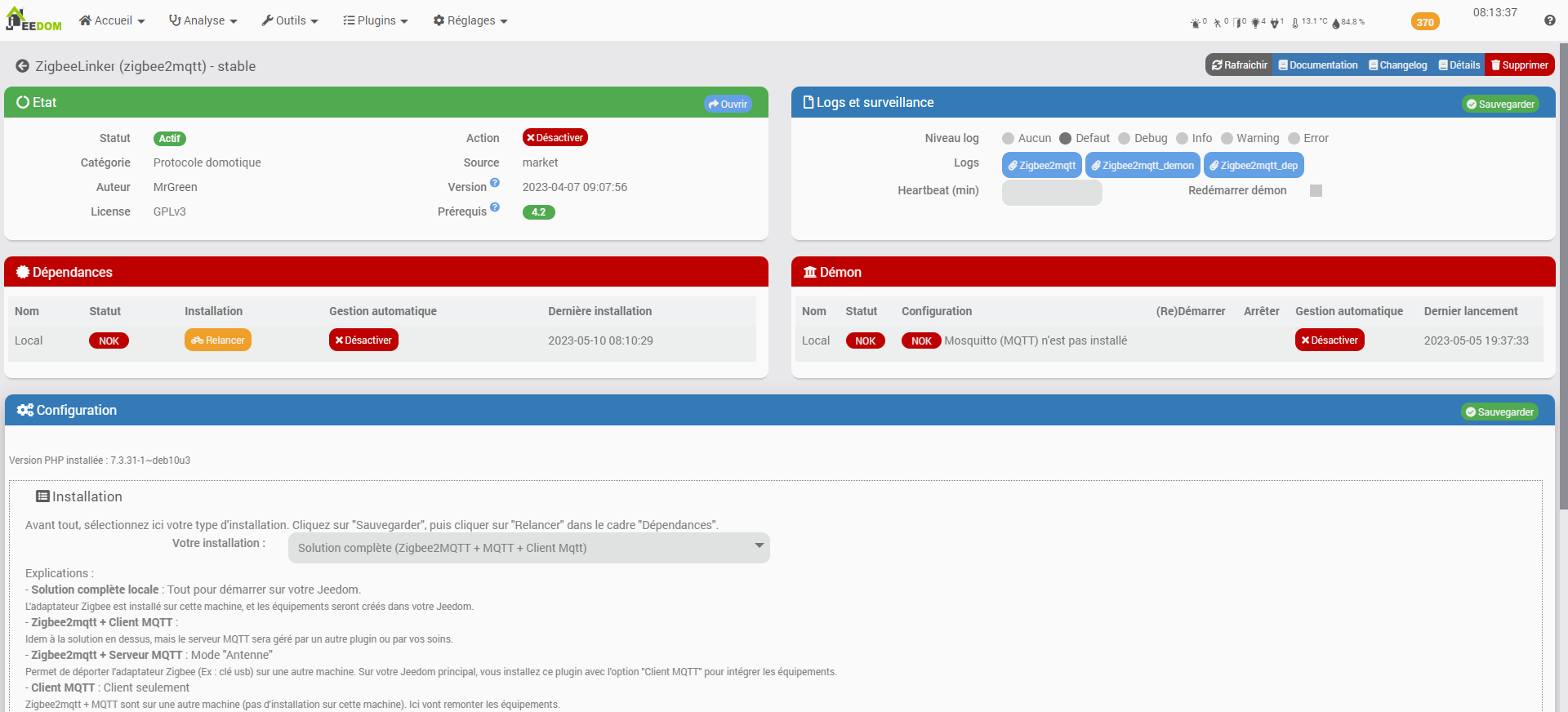
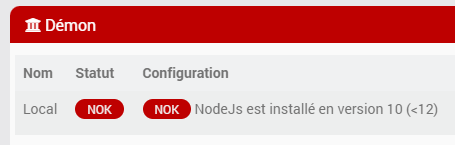
Sur le plugin, il est indiqué que Mosquitto n’est pas installé, logique puisque Mosquitto a été installé par Zigbeelinker en option complète.
J’ai donc cliqué sur relancer l’installation des dépendances pour une installation complète (ce qui est le cas de mon Jeedom en production).
Malheureusement l’installation est en erreur et je ne sais pas comment y remédier.
Merci d’avance pour votre aide, Voici le fichier log de l’installation
#######################################################
#    INSTALL : Zigbee2mqtt                            #
#######################################################
#######################################################
##### apt-get update in progress
Hit:1 http://deb.debian.org/debian buster InRelease
Hit:2 http://deb.debian.org/debian-security buster/updates InRelease
Hit:3 http://deb.debian.org/debian buster-updates InRelease
Hit:4 http://archive.raspberrypi.org/debian buster InRelease
Hit:5 https://repos.influxdata.com/debian stable InRelease
Get:6 https://deb.nodesource.com/node_16.x buster InRelease [4584 B]
Hit:7 https://packages.grafana.com/oss/deb stable InRelease
Err:6 https://deb.nodesource.com/node_16.x buster InRelease
  The following signatures couldn't be verified because the public key is not available: NO_PUBKEY 1655A0AB68576280
Reading package lists...
W: GPG error: https://deb.nodesource.com/node_16.x buster InRelease: The following signatures couldn't be verified because the public key is not available: NO_PUBKEY 1655A0AB68576280
E: The repository 'https://deb.nodesource.com/node_16.x buster InRelease' is not signed.
#######################################################
##### Install or update Git
E: dpkg was interrupted, you must manually run 'sudo dpkg --configure -a' to correct the problem.
#######################################################
##### Install or update NodeJs

## Installing the NodeSource Node.js 16.x repo...


## Populating apt-get cache...

+ apt-get update
Hit:1 http://deb.debian.org/debian buster InRelease
Hit:2 http://deb.debian.org/debian-security buster/updates InRelease
Hit:3 http://deb.debian.org/debian buster-updates InRelease
Hit:4 http://archive.raspberrypi.org/debian buster InRelease
Hit:5 https://repos.influxdata.com/debian stable InRelease
Hit:6 https://packages.grafana.com/oss/deb stable InRelease
Get:7 https://deb.nodesource.com/node_16.x buster InRelease [4584 B]
Err:7 https://deb.nodesource.com/node_16.x buster InRelease
  The following signatures couldn't be verified because the public key is not available: NO_PUBKEY 1655A0AB68576280
Reading package lists...
W: GPG error: https://deb.nodesource.com/node_16.x buster InRelease: The following signatures couldn't be verified because the public key is not available: NO_PUBKEY 1655A0AB68576280
E: The repository 'https://deb.nodesource.com/node_16.x buster InRelease' is not signed.
Error executing command, exiting
E: dpkg was interrupted, you must manually run 'sudo dpkg --configure -a' to correct the problem.
##### WARNING : NodeJS 10 installed. This plugin need 16 minimal version
#######################################################
#    INSTALLING : Mosquitto (server)                  #
#######################################################
Failed to stop mosquitto.service: Unit mosquitto.service not loaded.
E: dpkg was interrupted, you must manually run 'sudo dpkg --configure -a' to correct the problem.
Failed to stop mosquitto.service: Unit mosquitto.service not loaded.
#######################################################
#    INSTALLING : Mosquitto for Php                   #
#######################################################
#######################################################
##### Install client dependency
E: dpkg was interrupted, you must manually run 'sudo dpkg --configure -a' to correct the problem.
E: dpkg was interrupted, you must manually run 'sudo dpkg --configure -a' to correct the problem.
#######################################################
##### Try installing client : First method
WARNING: channel "pecl.php.net" has updated its protocols, use "pecl channel-update pecl.php.net" to update
downloading Mosquitto-0.4.0.tgz ...
Starting to download Mosquitto-0.4.0.tgz (23,804 bytes)
........done: 23,804 bytes
5 source files, building
running: phpize
Configuring for:
PHP Api Version:         20180731
Zend Module Api No:      20180731
Zend Extension Api No:   320180731
Please provide the prefix of the libmosquitto installation [autodetect] : building in /tmp/pear/temp/pear-build-rootUvVeIt/Mosquitto-0.4.0
running: /tmp/pear/temp/Mosquitto/configure --with-php-config=/usr/bin/php-config --with-mosquitto
checking for grep that handles long lines and -e... /usr/bin/grep
checking for egrep... /usr/bin/grep -E
checking for a sed that does not truncate output... /usr/bin/sed
checking for cc... cc
checking whether the C compiler works... yes
checking for C compiler default output file name... a.out
checking for suffix of executables...
checking whether we are cross compiling... no
checking for suffix of object files... o
checking whether we are using the GNU C compiler... yes
checking whether cc accepts -g... yes
checking for cc option to accept ISO C89... none needed
checking how to run the C preprocessor... cc -E
checking for icc... no
checking for suncc... no
checking whether cc understands -c and -o together... yes
checking for system library directory... lib
checking if compiler supports -R... no
checking if compiler supports -Wl,-rpath,... yes
checking build system type... aarch64-unknown-linux-gnu
checking host system type... aarch64-unknown-linux-gnu
checking target system type... aarch64-unknown-linux-gnu
checking for PHP prefix... /usr
checking for PHP includes... -I/usr/include/php/20180731 -I/usr/include/php/20180731/main -I/usr/include/php/20180731/TSRM -I/usr/include/php/20180731/Zend -I/usr/include/php/20180731/ext -I/usr/include/php/20180731/ext/date/lib
checking for PHP extension directory... /usr/lib/php/20180731
checking for PHP installed headers prefix... /usr/include/php/20180731
checking if debug is enabled... no
checking if zts is enabled... no
checking for re2c... no
configure: WARNING: You will need re2c 0.13.4 or later if you want to regenerate PHP parsers.
checking for gawk... gawk
checking for mosquitto support... yes, shared
checking for mosquitto files in default path... not found
configure: error: Please reinstall the mosquitto distribution
ERROR: `/tmp/pear/temp/Mosquitto/configure --with-php-config=/usr/bin/php-config --with-mosquitto' failed
#######################################################
##### Try installing client : Second method (complile)
#######################################################
E: dpkg was interrupted, you must manually run 'sudo dpkg --configure -a' to correct the problem.
Cloning into 'Mosquitto-PHP'...
Configuring for:
PHP Api Version:         20180731
Zend Module Api No:      20180731
Zend Extension Api No:   320180731
checking for grep that handles long lines and -e... /usr/bin/grep
checking for egrep... /usr/bin/grep -E
checking for a sed that does not truncate output... /usr/bin/sed
checking for cc... cc
checking whether the C compiler works... yes
checking for C compiler default output file name... a.out
checking for suffix of executables...
checking whether we are cross compiling... no
checking for suffix of object files... o
checking whether we are using the GNU C compiler... yes
checking whether cc accepts -g... yes
checking for cc option to accept ISO C89... none needed
checking how to run the C preprocessor... cc -E
checking for icc... no
checking for suncc... no
checking whether cc understands -c and -o together... yes
checking for system library directory... lib
checking if compiler supports -R... no
checking if compiler supports -Wl,-rpath,... yes
checking build system type... aarch64-unknown-linux-gnu
checking host system type... aarch64-unknown-linux-gnu
checking target system type... aarch64-unknown-linux-gnu
checking for PHP prefix... /usr
checking for PHP includes... -I/usr/include/php/20180731 -I/usr/include/php/20180731/main -I/usr/include/php/20180731/TSRM -I/usr/include/php/20180731/Zend -I/usr/include/php/20180731/ext -I/usr/include/php/20180731/ext/date/lib
checking for PHP extension directory... /usr/lib/php/20180731
checking for PHP installed headers prefix... /usr/include/php/20180731
checking if debug is enabled... no
checking if zts is enabled... no
checking for re2c... no
configure: WARNING: You will need re2c 0.13.4 or later if you want to regenerate PHP parsers.
checking for gawk... gawk
checking for mosquitto support... yes, shared
checking for mosquitto files in default path... not found
configure: error: Please reinstall the mosquitto distribution
make: *** No targets specified and no makefile found.  Stop.
make: *** No rule to make target 'install'.  Stop.
ERROR mosquitto.so file missing !