Scan en échec

Bonjour,

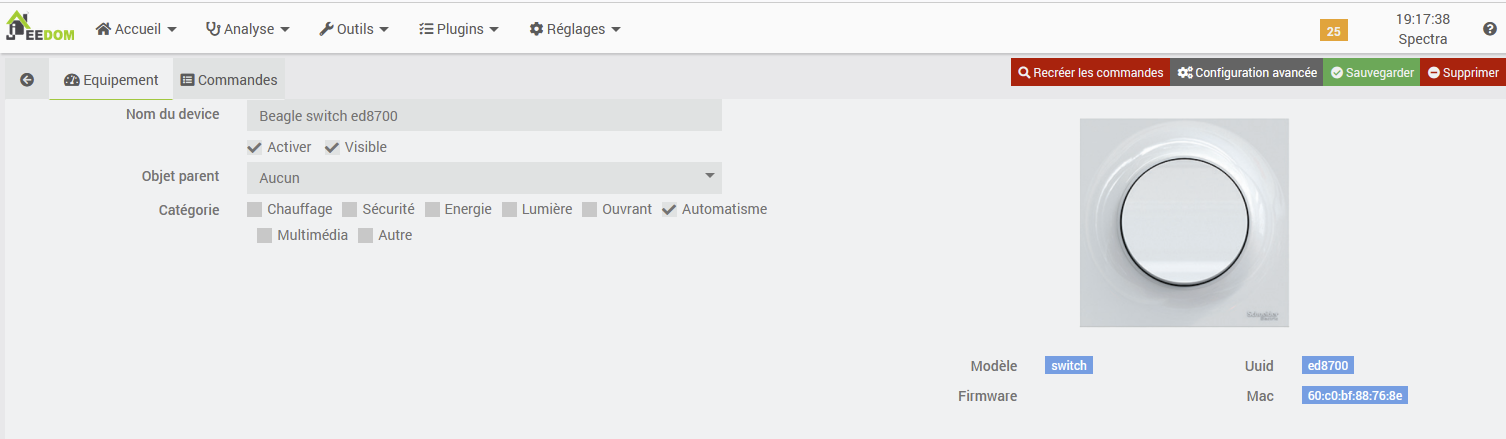
J’avais il y a fort longtemps installé sans problème le plugin beagle (Odace SFSP), avec le bluetooth interne au RPI, et avais réussi à scanner mon équipement (un interrupteur SPSP qui pilote un actionneur situé dans un cabanon).
Je n’avais jamais implémenté de scénario pour piloter tout ça et cela faisait fort longtemps que je n’avais pas été dans la page du plugin.
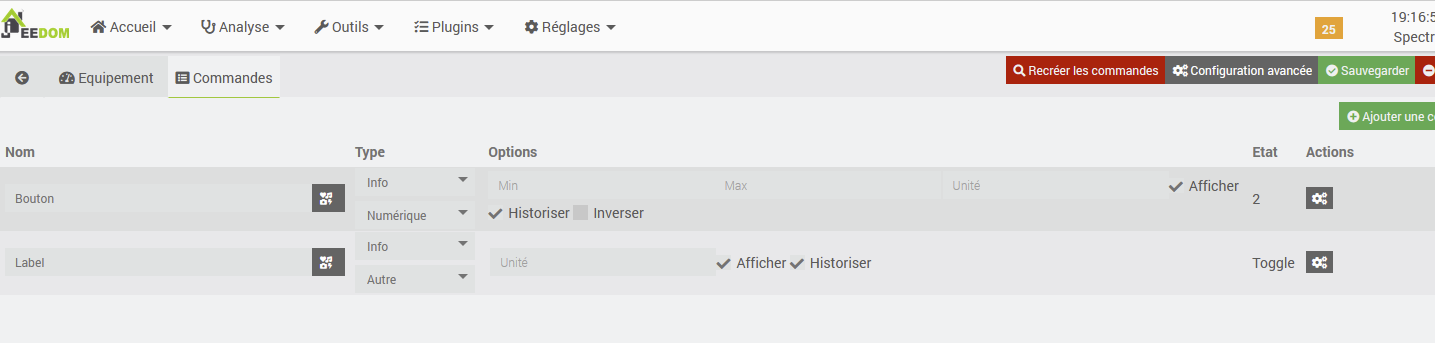
Je suis allé sur cette page la semaine dernière, j’y ai vu mon interrupteur, j’ai cliqué dessus, et il y avait juste deux lignes « Info », aucune ligne pour piloter les interrupteurs. Le plugin était dans un état OK, demon lancé etc. J’ai relancé l’installation des dépenances, surfé sur ce forum car j’avais des messages d’erreur. j’ai modifié le code du plugin, et relancé l’installation des dépendances.
Je n’ai plus d’erreur dans les logs « Beagle_update », mais des warnings

********************************************************
*             Installation des dépendances             *
********************************************************
Get:1 http://archive.raspberrypi.org/debian bullseye InRelease [39.0 kB]
Hit:2 http://deb.debian.org/debian bullseye InRelease
Hit:3 http://security.debian.org/debian-security bullseye-security InRelease
Hit:4 http://deb.debian.org/debian bullseye-updates InRelease
Hit:5 https://deb.nodesource.com/node_22.x nodistro InRelease
Get:7 http://archive.raspberrypi.org/debian bullseye/main armhf Packages [330 kB]
Hit:6 https://packagecloud.io/ookla/speedtest-cli/debian bullseye InRelease
Get:8 http://archive.raspberrypi.org/debian bullseye/main arm64 Packages [323 kB]
Fetched 692 kB in 2s (316 kB/s)
Reading package lists...
Building dependency tree...
Reading state information...
rfkill is already the newest version (2.36.1-8+deb11u2).
python3-setuptools is already the newest version (52.0.0-4+deb11u2).
python3-pip is already the newest version (20.3.4-4+rpt1+deb11u1).
0 upgraded, 0 newly installed, 0 to remove and 2 not upgraded.
Reading package lists...
Building dependency tree...
Reading state information...
build-essential is already the newest version (12.9).
libffi-dev is already the newest version (3.3-6).
python3-dev is already the newest version (3.9.2-3).
libssl-dev is already the newest version (1.1.1w-0+deb11u5).
bluetooth is already the newest version (5.55-3.1+rpt2+deb11u2).
libbluetooth-dev is already the newest version (5.55-3.1+rpt2+deb11u2).
python3-pip is already the newest version (20.3.4-4+rpt1+deb11u1).
0 upgraded, 0 newly installed, 0 to remove and 2 not upgraded.
Looking in indexes: https://pypi.org/simple, https://www.piwheels.org/simple
Requirement already satisfied: requests in /usr/local/lib/python3.9/dist-packages (2.32.5)
Requirement already satisfied: charset_normalizer<4,>=2 in /usr/local/lib/python3.9/dist-packages (from requests) (3.4.7)
Requirement already satisfied: idna<4,>=2.5 in /usr/local/lib/python3.9/dist-packages (from requests) (3.13)
Requirement already satisfied: urllib3<3,>=1.21.1 in /usr/local/lib/python3.9/dist-packages (from requests) (2.6.3)
Requirement already satisfied: certifi>=2017.4.17 in /usr/local/lib/python3.9/dist-packages (from requests) (2026.4.22)
WARNING: Error parsing dependencies of gpg: Invalid version: '1.14.0-unknown'
WARNING: Running pip as the 'root' user can result in broken permissions and conflicting behaviour with the system package manager, possibly rendering your system unusable. It is recommended to use a virtual environment instead: https://pip.pypa.io/warnings/venv. Use the --root-user-action option if you know what you are doing and want to suppress this warning.
Looking in indexes: https://pypi.org/simple, https://www.piwheels.org/simple
Requirement already satisfied: pyserial in /usr/local/lib/python3.9/dist-packages (3.5)
WARNING: Error parsing dependencies of gpg: Invalid version: '1.14.0-unknown'
WARNING: Running pip as the 'root' user can result in broken permissions and conflicting behaviour with the system package manager, possibly rendering your system unusable. It is recommended to use a virtual environment instead: https://pip.pypa.io/warnings/venv. Use the --root-user-action option if you know what you are doing and want to suppress this warning.
Looking in indexes: https://pypi.org/simple, https://www.piwheels.org/simple
Requirement already satisfied: pyudev in /usr/local/lib/python3.9/dist-packages (0.24.3)
WARNING: Error parsing dependencies of gpg: Invalid version: '1.14.0-unknown'
WARNING: Running pip as the 'root' user can result in broken permissions and conflicting behaviour with the system package manager, possibly rendering your system unusable. It is recommended to use a virtual environment instead: https://pip.pypa.io/warnings/venv. Use the --root-user-action option if you know what you are doing and want to suppress this warning.
Looking in indexes: https://pypi.org/simple, https://www.piwheels.org/simple
Requirement already satisfied: wheel in /usr/local/lib/python3.9/dist-packages (0.47.0)
Requirement already satisfied: packaging>=24.0 in /usr/local/lib/python3.9/dist-packages (from wheel) (26.2)
WARNING: Error parsing dependencies of gpg: Invalid version: '1.14.0-unknown'
WARNING: Running pip as the 'root' user can result in broken permissions and conflicting behaviour with the system package manager, possibly rendering your system unusable. It is recommended to use a virtual environment instead: https://pip.pypa.io/warnings/venv. Use the --root-user-action option if you know what you are doing and want to suppress this warning.
/var/www/html/plugins/beagle/core/class/../../resources/install_apt.sh: line 24: 40: No such file or directory
Looking in indexes: https://pypi.org/simple, https://www.piwheels.org/simple
Requirement already satisfied: setuptools==58 in /usr/local/lib/python3.9/dist-packages (58.0.0)
WARNING: Error parsing dependencies of gpg: Invalid version: '1.14.0-unknown'
WARNING: Running pip as the 'root' user can result in broken permissions and conflicting behaviour with the system package manager, possibly rendering your system unusable. It is recommended to use a virtual environment instead: https://pip.pypa.io/warnings/venv. Use the --root-user-action option if you know what you are doing and want to suppress this warning.
********************************************************
*             Installation terminée                    *
********************************************************

Je me dis « bon ca va passer »…Je relance le scan, manoeuvre l’interrupteur SFSP…Ca ne marche pas, rien n’est détecté.
J’achète un dongle bluetooth 4.0, même résultat.
Je suis un peu perdu : est-ce que ce sont mes modifications qui ont mis le bazar ? Est-ce que ce sont les warnings qui indiquent ce que je dois faire…mais que dois-je alors faire sans casser quelque chose ?

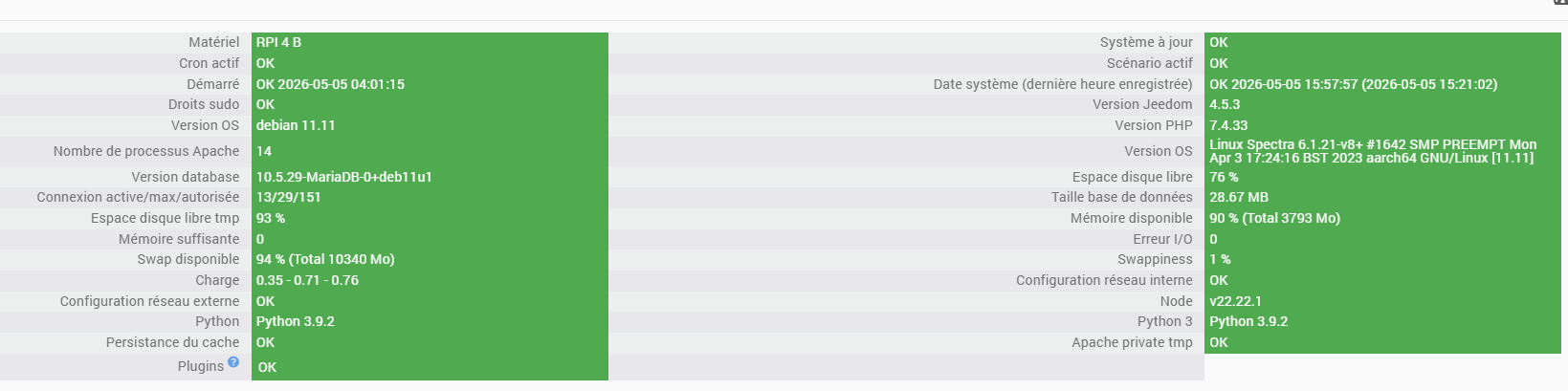
Voici la page santé…
Et quand je lance le scan :

[2026-05-05 15:39:34] DEBUG  Lancement démon beagle : sudo /usr/bin/python3 /var/www/html/plugins/beagle/resources/beagled/beagled.py --device hci1 --loglevel debug --socketport 55556 --sockethost 127.0.0.1 --callback http://127.0.0.1:80/plugins/beagle/core/php/jeeBeagle.php --apikey XXX --cycle 0.1 --jeedomkey YYY
[2026-05-05 15:39:35.288] INFO  : Start beagled
[2026-05-05 15:39:35.288] INFO  : Log level : debug
[2026-05-05 15:39:35.288] INFO  : Socket port : 55556
[2026-05-05 15:39:35.288] INFO  : Socket host : 127.0.0.1
[2026-05-05 15:39:35.289] INFO  : Device : hci1
[2026-05-05 15:39:35.289] INFO  : PID file : /tmp/beagled.pid
[2026-05-05 15:39:35.289] INFO  : Apikey : XXX
[2026-05-05 15:39:35.289] INFO  : Callback : http://127.0.0.1:80/plugins/beagle/core/php/jeeBeagle.php
[2026-05-05 15:39:35.289] INFO  : Cycle : 0.1
[2026-05-05 15:39:35.289] INFO  : JeedomKey : YYY
[2026-05-05 15:39:35.298] DEBUG  : Bluetooth Mac adress is D8:3A:DD:51:26:6E
[2026-05-05 15:39:35.298] DEBUG  : Writing PID 613151 to /tmp/beagled.pid
[2026-05-05 15:39:35.300] DEBUG  : Init request module v2.32.5
[2026-05-05 15:39:35.307] DEBUG  : Starting new HTTP connection (1): 127.0.0.1:80
[2026-05-05 15:39:35.317] DEBUG  : http://127.0.0.1:80 "GET /plugins/beagle/core/php/jeeBeagle.php?apikey=XXX HTTP/1.1" 200 0
[2026-05-05 15:39:35.320] DEBUG  : Socket interface started
[2026-05-05 15:39:35.321] DEBUG  : LoopNetServer Thread started
[2026-05-05 15:39:35.321] DEBUG  : Read Socket Thread Launched
[2026-05-05 15:39:35.321] DEBUG  : Listening on: [localhost:55556]
[2026-05-05 15:39:35.321] DEBUG  : Ble Scanner Thread Launched
[2026-05-05 15:39:35.322] DEBUG  : Heartbeat Thread Launched
[2026-05-05 15:39:37.672] DEBUG  : Client connected to [127.0.0.1:59434]
[2026-05-05 15:39:37.673] DEBUG  : Message read from socket: b'{"apikey":"XXX","cmd":"ready"}'
[2026-05-05 15:39:37.673] DEBUG  : Client disconnected from [127.0.0.1:59434]
[2026-05-05 15:39:37.725] DEBUG  : Message received in socket JEEDOM_SOCKET_MESSAGE
[2026-05-05 15:39:37.725] DEBUG  : Received command from jeedom : ready
[2026-05-05 15:39:37.725] DEBUG  : Daemon is ready
[2026-05-05 15:39:38.325] DEBUG  : Ble thread started on device 1
[2026-05-05 15:39:38.325] DEBUG  : 'utf-8' codec can't decode byte 0xff in position 4: invalid start byte

Merci par avance

Bonjour,

les 2 types de warnings dans les logs de dépendances ne sont pas important, vous pouvez les ignorer

l’erreur est celle-ci: 'utf-8' codec can't decode byte 0xff in position 4: invalid start byte

si on cherche sur cette erreur: Résultats de recherche pour « 'utf-8' codec can't decode byte 0xff in position 4: invalid start byte » - Communauté Jeedom
=> problème connu et en principe fixé en beta, mais pour combien de temps, ca je ne sais pas.

Merci pour les logs & la page santé, il ne manquait que la page config du plugin => quelle version avez-vous? stable?

Je vais demander le passage en stable des changements qui sont en beta depuis des mois

edit: PR to stable by Mips2648 · Pull Request #9 · jeedom/plugin-beagle · GitHub

edit: nouvelle version stable dispo demain

Bonjour

Je suis bien en version stable.
J’avais essayé la bêta mais j’avais le même problème me semble-t-il…ou un autre ?
J’avais vu le fil sur le « problème » utf-8, et je n’osais pas lancer la commande « sudo pip3 install pybluez --force-reinstall » de peur de casser autre chose.
Bref, j’attends la nouvelle version demain, et je vous ferai un retour ici.
Encore merci.

Bonjour

J’ai installé la version stable poussée ce jour. Je suis directement allé voir dans les logs du Beagle_demon sans même lancer le scan. J’ai toujours ce problème « utf-8 ».

[2026-05-07 08:39:04] INFO  : Start beagled
[2026-05-07 08:39:04] INFO  : Log level : debug
[2026-05-07 08:39:04] DEBUG  : Socket port : 55556
[2026-05-07 08:39:04] DEBUG  : Socket host : 127.0.0.1
[2026-05-07 08:39:04] INFO  : Device : hci1
[2026-05-07 08:39:04] DEBUG  : PID file : /tmp/beagled.pid
[2026-05-07 08:39:04] DEBUG  : Callback : http://127.0.0.1:80/plugins/beagle/core/php/jeeBeagle.php
[2026-05-07 08:39:04] DEBUG  : Cycle : 0.1
[2026-05-07 08:39:04] DEBUG  : JeedomKey : XXX
[2026-05-07 08:39:04] DEBUG  : Bluetooth Mac adress is D8:3A:DD:51:26:6E
[2026-05-07 08:39:04] INFO  : Writing PID 244657 to /tmp/beagled.pid
[2026-05-07 08:39:04] INFO  : Start changes async thread
[2026-05-07 08:39:04] INFO  : Init request module v2.32.5
[2026-05-07 08:39:04] DEBUG  : Starting new HTTP connection (1): 127.0.0.1:80
[2026-05-07 08:39:04] DEBUG  : http://127.0.0.1:80 "GET /plugins/beagle/core/php/jeeBeagle.php?apikey=YYY HTTP/1.1" 200 0
[2026-05-07 08:39:04] INFO  : Socket interface started
[2026-05-07 08:39:04] INFO  : LoopNetServer Thread started
[2026-05-07 08:39:04] INFO  : Listening on: [localhost:55556]
[2026-05-07 08:39:04] DEBUG  : Read Socket Thread Launched
[2026-05-07 08:39:04] DEBUG  : Ble Scanner Thread Launched
[2026-05-07 08:39:04] DEBUG  : Heartbeat Thread Launched
[2026-05-07 08:39:06] INFO  : Client connected to [127.0.0.1:52750]
[2026-05-07 08:39:06] INFO  : Message read from socket: b'{"apikey":"YYY","cmd":"ready"}'
[2026-05-07 08:39:06] INFO  : Client disconnected from [127.0.0.1:52750]
[2026-05-07 08:39:06] DEBUG  : Message received in socket JEEDOM_SOCKET_MESSAGE
[2026-05-07 08:39:06] DEBUG  : Received command from jeedom : ready
[2026-05-07 08:39:06] DEBUG  : Daemon is ready
[2026-05-07 08:39:07] DEBUG  : Ble thread started on device 1
[2026-05-07 08:39:07] DEBUG  : Exception in ble_scan : 'utf-8' codec can't decode byte 0xff in position 4: invalid start byte
[2026-05-07 08:39:08] DEBUG  : Exception in ble_scan : 'utf-8' codec can't decode byte 0xff in position 4: invalid start byte
[2026-05-07 08:39:09] DEBUG  : Exception in ble_scan : 'utf-8' codec can't decode byte 0xff in position 4: invalid start byte
[2026-05-07 08:39:10] DEBUG  : Exception in ble_scan : 'utf-8' codec can't decode byte 0xff in position 4: invalid start byte
[2026-05-07 08:39:11] DEBUG  : Exception in ble_scan : 'utf-8' codec can't decode byte 0xff in position 4: invalid start byte
[2026-05-07 08:39:12] DEBUG  : Exception in ble_scan : 'utf-8' codec can't decode byte 0xff in position 4: invalid start byte
[2026-05-07 08:39:13] DEBUG  : Exception in ble_scan : 'utf-8' codec can't decode byte 0xff in position 4: invalid start byte
[2026-05-07 08:39:14] DEBUG  : Exception in ble_scan : 'utf-8' codec can't decode byte 0xff in position 4: invalid start byte
[2026-05-07 08:39:15] DEBUG  : Exception in ble_scan : 'utf-8' codec can't decode byte 0xff in position 4: invalid start byte
[2026-05-07 08:39:16] DEBUG  : Exception in ble_scan : 'utf-8' codec can't decode byte 0xff in position 4: invalid start byte
[2026-05-07 08:39:17] DEBUG  : Exception in ble_scan : 'utf-8' codec can't decode byte 0xff in position 4: invalid start byte
[2026-05-07 08:39:18] DEBUG  : Exception in ble_scan : 'utf-8' codec can't decode byte 0xff in position 4: invalid start byte
[2026-05-07 08:39:19] DEBUG  : Exception in ble_scan : 'utf-8' codec can't decode byte 0xff in position 4: invalid start byte
[2026-05-07 08:39:20] DEBUG  : Exception in ble_scan : 'utf-8' codec can't decode byte 0xff in position 4: invalid start byte
[2026-05-07 08:39:21] DEBUG  : Exception in ble_scan : 'utf-8' codec can't decode byte 0xff in position 4: invalid start byte
[2026-05-07 08:39:22] DEBUG  : Exception in ble_scan : 'utf-8' codec can't decode byte 0xff in position 4: invalid start byte
[2026-05-07 08:39:23] DEBUG  : Exception in ble_scan : 'utf-8' codec can't decode byte 0xff in position 4: invalid start byte
[2026-05-07 08:39:24] DEBUG  : Exception in ble_scan : 'utf-8' codec can't decode byte 0xff in position 4: invalid start byte
[2026-05-07 08:39:25] DEBUG  : Exception in ble_scan : 'utf-8' codec can't decode byte 0xff in position 4: invalid start byte
[2026-05-07 08:39:26] DEBUG  : Exception in ble_scan : 'utf-8' codec can't decode byte 0xff in position 4: invalid start byte
[2026-05-07 08:39:27] DEBUG  : Exception in ble_scan : 'utf-8' codec can't decode byte 0xff in position 4: invalid start byte
[2026-05-07 08:39:28] DEBUG  : Exception in ble_scan : 'utf-8' codec can't decode byte 0xff in position 4: invalid start byte
[2026-05-07 08:39:29] DEBUG  : Exception in ble_scan : 'utf-8' codec can't decode byte 0xff in position 4: invalid start byte
[2026-05-07 08:39:30] DEBUG  : Exception in ble_scan : 'utf-8' codec can't decode byte 0xff in position 4: invalid start byte
[2026-05-07 08:39:31] DEBUG  : Exception in ble_scan : 'utf-8' codec can't decode byte 0xff in position 4: invalid start byte
[2026-05-07 08:39:32] DEBUG  : Exception in ble_scan : 'utf-8' codec can't decode byte 0xff in position 4: invalid start byte
[2026-05-07 08:39:33] DEBUG  : Exception in ble_scan : 'utf-8' codec can't decode byte 0xff in position 4: invalid start byte
[2026-05-07 08:39:34] DEBUG  : Exception in ble_scan : 'utf-8' codec can't decode byte 0xff in position 4: invalid start byte
[2026-05-07 08:39:35] DEBUG  : Exception in ble_scan : 'utf-8' codec can't decode byte 0xff in position 4: invalid start byte
[2026-05-07 08:39:36] DEBUG  : Exception in ble_scan : 'utf-8' codec can't decode byte 0xff in position 4: invalid start byte
[2026-05-07 08:39:37] DEBUG  : Exception in ble_scan : 'utf-8' codec can't decode byte 0xff in position 4: invalid start byte
[2026-05-07 08:39:38] DEBUG  : Exception in ble_scan : 'utf-8' codec can't decode byte 0xff in position 4: invalid start byte
[2026-05-07 08:39:39] DEBUG  : Exception in ble_scan : 'utf-8' codec can't decode byte 0xff in position 4: invalid start byte

Je n’ai pas mis toute la log, la dernière ligne tourne en boucle depuis l’install avec une ligne par seconde.

[2026-05-07 08:53:32] DEBUG  : Exception in ble_scan : 'utf-8' codec can't decode byte 0xff in position 4: invalid start byte

Je pensais que la nouvelle version stable allait corriger ce problème, mais j’ai peut-être mal compris.
Que dois-je faire ?
Merci !

vous avez bien relancé les dépendances?
je peux avoir le log?

J’ai relancé l’install des dépendances, mais j’ai toujours ce message.

La log du plugin après réinstall :

[2026-05-07 13:20:36] DEBUG  Lancement démon beagle : sudo python3 /var/www/html/plugins/beagle/resources/beagled/beagled.py --device hci1 --loglevel debug --socketport 55556 --sockethost 127.0.0.1 --callback http://127.0.0.1:80/plugins/beagle/core/php/jeeBeagle.php --apikey XXX--cycle 0.1 --jeedomkey YYY

J’ai lancé un redémarrage de Jeedom car sur d’autres fils pour cette même erreur mais d’autres plugins, cela semblait fonctionner : https://community.jeedom.com/t/probleme-utf-8-codec-sur-plugin-rfplayer2/120940/3

Après redémarrage je n’ai plus cette erreur

Toutefois dans la log packages, j’ai une belle erreur concernant pybluez, celle que j’avais déjà eue en voulant installer la beta il y a quelques jours :

Downloading cffi-2.0.0-cp39-cp39-manylinux2014_aarch64.manylinux_2_17_aarch64.whl (216 kB)
WARNING: Error parsing dependencies of gpg: Invalid version: '1.14.0-unknown'
Installing collected packages: pycparser, cffi, cryptography
Attempting uninstall: pycparser
Found existing installation: pycparser 2.23
Uninstalling pycparser-2.23:
Successfully uninstalled pycparser-2.23
Attempting uninstall: cffi
Found existing installation: cffi 2.0.0
Uninstalling cffi-2.0.0:
Successfully uninstalled cffi-2.0.0
Attempting uninstall: cryptography
Found existing installation: cryptography 38.0.0
Uninstalling cryptography-38.0.0:
Successfully uninstalled cryptography-38.0.0
Successfully installed cffi-2.0.0 cryptography-38.0.0 pycparser-2.23
WARNING: Running pip as the 'root' user can result in broken permissions and conflicting behaviour with the system package manager, possibly rendering your system unusable. It is recommended to use a virtual environment instead: https://pip.pypa.io/warnings/venv. Use the --root-user-action option if you know what you are doing and want to suppress this warning.
+ echo 18
+ sudo python3 -m pip install --force-reinstall --upgrade pybluez
Looking in indexes: https://pypi.org/simple, https://www.piwheels.org/simple
Collecting pybluez
Downloading PyBluez-0.23.tar.gz (97 kB)
Installing build dependencies: started
Installing build dependencies: finished with status 'done'
Getting requirements to build wheel: started
Getting requirements to build wheel: finished with status 'error'
error: subprocess-exited-with-error
× Getting requirements to build wheel did not run successfully.
│ exit code: 1
╰─> [3 lines of output]
/tmp/pip-build-env-gfxcoa9b/overlay/lib/python3.9/site-packages/setuptools/_vendor/wheel/bdist_wheel.py:4: FutureWarning: The 'wheel' package is no longer the canonical location of the 'bdist_wheel' command, and will be removed in a future release. Please update to setuptools v70.1 or later which contains an integrated version of this command.
warn(
error in PyBluez setup command: use_2to3 is invalid.
[end of output]
note: This error originates from a subprocess, and is likely not a problem with pip.
ERROR: Failed to build 'pybluez' when getting requirements to build wheel
+ echo 19
+ sudo chmod +x /var/www/html/core/class/../../plugins/beagle/resources/post_install.sh
+ sudo /var/www/html/core/class/../../plugins/beagle/resources/post_install.sh
+ echo 20
+ php /var/www/html/core/class/../php/jeecli.php plugin dependancy_end beagle
+ echo 21
+ rm /tmp/jeedom_install_in_progress_beagle
+ echo '*******************End of package installation******************'
*******************End of package installation******************

je comprends très vaguement le problème.

J’ai lancé un scan, je manœuvre l’interrupteur, il ne se passe rien :frowning:

[2026-05-07 13:30:49] INFO  : Start beagled
[2026-05-07 13:30:49] INFO  : Log level : debug
[2026-05-07 13:30:49] DEBUG  : Socket port : 55556
[2026-05-07 13:30:49] DEBUG  : Socket host : 127.0.0.1
[2026-05-07 13:30:49] INFO  : Device : hci1
[2026-05-07 13:30:49] DEBUG  : PID file : /tmp/beagled.pid
[2026-05-07 13:30:49] DEBUG  : Callback : http://127.0.0.1:80/plugins/beagle/core/php/jeeBeagle.php
[2026-05-07 13:30:49] DEBUG  : Cycle : 0.1
[2026-05-07 13:30:49] DEBUG  : JeedomKey : YYY
[2026-05-07 13:30:50] DEBUG  : Bluetooth Mac adress is D8:3A:DD:51:26:6E
[2026-05-07 13:30:50] INFO  : Writing PID 3078 to /tmp/beagled.pid
[2026-05-07 13:30:50] INFO  : Start changes async thread
[2026-05-07 13:30:50] INFO  : Init request module v2.32.5
[2026-05-07 13:30:50] DEBUG  : Starting new HTTP connection (1): 127.0.0.1:80
[2026-05-07 13:30:51] DEBUG  : http://127.0.0.1:80 "GET /plugins/beagle/core/php/jeeBeagle.php?apikey=XXX HTTP/1.1" 200 0
[2026-05-07 13:30:52] INFO  : Socket interface started
[2026-05-07 13:30:52] INFO  : LoopNetServer Thread started
[2026-05-07 13:30:52] INFO  : Listening on: [localhost:55556]
[2026-05-07 13:30:52] DEBUG  : Read Socket Thread Launched
[2026-05-07 13:30:52] DEBUG  : Ble Scanner Thread Launched
[2026-05-07 13:30:52] DEBUG  : Heartbeat Thread Launched
[2026-05-07 13:31:39] INFO  : Client connected to [127.0.0.1:43858]
[2026-05-07 13:31:39] INFO  : Message read from socket: b'{"apikey":"XXX","cmd":"learnin"}'
[2026-05-07 13:31:39] INFO  : Client disconnected from [127.0.0.1:43858]
[2026-05-07 13:31:39] DEBUG  : Message received in socket JEEDOM_SOCKET_MESSAGE
[2026-05-07 13:31:39] DEBUG  : Received command from jeedom : learnin
[2026-05-07 13:31:39] DEBUG  : Enter in learn mode
[2026-05-07 13:31:39] DEBUG  : Send to jeedom: {'learn_mode': 1}
[2026-05-07 13:31:39] DEBUG  : Starting new HTTP connection (1): 127.0.0.1:80
[2026-05-07 13:31:39] DEBUG  : http://127.0.0.1:80 "POST /plugins/beagle/core/php/jeeBeagle.php?apikey=XXXHTTP/1.1" 200 0
[2026-05-07 13:32:40] DEBUG  : Quitting learn mode (60s elapsed)
[2026-05-07 13:32:40] DEBUG  : Send to jeedom: {'learn_mode': 0}
[2026-05-07 13:32:40] DEBUG  : Starting new HTTP connection (1): 127.0.0.1:80
[2026-05-07 13:32:40] DEBUG  : http://127.0.0.1:80 "POST /plugins/beagle/core/php/jeeBeagle.php?apikey=XXX HTTP/1.1" 200 0

Ca sent pas bon…?

J’avais regardé cette erreur il y a quelkques jours et j’étais tombé sur des fils où tu étais d’ailleurs acteur…Notamment :
https://community.jeedom.com/t/lancement-des-dependances-hs/83597/5

et

https://community.jeedom.com/t/modulenotfounderror-no-module-named-bluetooth/90032/4

Mais bon, je ne sais pas bien quoi faire…

essayez un downgrade de setuptools (uniquement valable sous debian 11)

sudo pip3 install setuptools==58
sudo pip3 install pybluez --force-reinstall
:~ $ sudo pip3 install setuptools==58
Looking in indexes: https://pypi.org/simple, https://www.piwheels.org/simple
Requirement already satisfied: setuptools==58 in /usr/local/lib/python3.9/dist-p                 ackages (58.0.0)
WARNING: Error parsing dependencies of gpg: Invalid version: '1.14.0-unknown'
WARNING: Running pip as the 'root' user can result in broken permissions and con                 flicting behaviour with the system package manager, possibly rendering your syst                 em unusable. It is recommended to use a virtual environment instead: https://pip                 .pypa.io/warnings/venv. Use the --root-user-action option if you know what you a                 re doing and want to suppress this warning.
~ $ sudo pip3 install pybluez --force-reinstall
Looking in indexes: https://pypi.org/simple, https://www.piwheels.org/simple
Collecting pybluez
  Using cached PyBluez-0.23.tar.gz (97 kB)
  Installing build dependencies ... done
  Getting requirements to build wheel ... error
  error: subprocess-exited-with-error

  × Getting requirements to build wheel did not run successfully.
  │ exit code: 1
  ╰─> [3 lines of output]
      /tmp/pip-build-env-msxy7rh0/overlay/lib/python3.9/site-packages/setuptools                 /_vendor/wheel/bdist_wheel.py:4: FutureWarning: The 'wheel' package is no longer                  the canonical location of the 'bdist_wheel' command, and will be removed in a f                 uture release. Please update to setuptools v70.1 or later which contains an inte                 grated version of this command.
        warn(
      error in PyBluez setup command: use_2to3 is invalid.
      [end of output]

  note: This error originates from a subprocess, and is likely not a problem wit                 h pip.
ERROR: Failed to build 'pybluez' when getting requirements to build wheel

Damned !
Merci pour ta réactivité en tout cas…

Ici il semble que la version de steuptools doit être strictement inférieur à la 58.0.0.

https://stackoverflow.com/questions/72414481/error-in-anyjson-setup-command-use-2to3-is-invalid

ici aussi
https://bobbyhadz.com/blog/python-error-in-package-setup-command-use-2to3-is-invalid

There has been a breaking change in setuptools version 58.0.0.

C’est une piste ?

bizarre pcq jusqu’ici les autres cas la version 58 fonctionnait
mais vous ne risquez pas grand chose à essayer: setuptools~=57.5.0 par exemple

En ligne de commande que je mette setuptools==57.5.0 ou 58.0.0, j’obtiens le même résultat :

sudo pip3 install pybluez --force-reinstall
Looking in indexes: https://pypi.org/simple, https://www.piwheels.org/simple
Collecting pybluez
  Using cached PyBluez-0.23.tar.gz (97 kB)
  Installing build dependencies ... done
  Getting requirements to build wheel ... error
  error: subprocess-exited-with-error

  × Getting requirements to build wheel did not run successfully.
  │ exit code: 1
  ╰─> [3 lines of output]
      /tmp/pip-build-env-31lzut12/overlay/lib/python3.9/site-packages/setuptools/_vendor/wheel/bdist_wheel.py:4: FutureWarning: The 'wheel' package is no longer the canonical location of the 'bdist_wheel' command, and will be removed in a future release. Please update to setuptools v70.1 or later which contains an integrated version of this command.
        warn(
      error in PyBluez setup command: use_2to3 is invalid.
      [end of output]

  note: This error originates from a subprocess, and is likely not a problem with pip.
ERROR: Failed to build 'pybluez' when getting requirements to build wheel

Pourtant quand je lance sudo pip3 install « setuptools<58.0.0 » wheel :

sudo pip3 install "setuptools<58.0.0" wheel
Looking in indexes: https://pypi.org/simple, https://www.piwheels.org/simple
Requirement already satisfied: setuptools<58.0.0 in /usr/local/lib/python3.9/dist-packages (57.5.0)
Requirement already satisfied: wheel in /usr/local/lib/python3.9/dist-packages (0.47.0)
Requirement already satisfied: packaging>=24.0 in /usr/local/lib/python3.9/dist-packages (from wheel) (26.2                                  )
WARNING: Error parsing dependencies of gpg: Invalid version: '1.14.0-unknown'
WARNING: Running pip as the 'root' user can result in broken permissions and conflicting behaviour with the                                   system package manager, possibly rendering your system unusable. It is recommended to use a virtual enviro                                  nment instead: https://pip.pypa.io/warnings/venv. Use the --root-user-action option if you know what you ar                                  e doing and want to suppress this warning.

Je ne comprends rien du tout…Ca serait pas ça mon problème au final ? => https://community.jeedom.com/t/probleme-installation-dependances-avec-lerreur-error-parsing-dependencies-of-gpg-invalid-version-1-14-0-unknown/127402/30

Dans tous les cas je redémarre jeedom, et au démarrage j’ai tjs le même bazar :

2026-05-07 18:29:41] INFO  : Start beagled
[2026-05-07 18:29:41] INFO  : Log level : debug
[2026-05-07 18:29:41] DEBUG  : Socket port : 55556
[2026-05-07 18:29:41] DEBUG  : Socket host : 127.0.0.1
[2026-05-07 18:29:41] INFO  : Device : hci0
[2026-05-07 18:29:41] DEBUG  : PID file : /tmp/beagled.pid
[2026-05-07 18:29:41] DEBUG  : Callback : http://127.0.0.1:80/plugins/beagle/core/php/jeeBeagle.php
[2026-05-07 18:29:41] DEBUG  : Cycle : 0.1
[2026-05-07 18:29:41] DEBUG  : JeedomKey : YYY
[2026-05-07 18:29:41] DEBUG  : Bluetooth Mac adress is BC:07:1D:E3:63:E1
[2026-05-07 18:29:41] INFO  : Writing PID 2722 to /tmp/beagled.pid
[2026-05-07 18:29:41] INFO  : Start changes async thread
[2026-05-07 18:29:41] INFO  : Init request module v2.32.5
[2026-05-07 18:29:41] DEBUG  : Starting new HTTP connection (1): 127.0.0.1:80
[2026-05-07 18:29:41] DEBUG  : http://127.0.0.1:80 "GET /plugins/beagle/core/php/jeeBeagle.php?apikey=XXXHTTP/1.1" 200 0
[2026-05-07 18:29:41] INFO  : Socket interface started
[2026-05-07 18:29:41] INFO  : LoopNetServer Thread started
[2026-05-07 18:29:41] INFO  : Listening on: [localhost:55556]
[2026-05-07 18:29:41] DEBUG  : Read Socket Thread Launched
[2026-05-07 18:29:41] DEBUG  : Ble Scanner Thread Launched
[2026-05-07 18:29:41] DEBUG  : Heartbeat Thread Launched
[2026-05-07 18:29:43] INFO  : Client connected to [127.0.0.1:55774]
[2026-05-07 18:29:43] INFO  : Message read from socket: b'{"apikey":"XXX","cmd":"ready"}'
[2026-05-07 18:29:43] INFO  : Client disconnected from [127.0.0.1:55774]
[2026-05-07 18:29:43] DEBUG  : Message received in socket JEEDOM_SOCKET_MESSAGE
[2026-05-07 18:29:43] DEBUG  : Received command from jeedom : ready
[2026-05-07 18:29:43] DEBUG  : Daemon is ready
[2026-05-07 18:29:44] DEBUG  : Ble thread started on device 0
[2026-05-07 18:29:44] DEBUG  : Exception in ble_scan : 'utf-8' codec can't decode byte 0xff in position 4: invalid start byte
[2026-05-07 18:29:45] DEBUG  : Exception in ble_scan : 'utf-8' codec can't decode byte 0xff in position 4: invalid start byte
[2026-05-07 18:29:46] DEBUG  : Exception in ble_scan : 'utf-8' codec can't decode byte 0xff in position 4: invalid start byte
[2026-05-07 18:29:47] DEBUG  : Exception in ble_scan : 'utf-8' codec can't decode byte 0xff in position 4: invalid start byte
[2026-05-07 18:29:48] DEBUG  : Exception in ble_scan : 'utf-8' codec can't decode byte 0xff in position 4: invalid start byte
[2026-05-07 18:29:49] DEBUG  : Exception in ble_scan : 'utf-8' codec can't decode byte 0xff in position 4: invalid start byte
[2026-05-07 18:29:50] DEBUG  : Exception in ble_scan : 'utf-8' codec can't decode byte 0xff in position 4: invalid start byte
[2026-05-07 18:29:51] DEBUG  : Exception in ble_scan : 'utf-8' codec can't decode byte 0xff in position 4: invalid start byte
[2026-05-07 18:29:52] DEBUG  : Exception in ble_scan : 'utf-8' codec can't decode byte 0xff in position 4: invalid start byte
[2026-05-07 18:29:53] DEBUG  : Exception in ble_scan : 'utf-8' codec can't decode byte 0xff in position 4: invalid start byte
[2026-05-07 18:29:54] DEBUG  : Exception in ble_scan : 'utf-8' codec can't decode byte 0xff in position 4: invalid start byte
[2026-05-07 18:29:55] DEBUG  : Exception in ble_scan : 'utf-8' codec can't decode byte 0xff in position 4: invalid start byte

J’ai donc une installation un peu en vrac, quand je lance des lignes de commande :

  • la solution setuptools 58.0.0 ou 57.5.0 est inopérante;
  • pourtant avec d’autres lignes de commande j’ai l’impression que tout est là pour que ça fonctionne

Et quand le demon se lance, j’ai le problème utf8 en cascade…

Je ne comprends toujours pas quel est le problème et comment le résoudre…C’est l’enfer :frowning:

En lançant la commande sudo python3 -m pip install --no-build-isolation pybluez==0.23 (merci gemini), je n’ai plus l’erreur et j’ai réussi à trouver mon interrupteur SFSP mais celui-ci n’affiche que deux lignes, et pas de ligne d’« action ». Cet interrupteur pilotant un actionneur, j’imagine que je dois appairer l’actionneur également…
La suite au prochain épisode.
Merci

Bonjour,
C’est normal il n’y a pas de commande action sur les interrupteurs seulement 2 commandes info comme sur ton écran donc tout est OK de ce côté là.
Lorsque tu appairera l’actionneur tu verra sur lui les commandes action On et Off et la commande info Etat
Ensuite 2 stratégies différentes Tu peux jumeler l’interrupteur et l’actionneur comme décrit dans la doc Odace ou pas. Le faire permet que si ton Jeedom est en rade l’interrupteur commande quand même l’actionneur.
Et tu peux faire des scénarios soit pour que quand la commande info Bouton de l’interrupteur change d’état l’actionneur change d’Etat ou alors qu’un autre événement (par exemple un détecteur) fasse changer l’actionneur et bien d’autres possibilités.
Sans rapport: j’ai décidé de me débarasser complètement de tous mes éléments Odace SFSP. J’ai presque fini ma migration, il me reste à supprimer 2 inter entrée et sortie et 2 boites de centre. Si tu (ou quelqu’un d’autre) es intéressé, je peux les donner pour juste le prix du port.