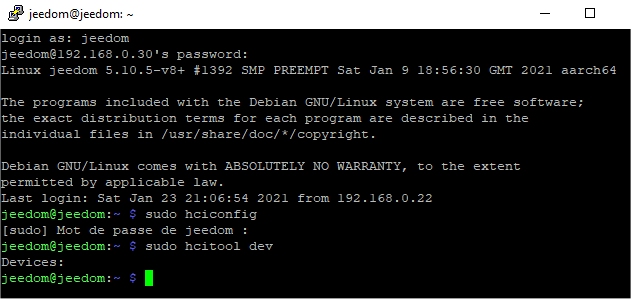
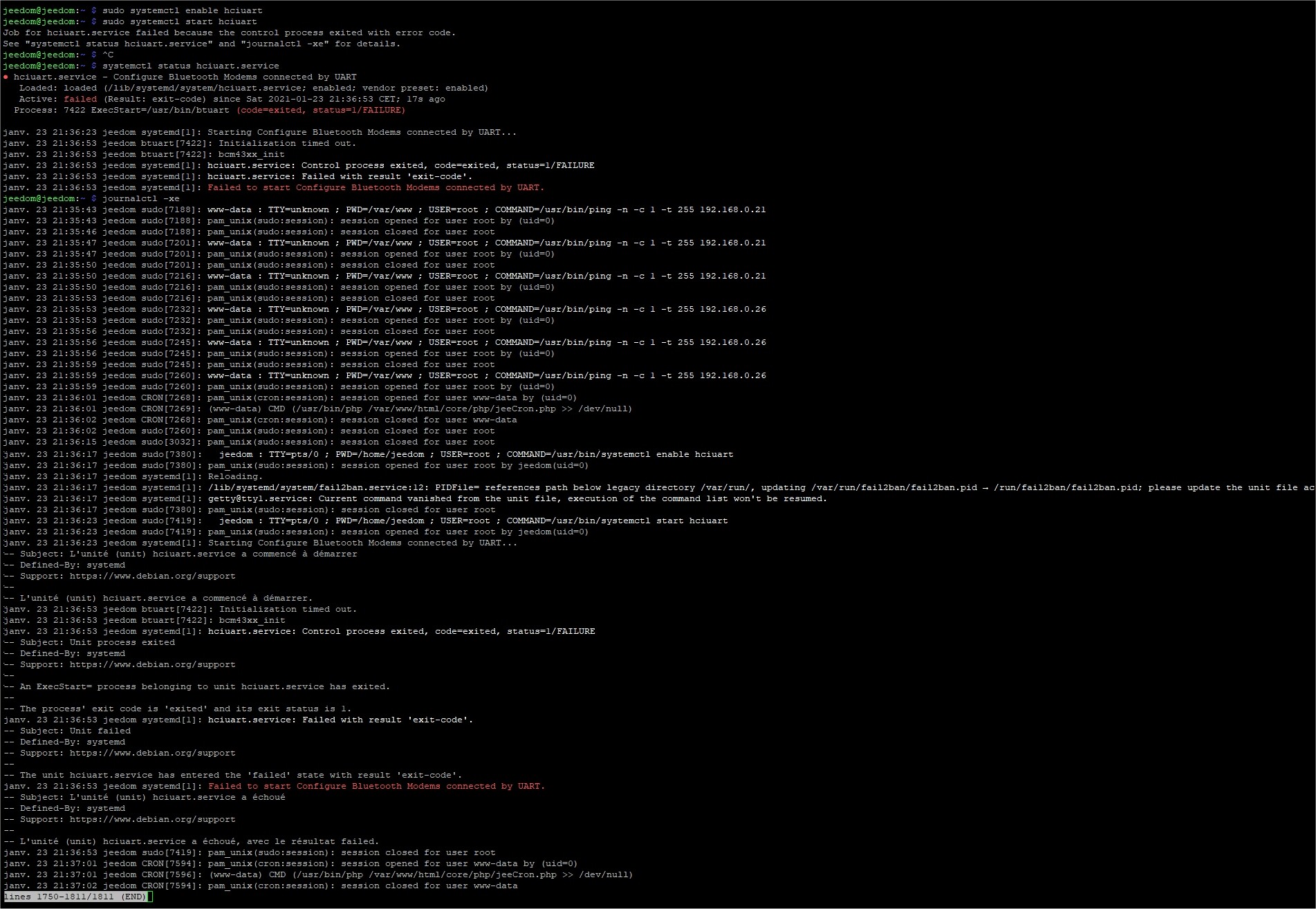
Bonjour à tous
Merci de votre aide , j’ai tester les trois sans succés
PARTIE 1 :
login as: jeedom
jeedom@192.168.0.30's password:
Linux jeedom 5.10.5-v8+ #1392 SMP PREEMPT Sat Jan 9 18:56:30 GMT 2021 aarch64

The programs included with the Debian GNU/Linux system are free software;
the exact distribution terms for each program are described in the
individual files in /usr/share/doc/*/copyright.

Debian GNU/Linux comes with ABSOLUTELY NO WARRANTY, to the extent
permitted by applicable law.
Last login: Sat Jan 23 21:21:40 2021 from 192.168.0.22
jeedom@jeedom:~ $ sudo apt-get purge pi-bluetooth raspberrypi-sys-mods
[sudo] Mot de passe de jeedom :
Lecture des listes de paquets... Fait
Construction de l'arbre des dépendances
Lecture des informations d'état... Fait
Les paquets suivants ont été installés automatiquement et ne sont plus nécessair                                                                                                                                                             es :
  bluez-firmware raspi-gpio
Veuillez utiliser « sudo apt autoremove » pour les supprimer.
Les paquets suivants seront ENLEVÉS :
  pi-bluetooth* raspberrypi-sys-mods*
0 mis à jour, 0 nouvellement installés, 2 à enlever et 0 non mis à jour.
Après cette opération, 96,3 ko d'espace disque seront libérés.
Souhaitez-vous continuer ? [O/n] o
(Lecture de la base de données... 61266 fichiers et répertoires déjà installés.)
Suppression de pi-bluetooth (0.1.15) ...
Suppression de raspberrypi-sys-mods (20201026) ...
(Lecture de la base de données... 61245 fichiers et répertoires déjà installés.)
Purge des fichiers de configuration de pi-bluetooth (0.1.15) ...
Purge des fichiers de configuration de raspberrypi-sys-mods (20201026) ...
jeedom@jeedom:~ $ sudo apt-get install pi-bluetooth raspberrypi-sys-mods
Lecture des listes de paquets... Fait
Construction de l'arbre des dépendances
Lecture des informations d'état... Fait
Le paquet suivant a été installé automatiquement et n'est plus nécessaire :
  raspi-gpio
Veuillez utiliser « sudo apt autoremove » pour le supprimer.
Les NOUVEAUX paquets suivants seront installés :
  pi-bluetooth raspberrypi-sys-mods
0 mis à jour, 2 nouvellement installés, 0 à enlever et 0 non mis à jour.
Il est nécessaire de prendre 16,1 ko dans les archives.
Après cette opération, 96,3 ko d'espace disque supplémentaires seront utilisés.
Réception de :1 http://archive.raspberrypi.org/debian buster/main arm64 raspberrypi-sys-mods arm64 20201026 [10,9 kB]
Réception de :2 http://archive.raspberrypi.org/debian buster/main arm64 pi-bluetooth all 0.1.15 [5 188 B]
16,1 ko réceptionnés en 0s (34,0 ko/s)
Sélection du paquet raspberrypi-sys-mods précédemment désélectionné.
(Lecture de la base de données... 61238 fichiers et répertoires déjà installés.)
Préparation du dépaquetage de .../raspberrypi-sys-mods_20201026_arm64.deb ...
Dépaquetage de raspberrypi-sys-mods (20201026) ...
Sélection du paquet pi-bluetooth précédemment désélectionné.
Préparation du dépaquetage de .../pi-bluetooth_0.1.15_all.deb ...
Dépaquetage de pi-bluetooth (0.1.15) ...
Paramétrage de raspberrypi-sys-mods (20201026) ...
Fixing file capabilities...
Failed to set capabilities on file `/bin/ping6' (Invalid argument)
The value of the capability argument is not permitted for a file. Or the file is not a regular (non-symlink) file
Adjusting cmdline.txt...
Removing old sysctl tweaks, if present...
Removing old NOPASSWD line, if present...
Updating documentation URL in /boot/config.txt...
Updating apt sources from {mirrordirector,archive}.raspbian.org to raspbian.raspberrypi.org...
Created symlink /etc/systemd/system/reboot.target.wants/rpi-display-backlight.service → /lib/systemd/system/rpi-display-backlight.service.
Created symlink /etc/systemd/system/halt.target.wants/rpi-display-backlight.service → /lib/systemd/system/rpi-display-backlight.service.
Created symlink /etc/systemd/system/poweroff.target.wants/rpi-display-backlight.service → /lib/systemd/system/rpi-display-backlight.service.
Created symlink /etc/systemd/system/multi-user.target.wants/sshswitch.service → /lib/systemd/system/sshswitch.service.
Paramétrage de pi-bluetooth (0.1.15) ...
Created symlink /etc/systemd/system/multi-user.target.wants/hciuart.service → /lib/systemd/system/hciuart.service.
Job for hciuart.service failed because the control process exited with error code.
See "systemctl status hciuart.service" and "journalctl -xe" for details.
jeedom@jeedom:~ $ systemctl status hciuart.service
● hciuart.service - Configure Bluetooth Modems connected by UART
   Loaded: loaded (/lib/systemd/system/hciuart.service; enabled; vendor preset: enabled)
   Active: failed (Result: exit-code) since Sun 2021-01-24 11:14:13 CET; 14s ago
  Process: 4331 ExecStart=/usr/bin/btuart (code=exited, status=1/FAILURE)

janv. 24 11:13:42 jeedom systemd[1]: Starting Configure Bluetooth Modems connected by UART...
janv. 24 11:14:13 jeedom btuart[4331]: Initialization timed out.
janv. 24 11:14:13 jeedom btuart[4331]: bcm43xx_init
janv. 24 11:14:13 jeedom systemd[1]: hciuart.service: Control process exited, code=exited, status=1/FAILURE
janv. 24 11:14:13 jeedom systemd[1]: hciuart.service: Failed with result 'exit-code'.
janv. 24 11:14:13 jeedom systemd[1]: Failed to start Configure Bluetooth Modems connected by UART.
jeedom@jeedom:~ $ journalctl -xe
-- Defined-By: systemd
-- Support: https://www.debian.org/support
--
-- L'unité (unit) packagekit.service a commencé à démarrer.
janv. 24 11:12:45 jeedom PackageKit[3798]: daemon start
janv. 24 11:12:45 jeedom dbus-daemon[327]: [system] Successfully activated service 'org.freedesktop.PackageKit'
janv. 24 11:12:45 jeedom systemd[1]: Started PackageKit Daemon.
-- Subject: L'unité (unit) packagekit.service a terminé son démarrage
-- Defined-By: systemd
-- Support: https://www.debian.org/support
--
-- L'unité (unit) packagekit.service a terminé son démarrage, avec le résultat done.
janv. 24 11:12:45 jeedom sudo[3225]: pam_unix(sudo:session): session closed for user root
janv. 24 11:13:01 jeedom CRON[3877]: pam_unix(cron:session): session opened for user www-data by (uid=0)
janv. 24 11:13:01 jeedom CRON[3878]: (www-data) CMD (/usr/bin/php /var/www/html/core/php/jeeCron.php >> /dev/null)
janv. 24 11:13:02 jeedom CRON[3877]: pam_unix(cron:session): session closed for user www-data
janv. 24 11:13:20 jeedom sudo[4012]:   jeedom : TTY=pts/0 ; PWD=/home/jeedom ; USER=root ; COMMAND=/usr/bin/apt-get install pi-bluetooth raspberrypi-sys-mods
janv. 24 11:13:20 jeedom sudo[4012]: pam_unix(sudo:session): session opened for user root by jeedom(uid=0)
janv. 24 11:13:28 jeedom systemd[1]: Reloading.
janv. 24 11:13:28 jeedom systemd[1]: /lib/systemd/system/fail2ban.service:12: PIDFile= references path below legacy directory /var/run/, updating /var/run/fail2ban/fail2ban.pid → /run/fail2ban/fail2ban.pid; please update the unit file ac
janv. 24 11:13:28 jeedom systemd[1]: Reloading.
janv. 24 11:13:29 jeedom systemd[1]: /lib/systemd/system/fail2ban.service:12: PIDFile= references path below legacy directory /var/run/, updating /var/run/fail2ban/fail2ban.pid → /run/fail2ban/fail2ban.pid; please update the unit file ac
janv. 24 11:13:30 jeedom systemd[1]: Reloading.
janv. 24 11:13:30 jeedom systemd[1]: /lib/systemd/system/fail2ban.service:12: PIDFile= references path below legacy directory /var/run/, updating /var/run/fail2ban/fail2ban.pid → /run/fail2ban/fail2ban.pid; please update the unit file ac
janv. 24 11:13:31 jeedom systemd[1]: Reloading.
janv. 24 11:13:32 jeedom systemd[1]: /lib/systemd/system/fail2ban.service:12: PIDFile= references path below legacy directory /var/run/, updating /var/run/fail2ban/fail2ban.pid → /run/fail2ban/fail2ban.pid; please update the unit file ac
janv. 24 11:13:41 jeedom systemd[1]: Reloading.
janv. 24 11:13:41 jeedom systemd[1]: /lib/systemd/system/fail2ban.service:12: PIDFile= references path below legacy directory /var/run/, updating /var/run/fail2ban/fail2ban.pid → /run/fail2ban/fail2ban.pid; please update the unit file ac
janv. 24 11:13:42 jeedom systemd[1]: Reloading.
janv. 24 11:13:42 jeedom systemd[1]: /lib/systemd/system/fail2ban.service:12: PIDFile= references path below legacy directory /var/run/, updating /var/run/fail2ban/fail2ban.pid → /run/fail2ban/fail2ban.pid; please update the unit file ac
janv. 24 11:13:42 jeedom systemd[1]: Starting Configure Bluetooth Modems connected by UART...
-- Subject: L'unité (unit) hciuart.service a commencé à démarrer
-- Defined-By: systemd
-- Support: https://www.debian.org/support
--
-- L'unité (unit) hciuart.service a commencé à démarrer.
janv. 24 11:14:01 jeedom CRON[4433]: pam_unix(cron:session): session opened for user www-data by (uid=0)
janv. 24 11:14:01 jeedom CRON[4434]: (www-data) CMD (/usr/bin/php /var/www/html/core/php/jeeCron.php >> /dev/null)
janv. 24 11:14:03 jeedom CRON[4433]: pam_unix(cron:session): session closed for user www-data
janv. 24 11:14:13 jeedom btuart[4331]: Initialization timed out.
janv. 24 11:14:13 jeedom btuart[4331]: bcm43xx_init
janv. 24 11:14:13 jeedom systemd[1]: hciuart.service: Control process exited, code=exited, status=1/FAILURE
-- Subject: Unit process exited
-- Defined-By: systemd
-- Support: https://www.debian.org/support
--
-- An ExecStart= process belonging to unit hciuart.service has exited.
--
-- The process' exit code is 'exited' and its exit status is 1.
janv. 24 11:14:13 jeedom systemd[1]: hciuart.service: Failed with result 'exit-code'.
-- Subject: Unit failed
-- Defined-By: systemd
-- Support: https://www.debian.org/support
--
-- The unit hciuart.service has entered the 'failed' state with result 'exit-code'.
janv. 24 11:14:13 jeedom systemd[1]: Failed to start Configure Bluetooth Modems connected by UART.
-- Subject: L'unité (unit) hciuart.service a échoué
-- Defined-By: systemd
-- Support: https://www.debian.org/support
--
-- L'unité (unit) hciuart.service a échoué, avec le résultat failed.
janv. 24 11:14:21 jeedom sudo[4012]: pam_unix(sudo:session): session closed for user root
lines 1163-1224/1224 (END)
PARTIE 2 :
login as: jeedom
jeedom@192.168.0.30's password:
Linux jeedom 5.10.5-v8+ #1392 SMP PREEMPT Sat Jan 9 18:56:30 GMT 2021 aarch64

The programs included with the Debian GNU/Linux system are free software;
the exact distribution terms for each program are described in the
individual files in /usr/share/doc/*/copyright.

Debian GNU/Linux comes with ABSOLUTELY NO WARRANTY, to the extent
permitted by applicable law.
Last login: Sun Jan 24 11:15:10 2021 from 192.168.0.22
jeedom@jeedom:~ $ hciconfig
jeedom@jeedom:~ $ sudo apt-get remove pi-bluetooth
[sudo] Mot de passe de jeedom :
Lecture des listes de paquets... Fait
Construction de l'arbre des dépendances
Lecture des informations d'état... Fait
Les paquets suivants ont été installés automatiquement et ne sont plus nécessaires :
  bluez-firmware raspi-gpio
Veuillez utiliser « sudo apt autoremove » pour les supprimer.
Les paquets suivants seront ENLEVÉS :
  pi-bluetooth
0 mis à jour, 0 nouvellement installés, 1 à enlever et 0 non mis à jour.
Après cette opération, 26,6 ko d'espace disque seront libérés.
Souhaitez-vous continuer ? [O/n] o
(Lecture de la base de données... 61266 fichiers et répertoires déjà installés.)
Suppression de pi-bluetooth (0.1.15) ...
jeedom@jeedom:~ $ sudo apt-get install pi-bluetooth
Lecture des listes de paquets... Fait
Construction de l'arbre des dépendances
Lecture des informations d'état... Fait
Le paquet suivant a été installé automatiquement et n'est plus nécessaire :
  raspi-gpio
Veuillez utiliser « sudo apt autoremove » pour le supprimer.
Les NOUVEAUX paquets suivants seront installés :
  pi-bluetooth
0 mis à jour, 1 nouvellement installés, 0 à enlever et 0 non mis à jour.
Il est nécessaire de prendre 0 o/5 188 o dans les archives.
Après cette opération, 26,6 ko d'espace disque supplémentaires seront utilisés.
Sélection du paquet pi-bluetooth précédemment désélectionné.
(Lecture de la base de données... 61258 fichiers et répertoires déjà installés.)
Préparation du dépaquetage de .../pi-bluetooth_0.1.15_all.deb ...
Dépaquetage de pi-bluetooth (0.1.15) ...
Paramétrage de pi-bluetooth (0.1.15) ...
Job for hciuart.service failed because the control process exited with error code.
See "systemctl status hciuart.service" and "journalctl -xe" for details.
jeedom@jeedom:~ $ ^C
jeedom@jeedom:~ $ systemctl status hciuart.service
● hciuart.service - Configure Bluetooth Modems connected by UART
   Loaded: loaded (/lib/systemd/system/hciuart.service; enabled; vendor preset: enabled)
   Active: failed (Result: exit-code) since Sun 2021-01-24 11:53:45 CET; 11s ago
  Process: 3589 ExecStart=/usr/bin/btuart (code=exited, status=1/FAILURE)

janv. 24 11:53:15 jeedom systemd[1]: Starting Configure Bluetooth Modems connected by UART...
janv. 24 11:53:45 jeedom btuart[3589]: Initialization timed out.
janv. 24 11:53:45 jeedom btuart[3589]: bcm43xx_init
janv. 24 11:53:45 jeedom systemd[1]: hciuart.service: Control process exited, code=exited, status=1/FAILURE
janv. 24 11:53:45 jeedom systemd[1]: hciuart.service: Failed with result 'exit-code'.
janv. 24 11:53:45 jeedom systemd[1]: Failed to start Configure Bluetooth Modems connected by UART.
jeedom@jeedom:~ $ ^C
jeedom@jeedom:~ $ journalctl -xe
janv. 24 11:52:59 jeedom systemd[1]: getty@tty1.service: Current command vanished from the unit file, execution of the command list won't be resumed.
janv. 24 11:53:00 jeedom systemd[1]: Reloading.
janv. 24 11:53:00 jeedom systemd[1]: /lib/systemd/system/fail2ban.service:12: PIDFile= references path below legacy directory /var/run/, updating /var/run/fail2ban/fail2ban.pid → /run/fail2ban/fail2ban.pid; please update the unit file ac
janv. 24 11:53:01 jeedom systemd[1]: Reloading.
janv. 24 11:53:01 jeedom systemd[1]: /lib/systemd/system/fail2ban.service:12: PIDFile= references path below legacy directory /var/run/, updating /var/run/fail2ban/fail2ban.pid → /run/fail2ban/fail2ban.pid; please update the unit file ac
janv. 24 11:53:01 jeedom CRON[3337]: pam_unix(cron:session): session opened for user www-data by (uid=0)
janv. 24 11:53:01 jeedom CRON[3338]: (www-data) CMD (/usr/bin/php /var/www/html/core/php/jeeCron.php >> /dev/null)
janv. 24 11:53:02 jeedom CRON[3337]: pam_unix(cron:session): session closed for user www-data
janv. 24 11:53:04 jeedom dbus-daemon[347]: [system] Activating via systemd: service name='org.freedesktop.PackageKit' unit='packagekit.service' requested by ':1.15' (uid=0 pid=3438 comm="/usr/bin/gdbus call --system --dest org.freedeskto
janv. 24 11:53:04 jeedom systemd[1]: Starting PackageKit Daemon...
-- Subject: L'unité (unit) packagekit.service a commencé à démarrer
-- Defined-By: systemd
-- Support: https://www.debian.org/support
--
-- L'unité (unit) packagekit.service a commencé à démarrer.
janv. 24 11:53:04 jeedom PackageKit[3441]: daemon start
janv. 24 11:53:04 jeedom dbus-daemon[347]: [system] Successfully activated service 'org.freedesktop.PackageKit'
janv. 24 11:53:04 jeedom systemd[1]: Started PackageKit Daemon.
-- Subject: L'unité (unit) packagekit.service a terminé son démarrage
-- Defined-By: systemd
-- Support: https://www.debian.org/support
--
-- L'unité (unit) packagekit.service a terminé son démarrage, avec le résultat done.
janv. 24 11:53:05 jeedom sudo[2948]: pam_unix(sudo:session): session closed for user root
janv. 24 11:53:06 jeedom sudo[3459]:   jeedom : TTY=pts/0 ; PWD=/home/jeedom ; USER=root ; COMMAND=/usr/bin/apt-get install pi-bluetooth
janv. 24 11:53:06 jeedom sudo[3459]: pam_unix(sudo:session): session opened for user root by jeedom(uid=0)
janv. 24 11:53:13 jeedom systemd[1]: Reloading.
janv. 24 11:53:13 jeedom systemd[1]: /lib/systemd/system/fail2ban.service:12: PIDFile= references path below legacy directory /var/run/, updating /var/run/fail2ban/fail2ban.pid → /run/fail2ban/fail2ban.pid; please update the unit file ac
janv. 24 11:53:14 jeedom systemd[1]: Reloading.
janv. 24 11:53:14 jeedom systemd[1]: /lib/systemd/system/fail2ban.service:12: PIDFile= references path below legacy directory /var/run/, updating /var/run/fail2ban/fail2ban.pid → /run/fail2ban/fail2ban.pid; please update the unit file ac
janv. 24 11:53:15 jeedom systemd[1]: Starting Configure Bluetooth Modems connected by UART...
-- Subject: L'unité (unit) hciuart.service a commencé à démarrer
-- Defined-By: systemd
-- Support: https://www.debian.org/support
--
-- L'unité (unit) hciuart.service a commencé à démarrer.
janv. 24 11:53:45 jeedom btuart[3589]: Initialization timed out.
janv. 24 11:53:45 jeedom btuart[3589]: bcm43xx_init
janv. 24 11:53:45 jeedom systemd[1]: hciuart.service: Control process exited, code=exited, status=1/FAILURE
-- Subject: Unit process exited
-- Defined-By: systemd
-- Support: https://www.debian.org/support
--
-- An ExecStart= process belonging to unit hciuart.service has exited.
--
-- The process' exit code is 'exited' and its exit status is 1.
janv. 24 11:53:45 jeedom systemd[1]: hciuart.service: Failed with result 'exit-code'.
-- Subject: Unit failed
-- Defined-By: systemd
-- Support: https://www.debian.org/support
--
-- The unit hciuart.service has entered the 'failed' state with result 'exit-code'.
janv. 24 11:53:45 jeedom systemd[1]: Failed to start Configure Bluetooth Modems connected by UART.
-- Subject: L'unité (unit) hciuart.service a échoué
-- Defined-By: systemd
-- Support: https://www.debian.org/support
--
-- L'unité (unit) hciuart.service a échoué, avec le résultat failed.
janv. 24 11:53:46 jeedom sudo[3459]: pam_unix(sudo:session): session closed for user root
janv. 24 11:54:01 jeedom CRON[3961]: pam_unix(cron:session): session opened for user www-data by (uid=0)
janv. 24 11:54:01 jeedom CRON[3962]: (www-data) CMD (/usr/bin/php /var/www/html/core/php/jeeCron.php >> /dev/null)
janv. 24 11:54:02 jeedom CRON[3961]: pam_unix(cron:session): session closed for user www-data
lines 1555-1616/1616 (END)
PARTIE 3 :
login as: jeedom
jeedom@192.168.0.30's password:
Linux jeedom 5.10.5-v8+ #1392 SMP PREEMPT Sat Jan 9 18:56:30 GMT 2021 aarch64

The programs included with the Debian GNU/Linux system are free software;
the exact distribution terms for each program are described in the
individual files in /usr/share/doc/*/copyright.

Debian GNU/Linux comes with ABSOLUTELY NO WARRANTY, to the extent
permitted by applicable law.
Last login: Sun Jan 24 11:51:26 2021 from 192.168.0.22
jeedom@jeedom:~ $ sudo hciconfig hci0 reset
[sudo] Mot de passe de jeedom :
Can't get device info: No such device
jeedom@jeedom:~ $ sudo hciconfig hci0 up
Can't get device info: No such device
jeedom@jeedom:~ $ ls -all /dev/serial1
lrwxrwxrwx 1 root root 7 janv. 24 11:17 /dev/serial1 -> ttyAMA0
jeedom@jeedom:~ $